Manage account
Keep your personal profile and security credentials up to date. Learn to manage your contact details, marketing preferences, login ID, and password all in one place.
How to change your login ID
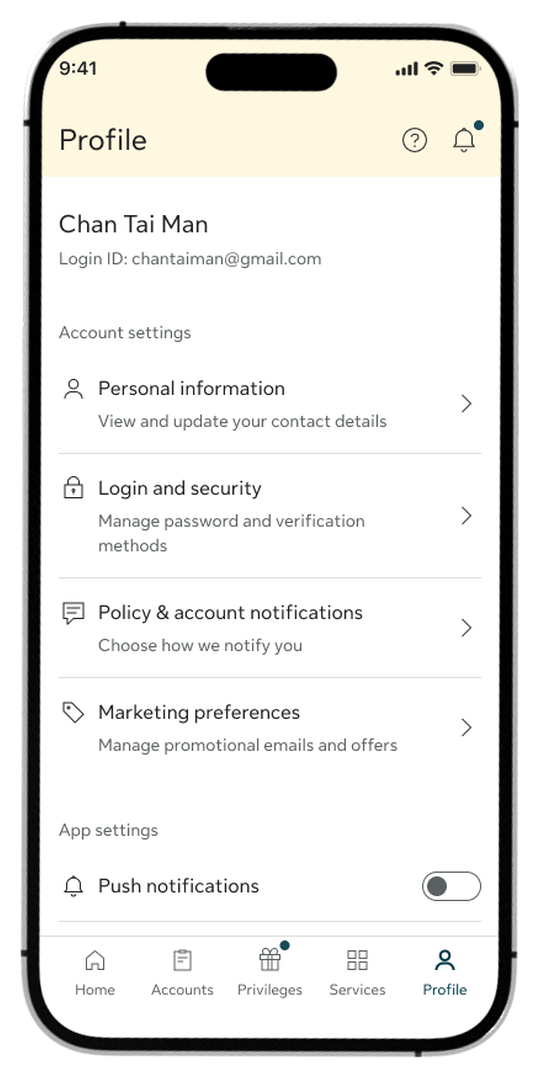
Step 1:
Go to the Profile tab and select Login and security under Account settings.
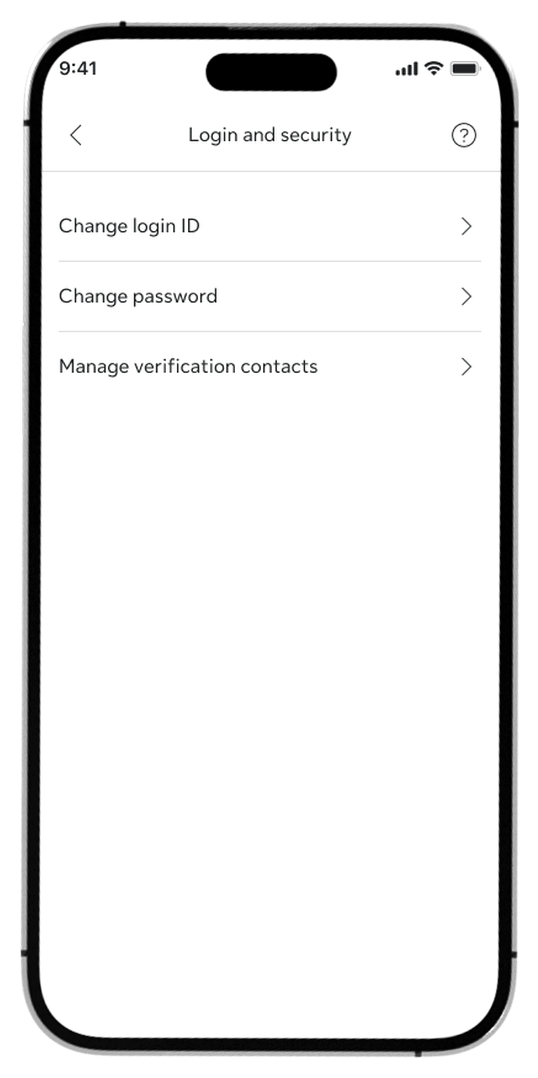
Step 2:
Tap Change login ID from the list of options.
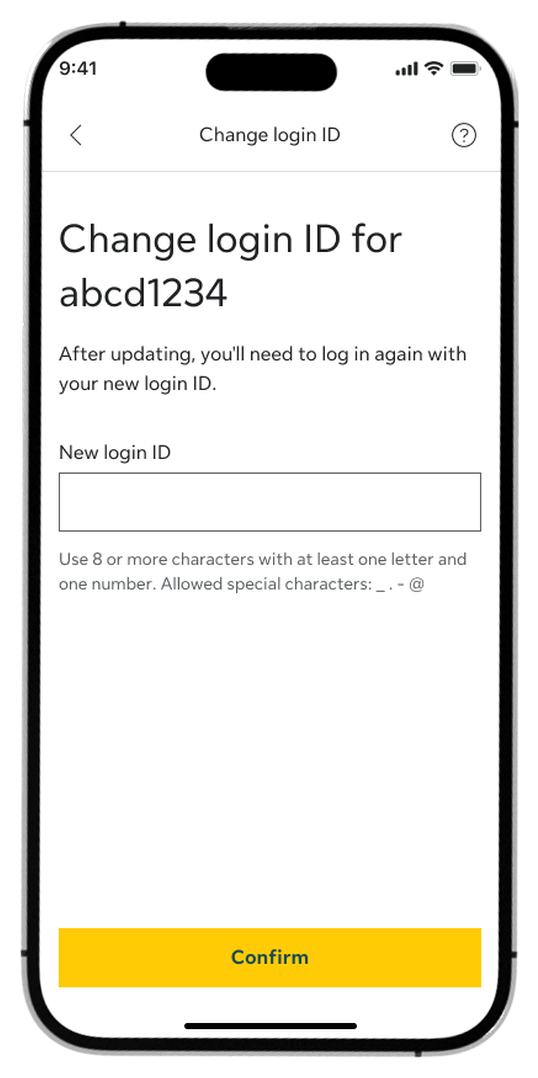
Step 3:
Enter your new Login ID and tap Confirm.
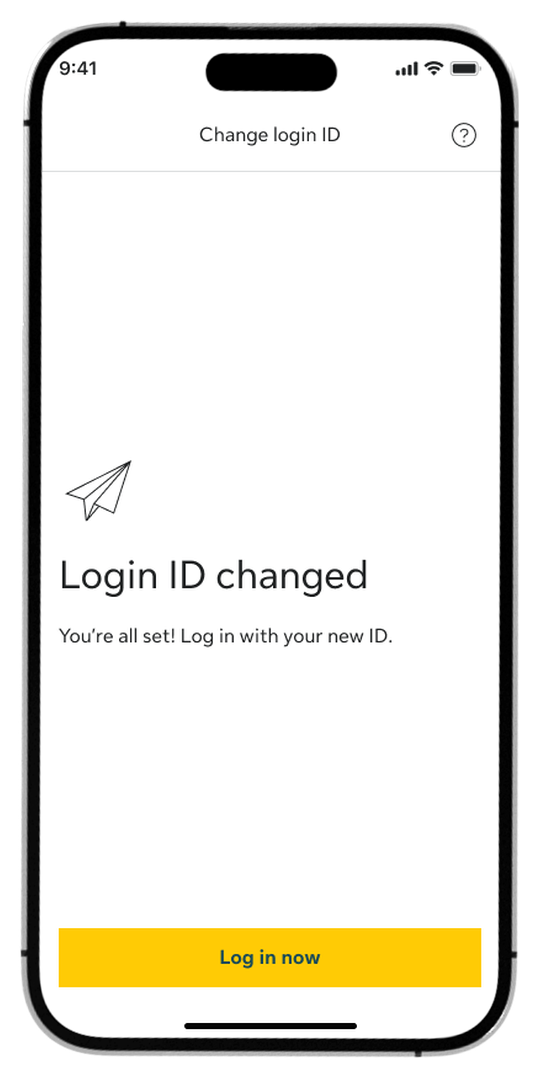
Step 4:
Tap Log in now to sign back into your account.
How to change your password
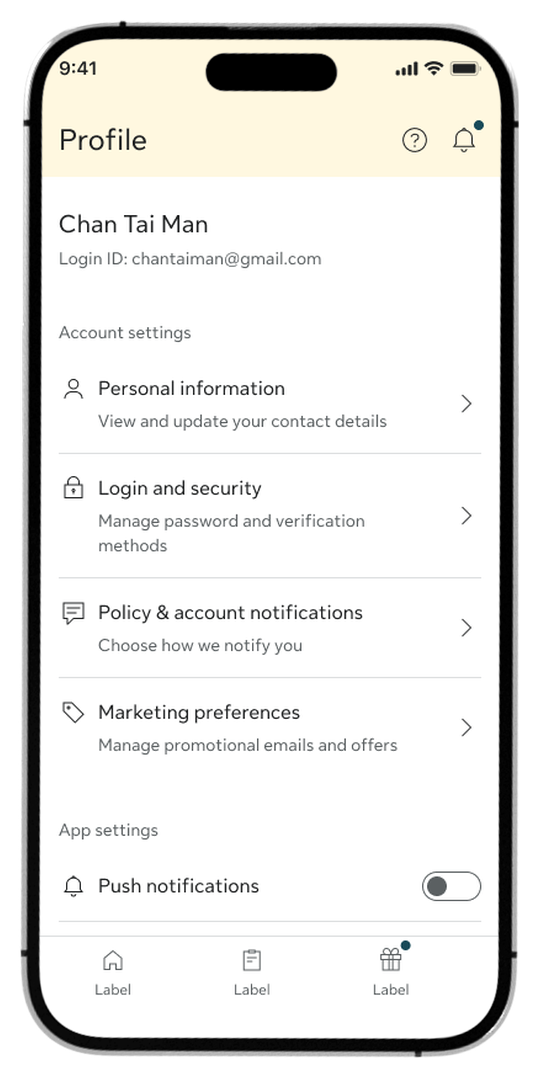
Step 1:
Go to the Profile tab and select Login and security under Account settings.
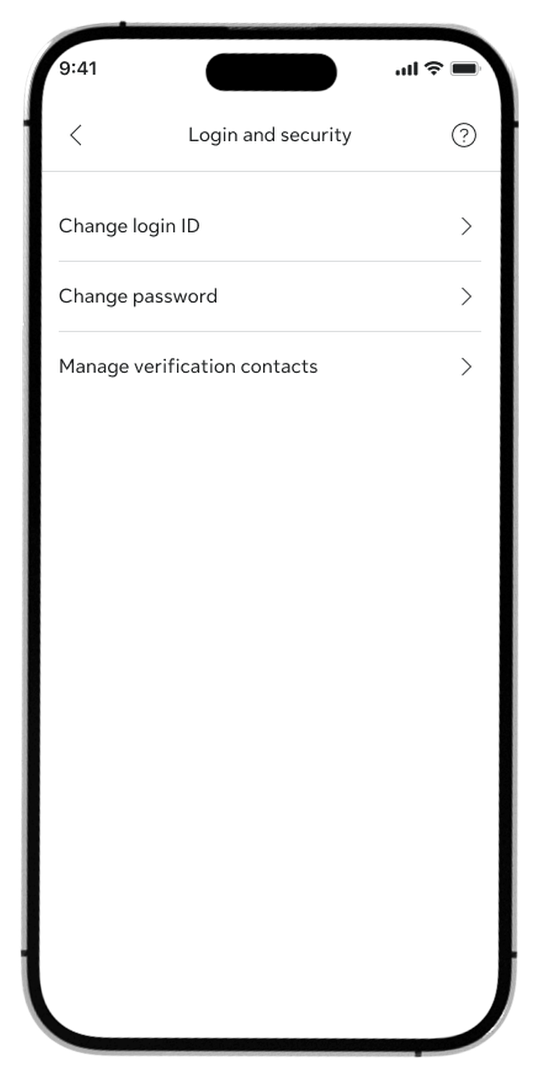
Step 2:
Tap Change password from the menu options.
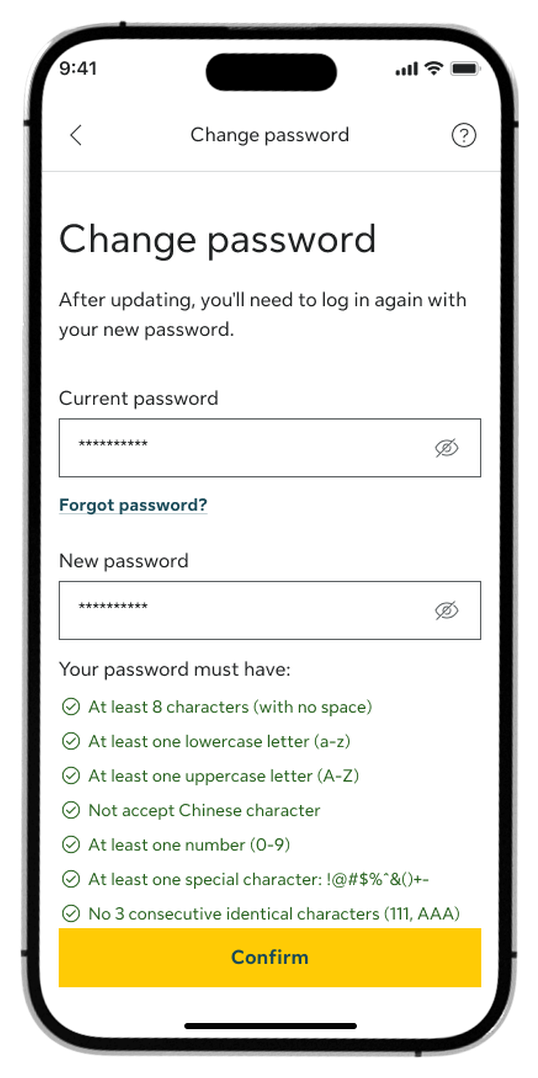
Step 3:
Enter your current password, type a new password that meets the security requirements, re-enter it to confirm, and tap Confirm.
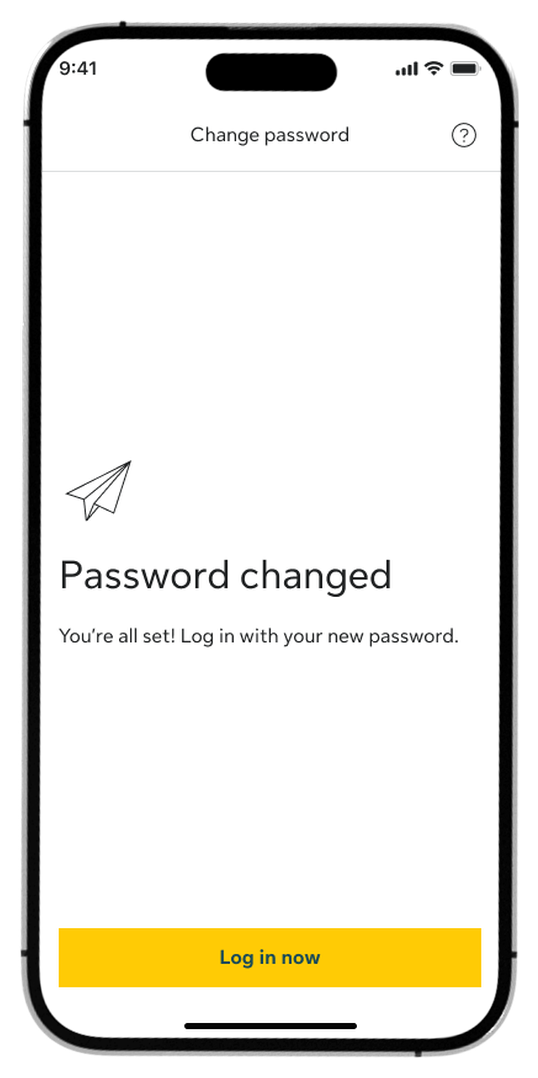
Step 4:
Tap Log in now to access your account with the new password.
How to update your contact details
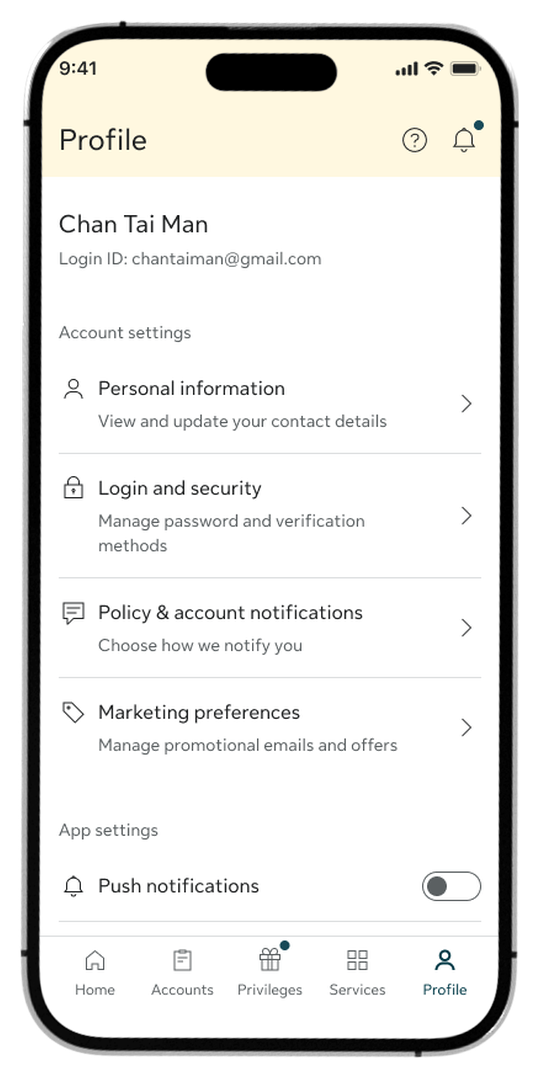
Step 1:
Go to the Profile tab and select Personal information under Account settings.
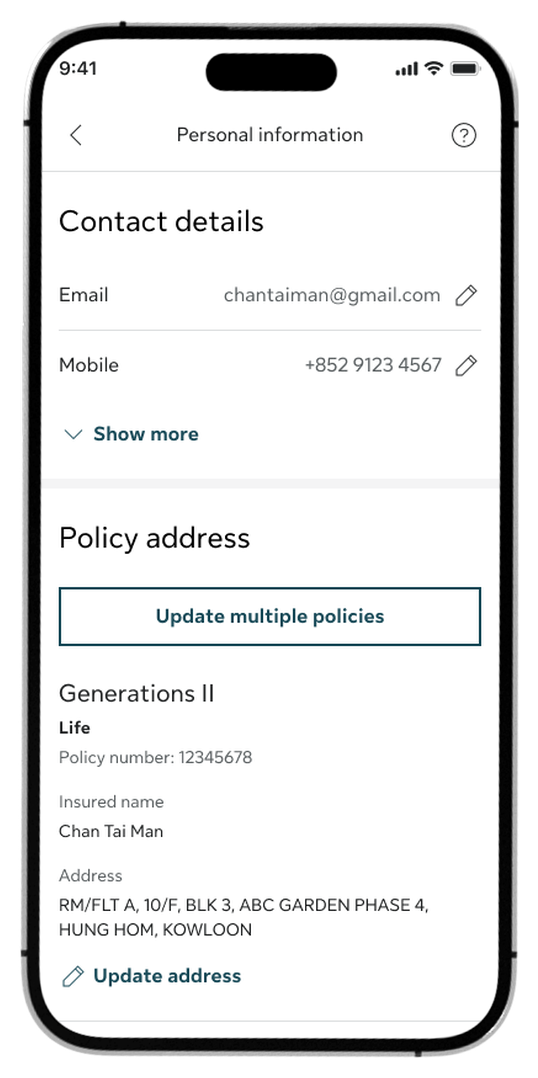
Step 2:
Tap the edit pencil icon Continue to your Email or Mobile number, or select Update address under a specific policy.
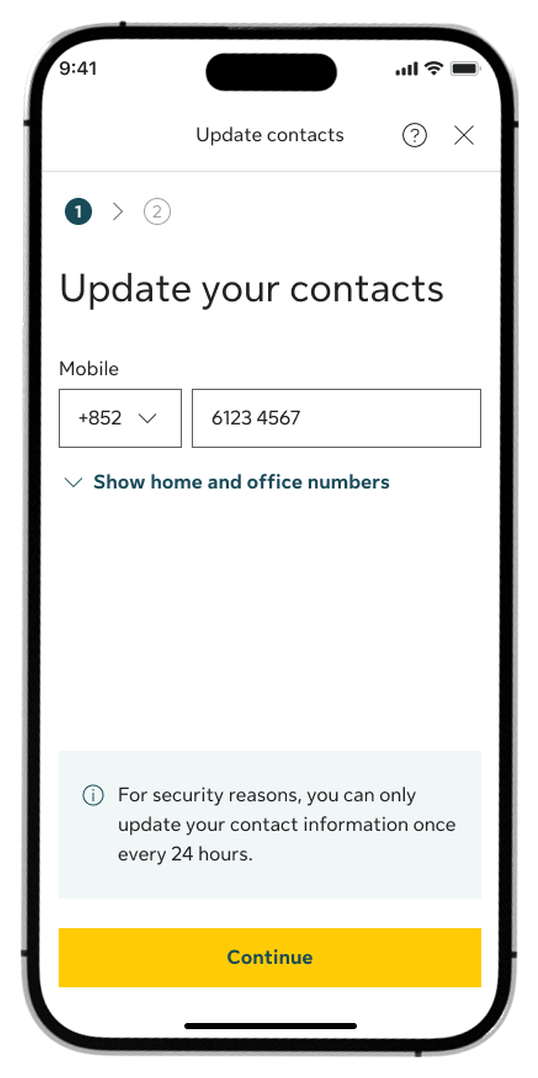
Step 3:
Enter your new contact details on the update screen and tap Continue.
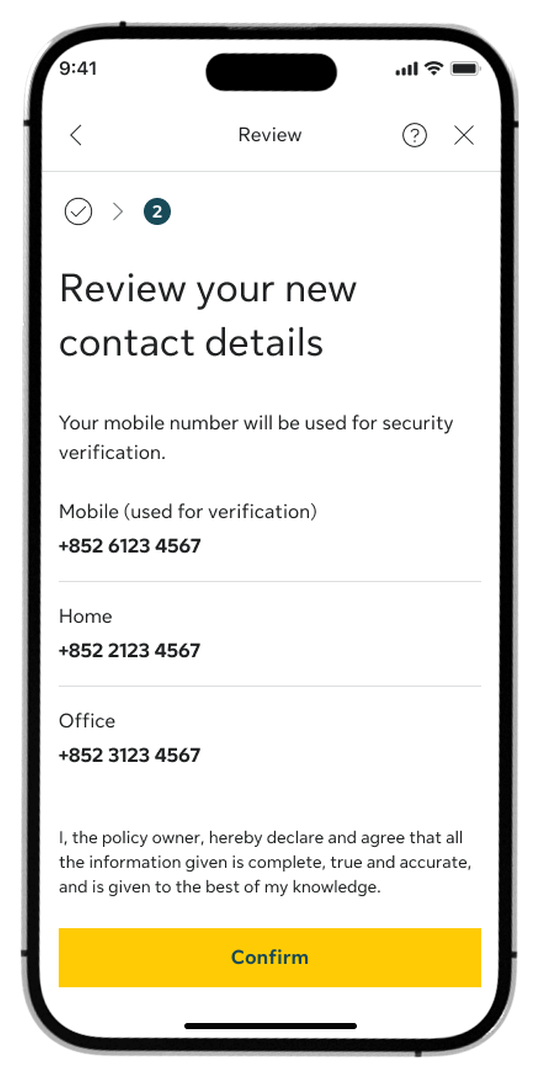
Step 4:
Review your new contact numbers or address details on the summary page and tap Confirm.
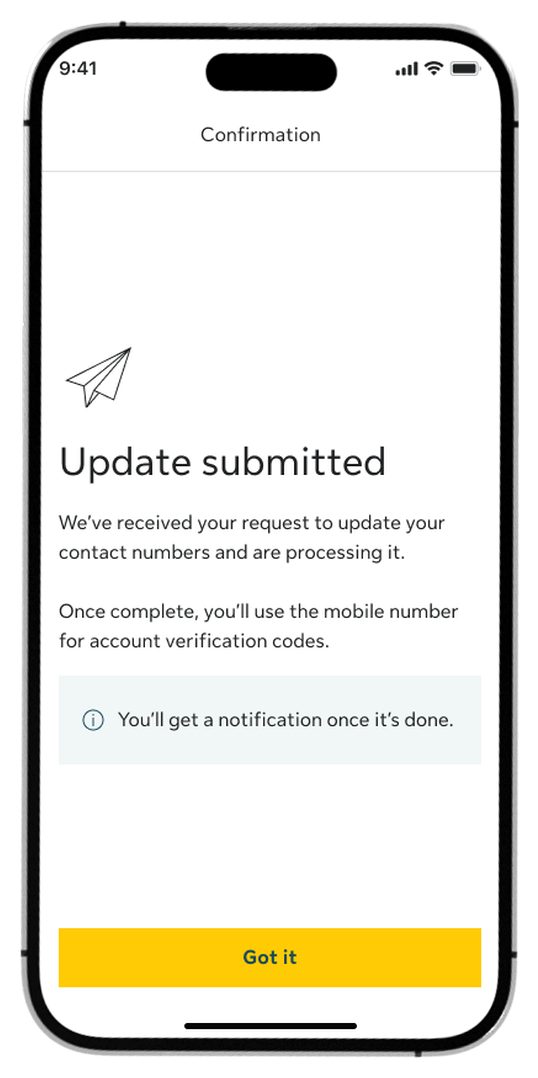
Step 5:
Once submitted, you’ll see a confirmation screen.
How to update your marketing preference
To opt in
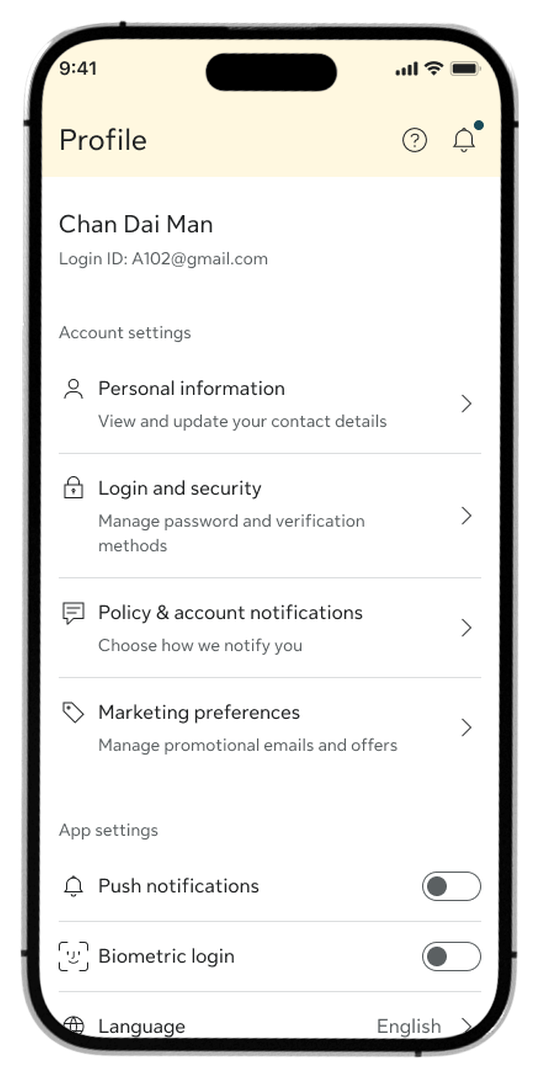
Step 1:
Go to the Profile tab and select Marketing preferences under Account settings.
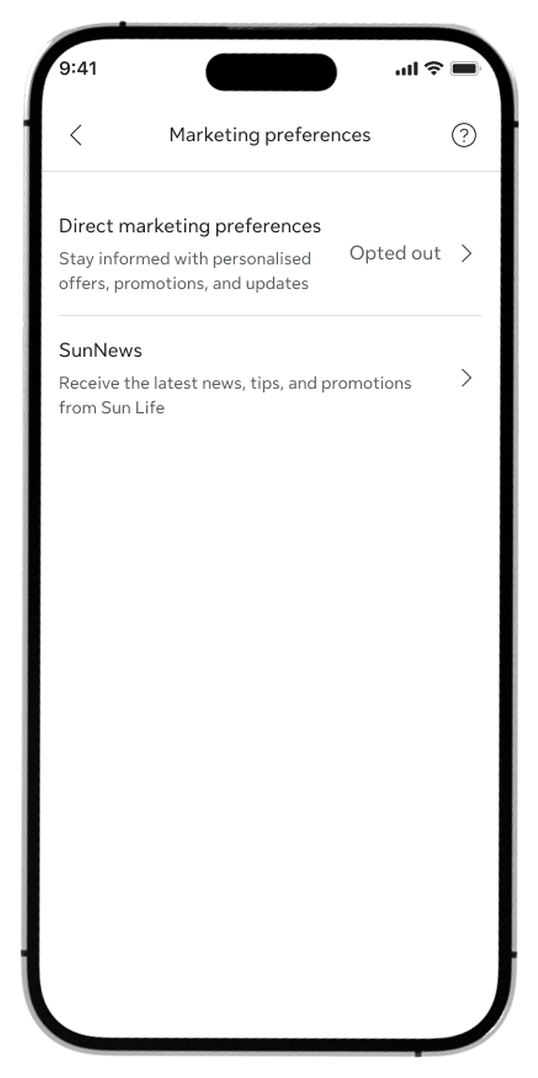
Step 2:
Select Direct marketing preferences to change your current settings.
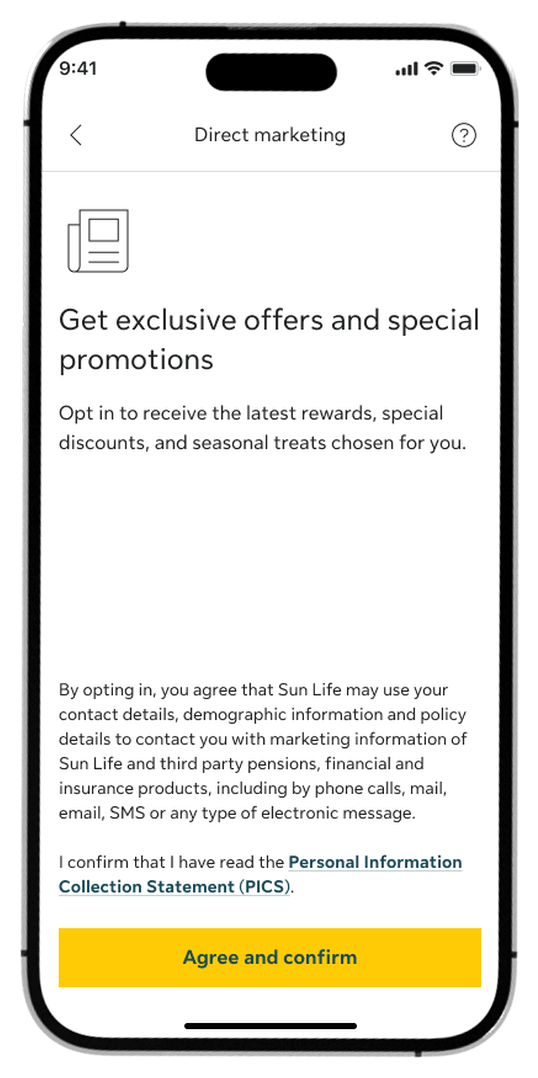
Step 3:
Review the marketing information notes, then tap Agree and confirm.
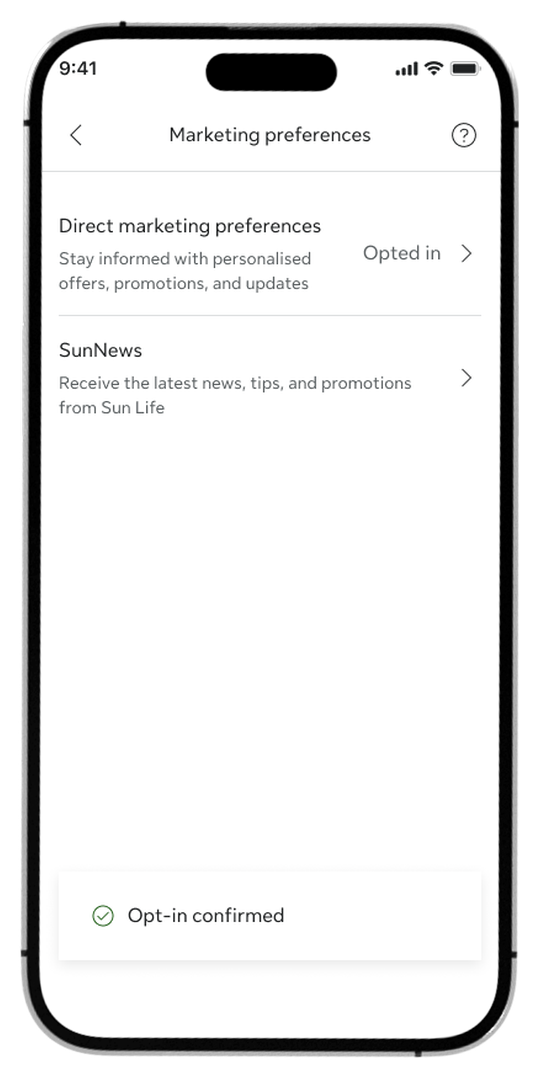
Step 4:
Review the successful confirmation message. The status for Direct marketing preferences will now display as Opted in.
To opt out
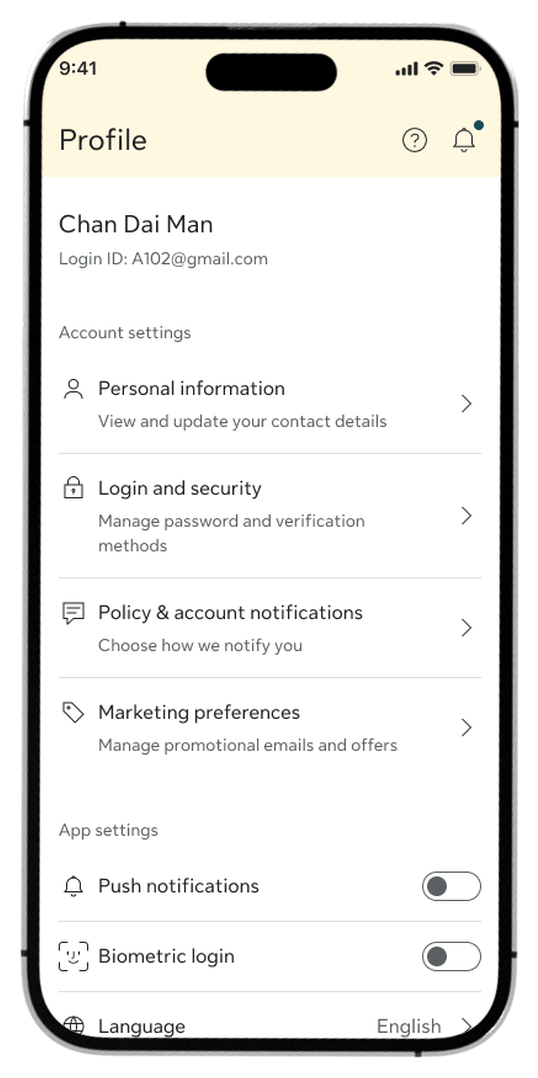
Step 1:
Go to the Profile tab and select Marketing preferences under Account settings.
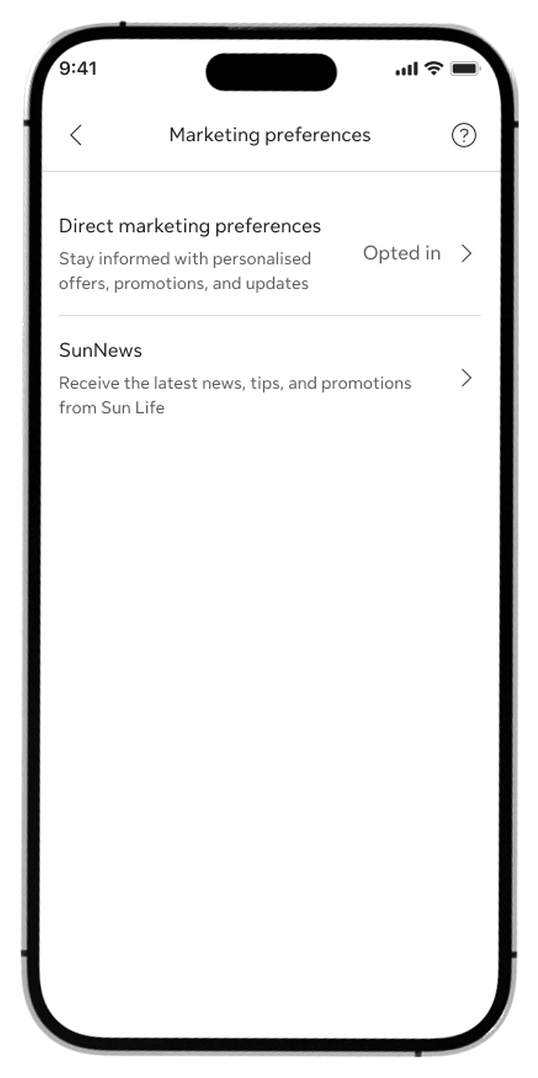
Step 2:
Select Direct marketing preferences to change your current settings.
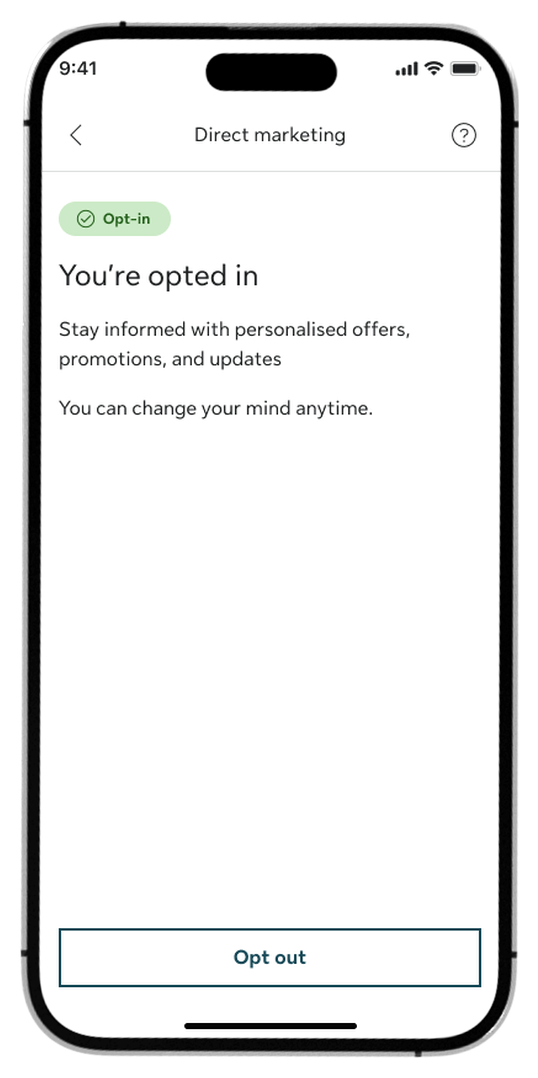
Step 3:
Tap Opt out at the bottom of the page to stop receiving marketing promotions.
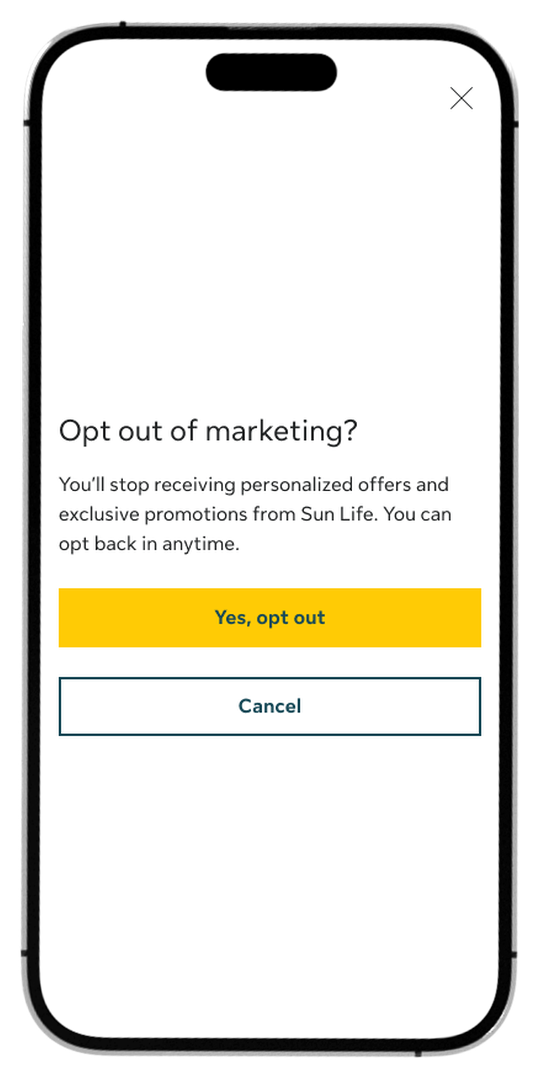
Step 4:
Tap Yes, opt out on the confirmation pop-up.
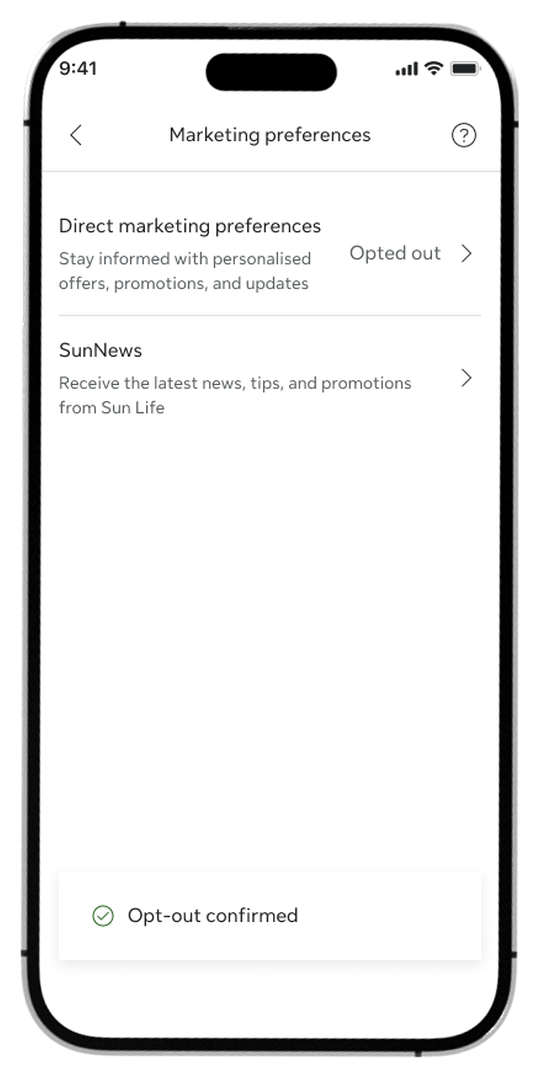
Step 5:
Review the opt-out confirmation message. The status for Direct marketing preferences will now display as Opted out.
Log in to My Sun Life HK now
If you are situated in Mainland China or overseas and cannot use the app version, you can still access your policy details via the web version of My Sun Life HK.


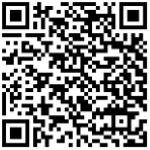



Apple and the Apple logo are trademarks of Apple Inc., registered in the U.S. and other countries. App Store is a service mark of Apple Inc., registered in the U.S. and other countries.
Google Play and the Google Play logo are trademarks of Google LLC.