How to acknowledge receipt of your eContract
Manage policies
Register for our eAdvice service to view your policy documents whenever you need to. You can also learn how to acknowledge receipt of your eContract with just a click and change your beneficiary.

Step 1:
If you have an eContract waiting for acknowledgment, you will see a reminder banner on your Home screen.
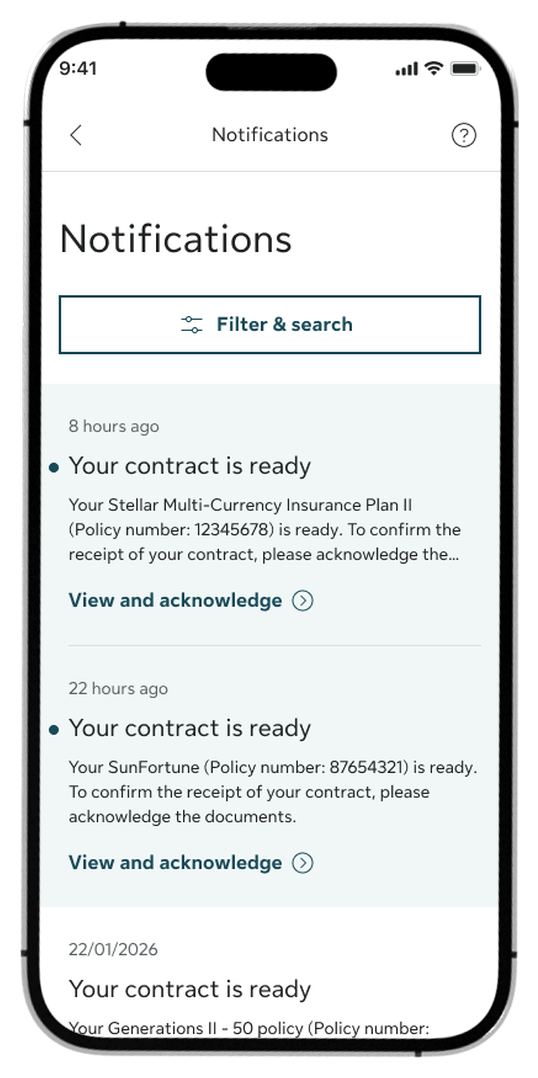
Step 2:
Alternatively, tap the Bell icon at the top right of the Home screen, go to Notifications, and tap View and acknowledge.
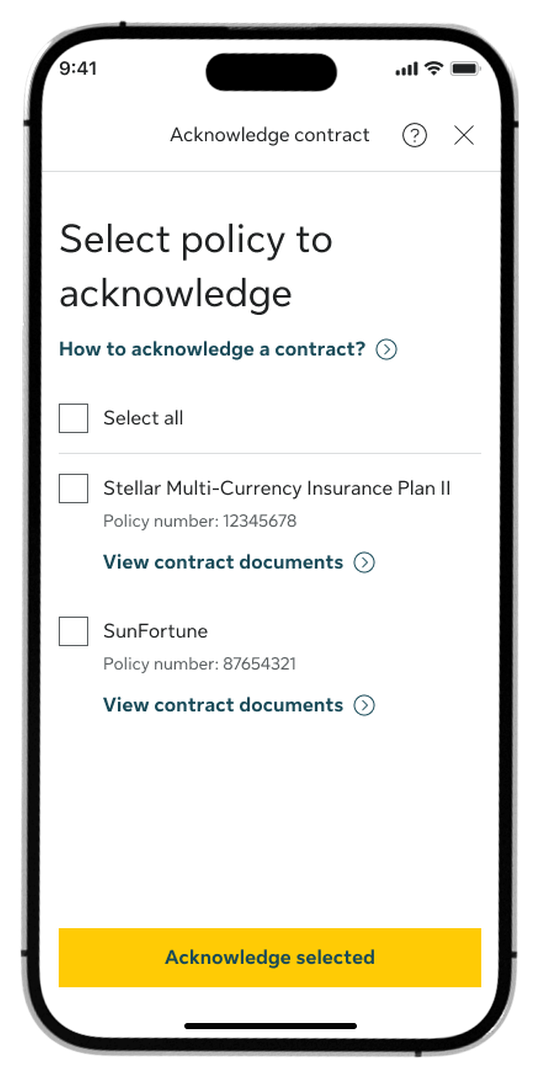
Step 3:
Tap the link to view your contract documents, select the policy you want to acknowledge, and tap Acknowledge selected.
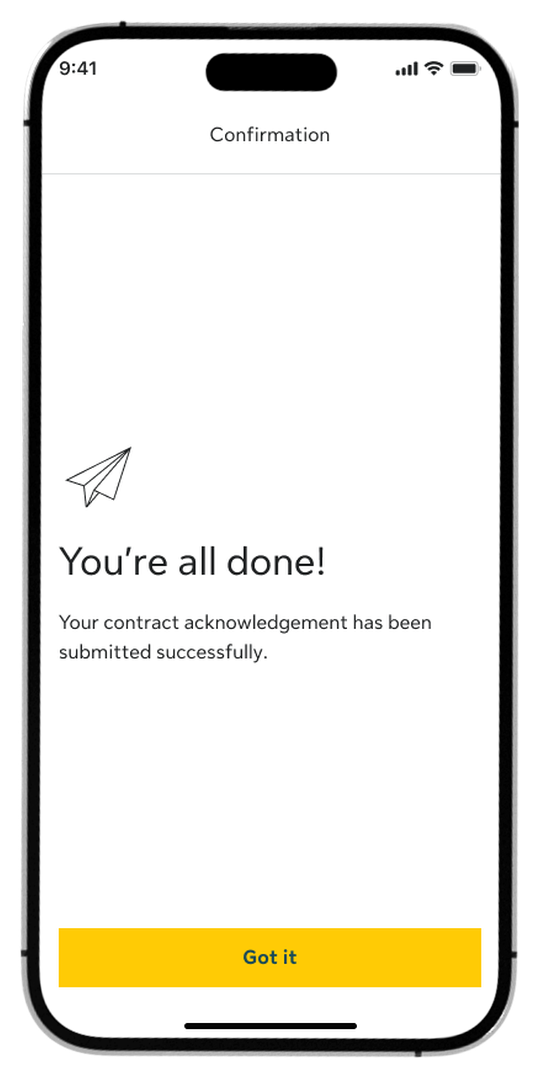
Step 4:
You are all set! A confirmation screen will appear to show your acknowledgment is complete.
How to view policy documents
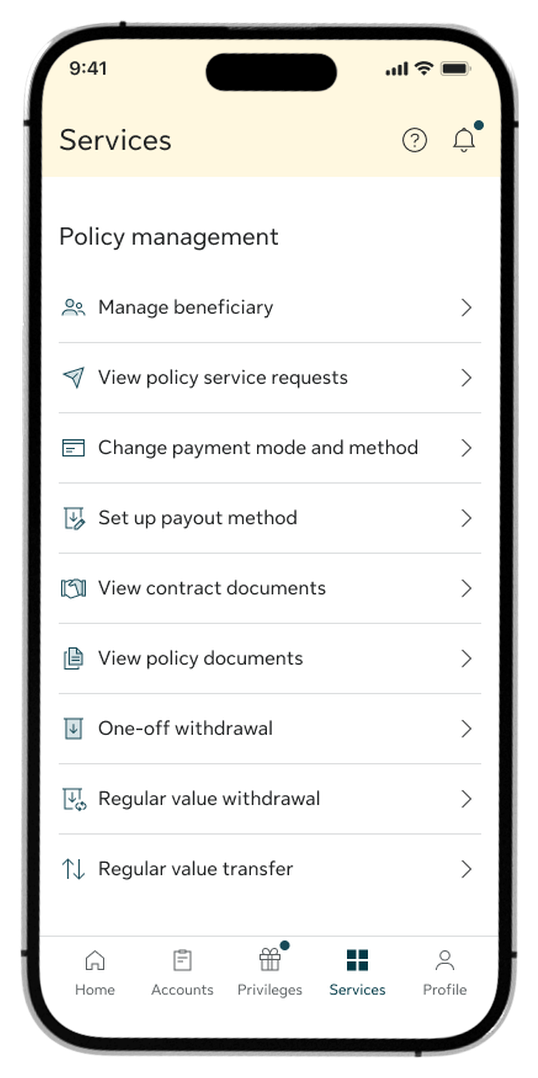
Step 1:
Go to the Services tab and select View policy documents under Policy management.
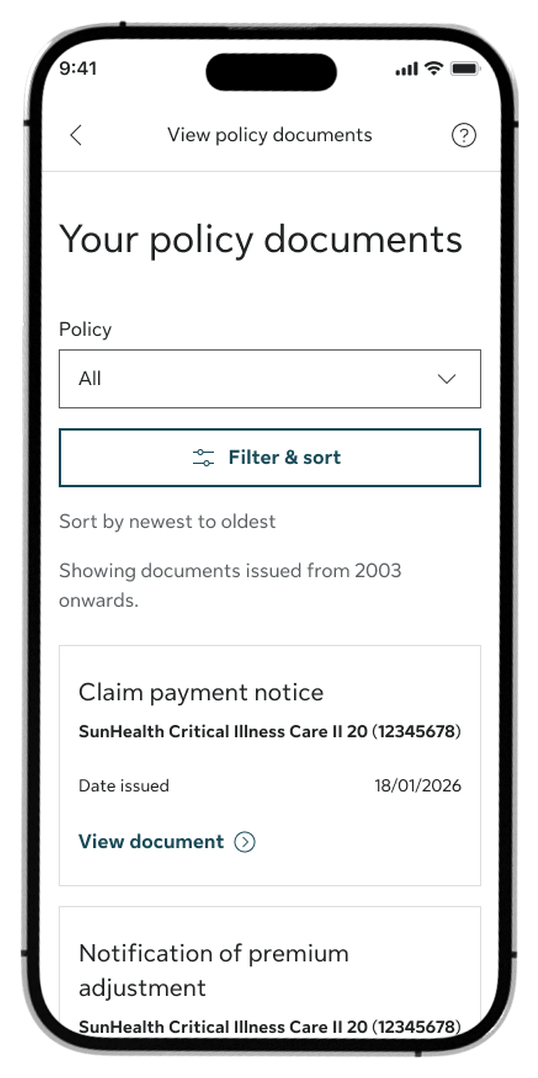
Step 2:
Tap the Policy dropdown to filter by a specific policy, or leave it on "All".
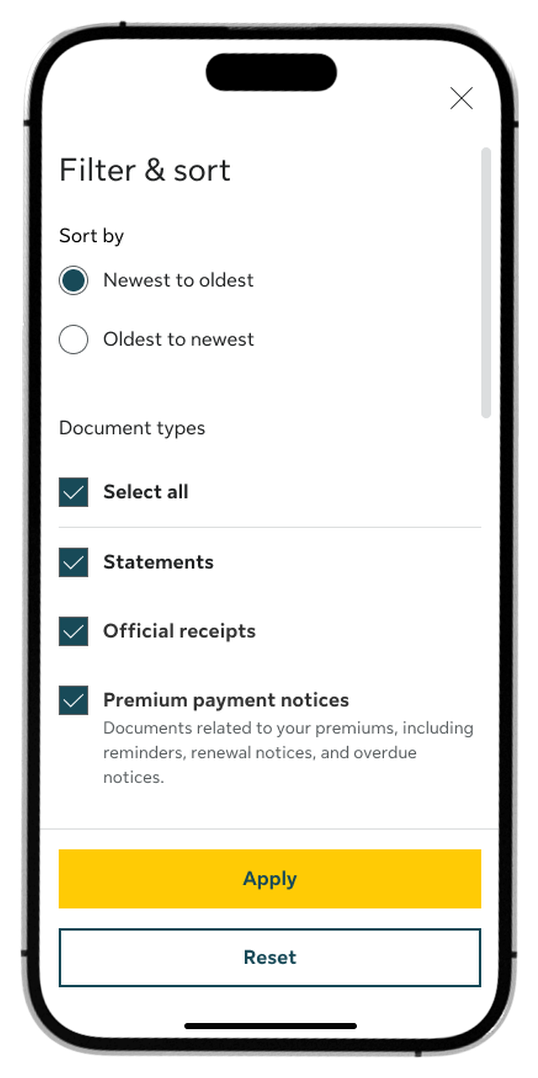
Step 3:
Tap Filter & sort to refine your search by date, document type, or year, then tap Apply.
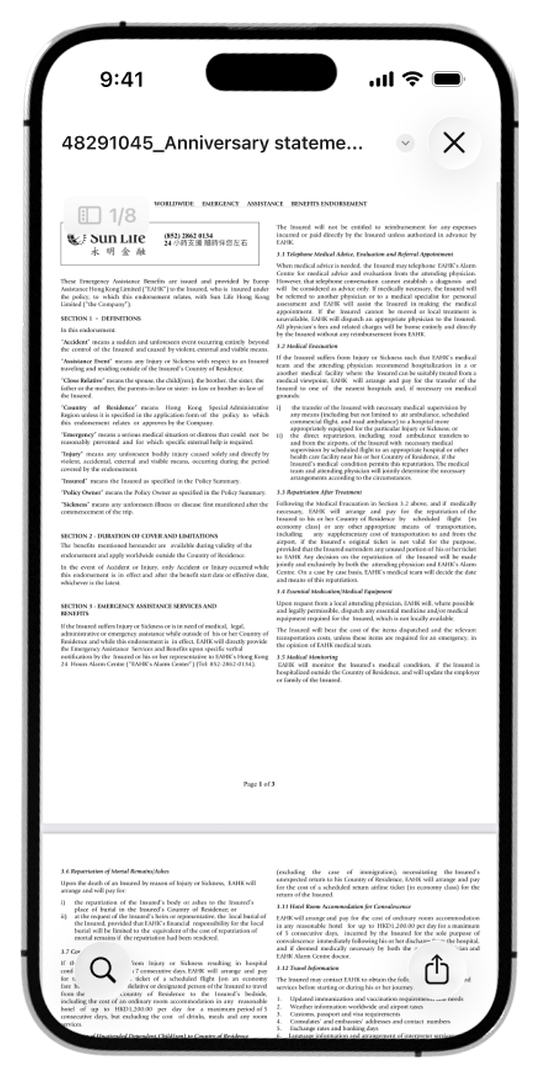
Step 4:
Browse the list of results and tap View document Continue to any item to open and read it.
How to view and send policy contracts
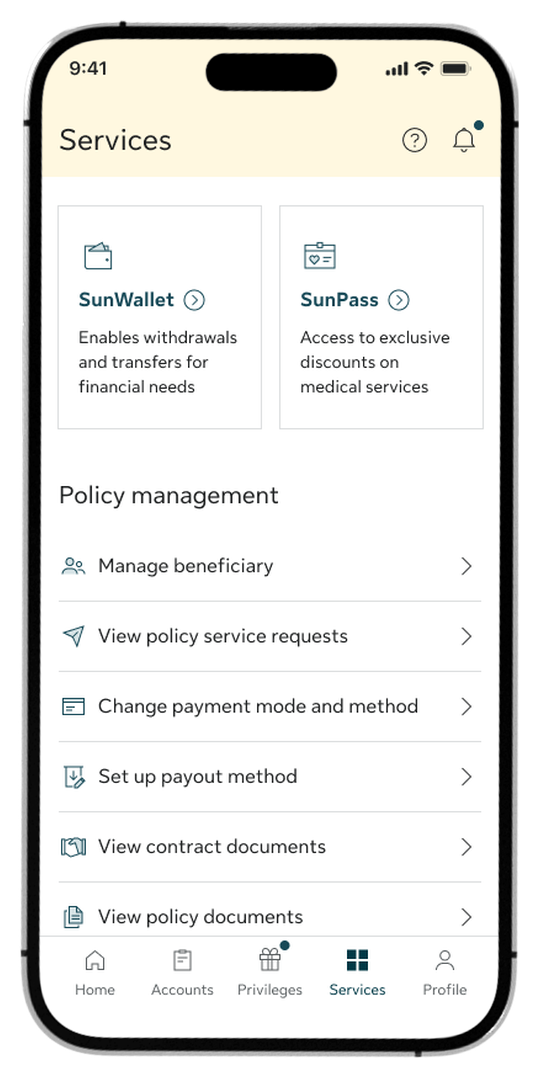
Step 1:
Go to the Services tab and select View contract documents under Policy management.
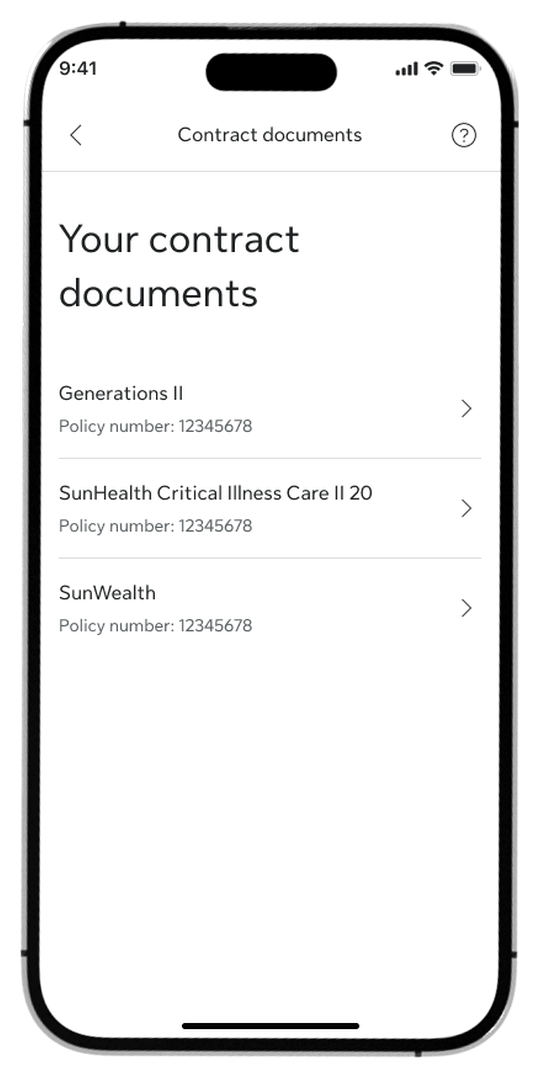
Step 2:
Select the specific policy from the list to view its contract details.
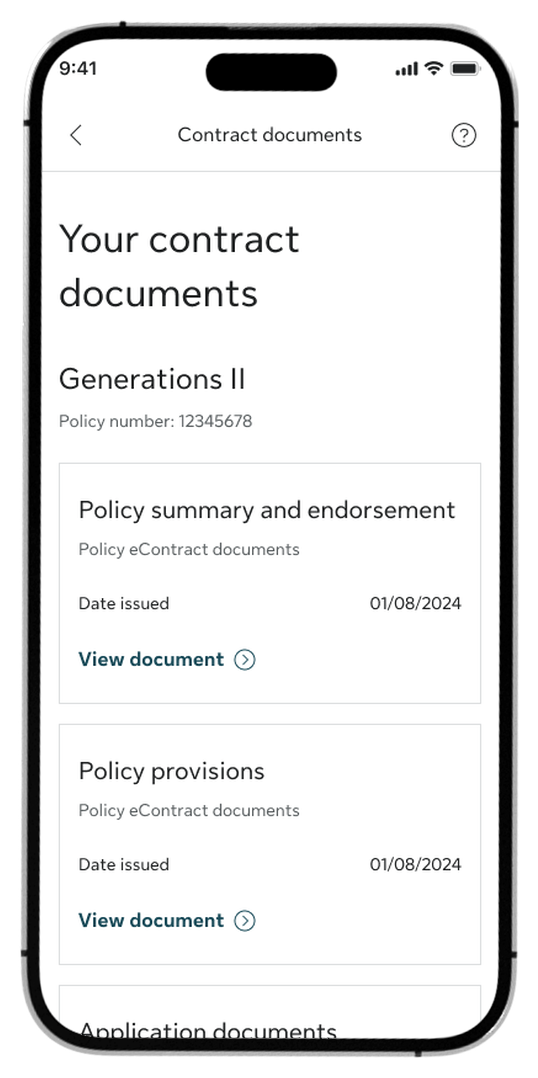
Step 3:
Tap View document Continue to any item to read it, or tap Send documents to email at the bottom.
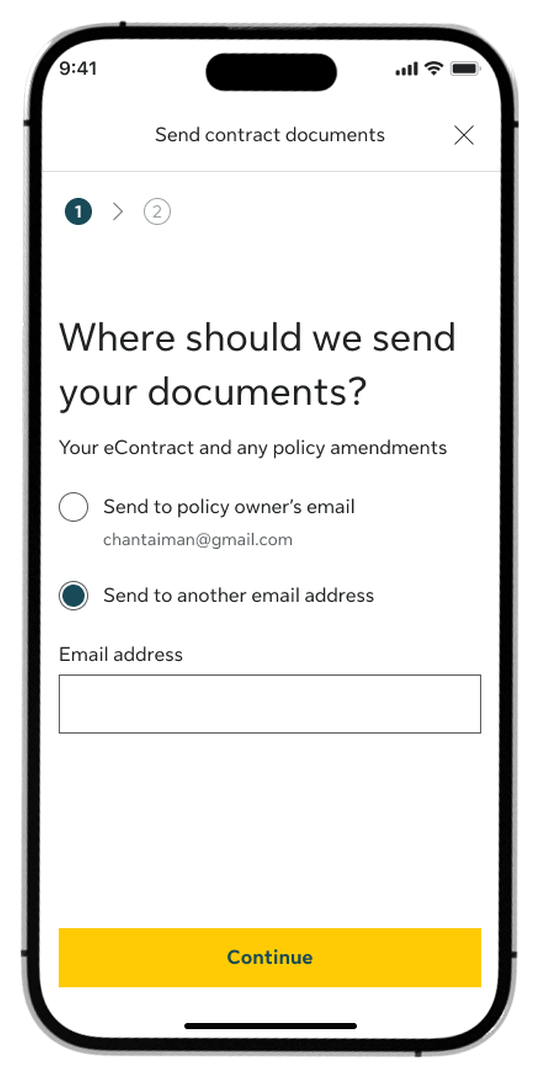
Step 4:
Choose to send to your registered email or enter a new address, then tap Continue.
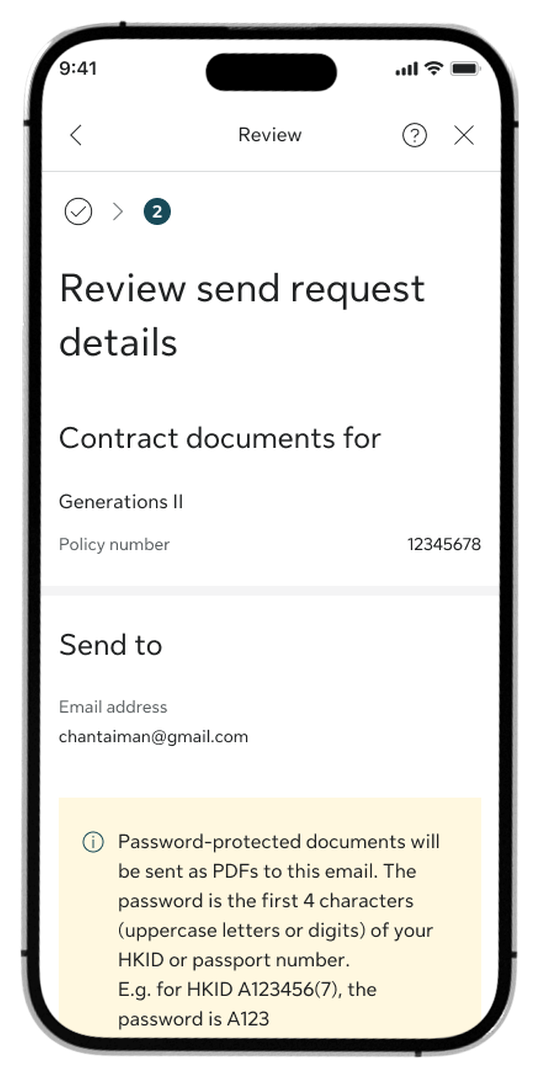
Step 5:
Review the details, note the PDF password rule, and tap Confirm.
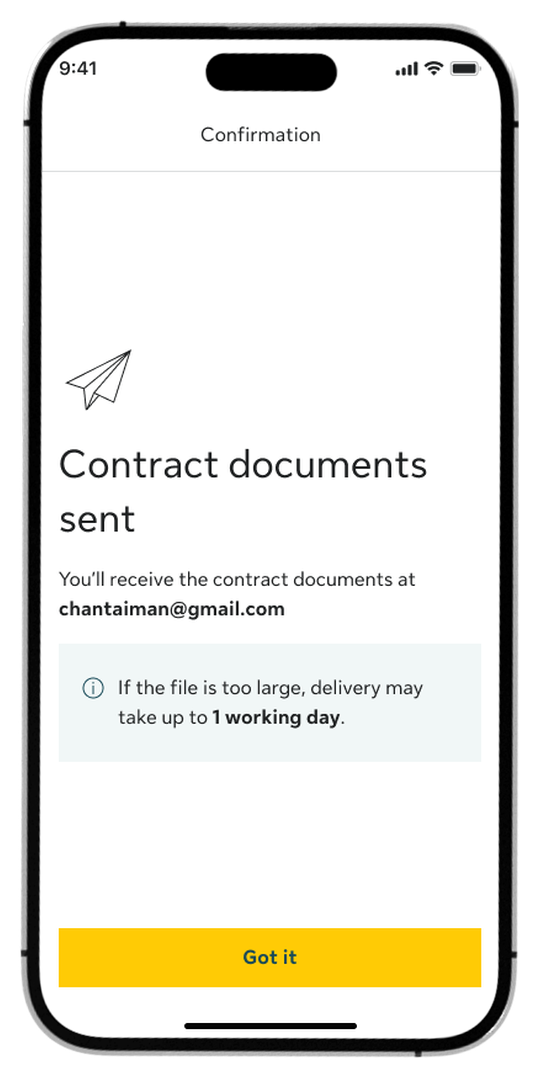
Step 6:
Once submitted, you’ll see a confirmation screen.
How to view and change your beneficiary
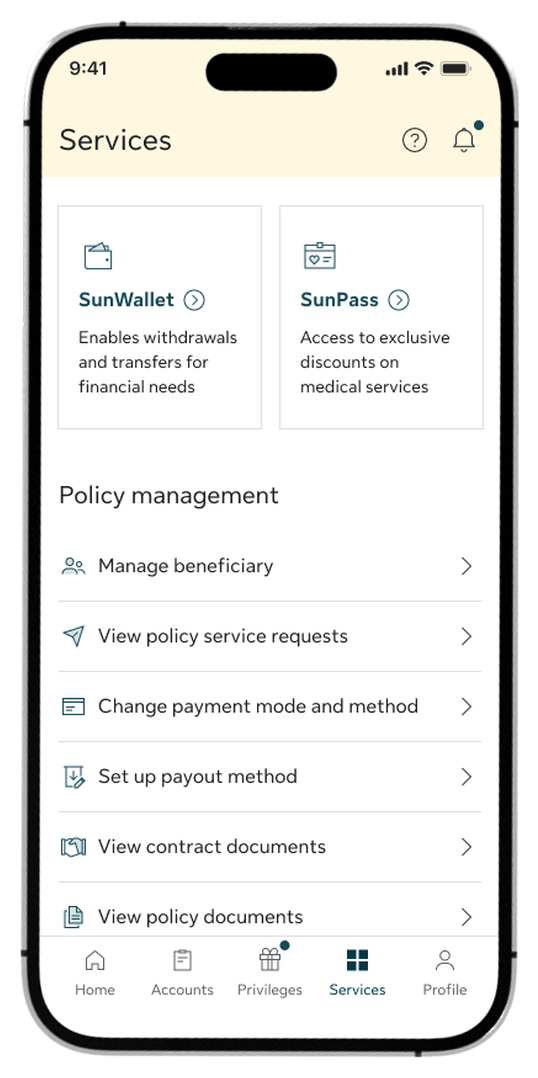
Step 1:
Go to the Service tab, find the Policy management section, and tap Manage beneficiary.
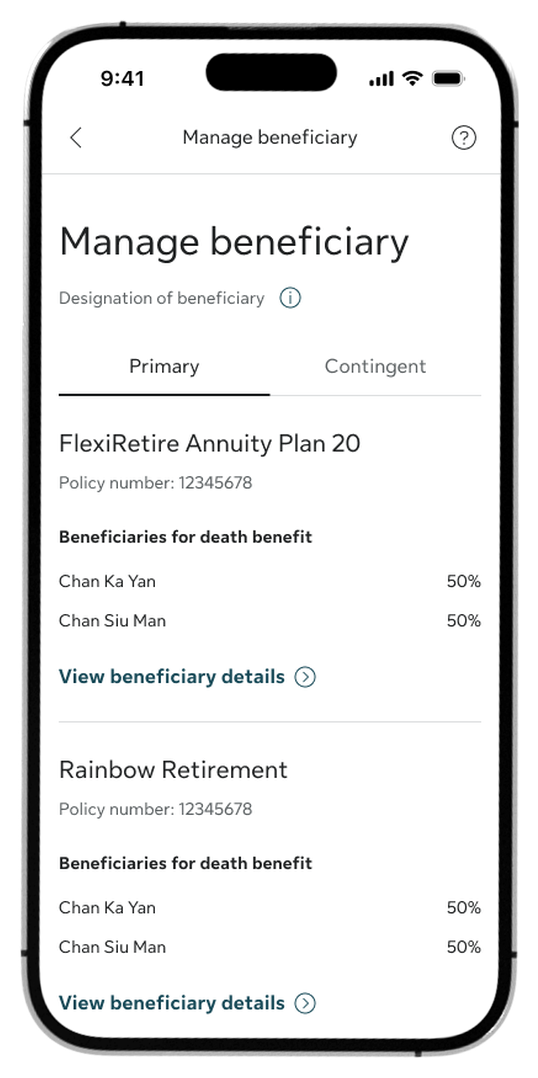
Step 2:
Select a policy and tap View beneficiary details.
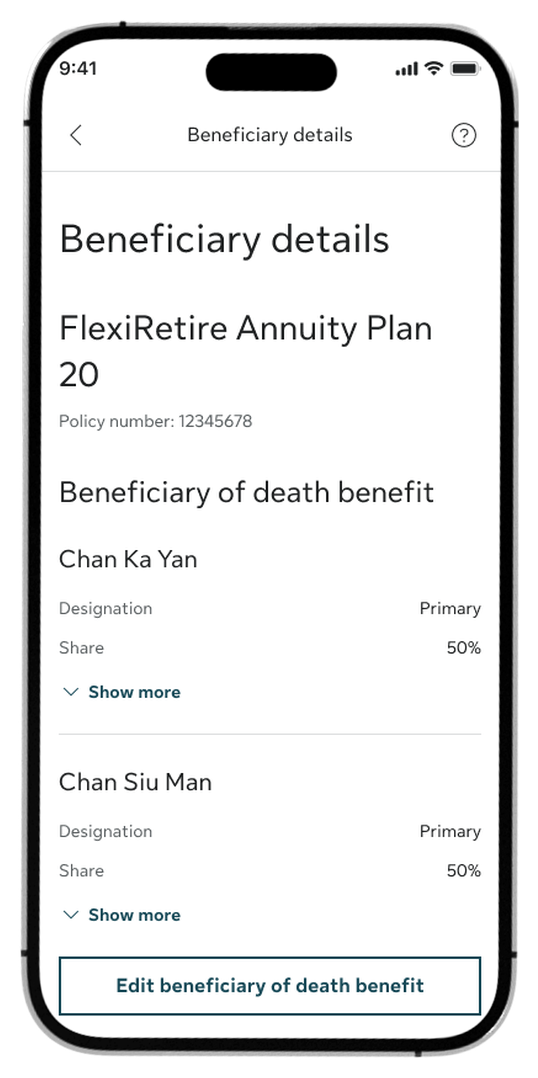
Step 3:
Select Edit beneficiary under death or savings benefit.
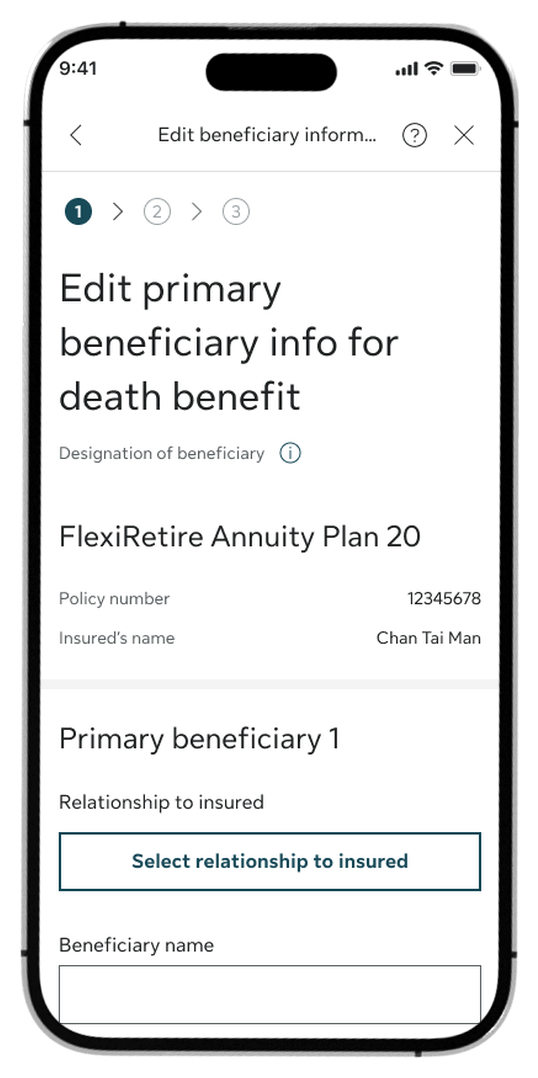
Step 4:
Update the beneficiary name, relationship, and ID details, then tap Continue.
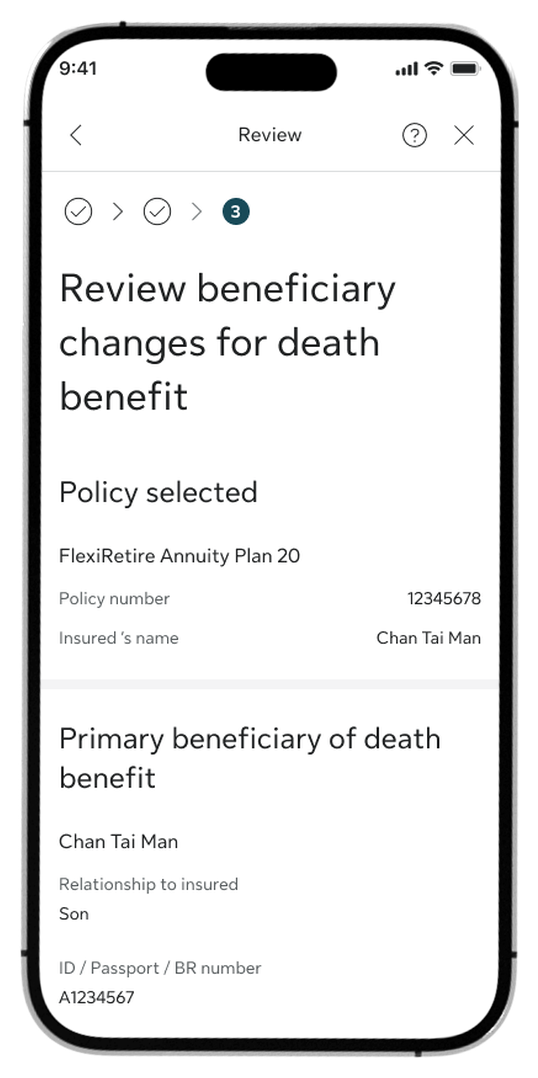
Step 5:
Review the summary, check the Declaration boxes, and tap Confirm.
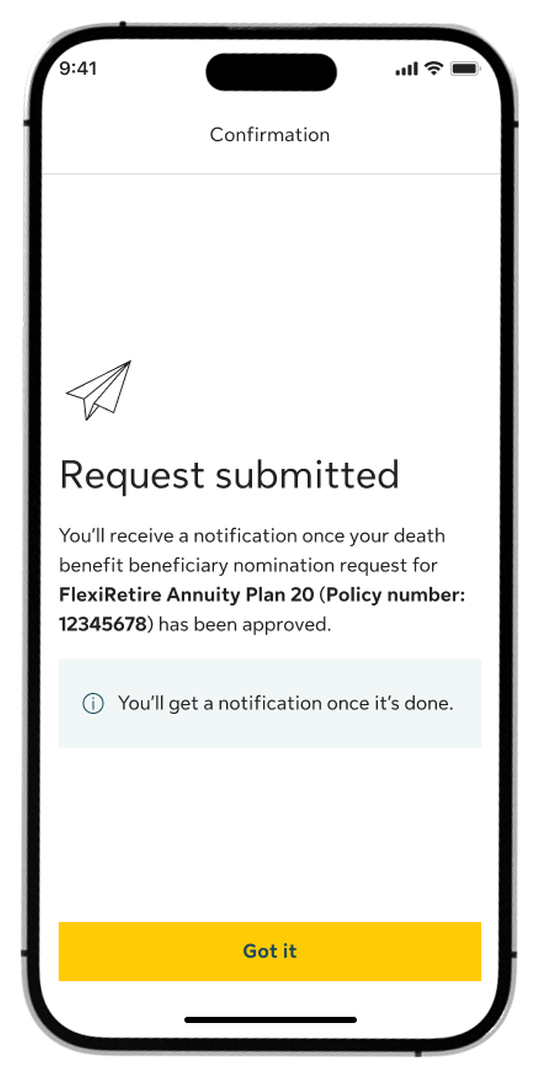
Step 6:
Once submitted, you’ll see a confirmation screen.
Log in to My Sun Life HK now
If you are situated in Mainland China or overseas and cannot use the app version, you can still access your policy details via the web version of My Sun Life HK.




Apple and the Apple logo are trademarks of Apple Inc., registered in the U.S. and other countries. App Store is a service mark of Apple Inc., registered in the U.S. and other countries.
Google Play and the Google Play logo are trademarks of Google LLC.