
Get started
Everything you need to set up your account in one place. Find out how to install the app, log in for the first time or safely manage your password.
How to find and install the app
iOS

Step 1
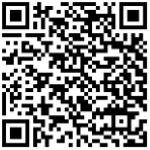
Open the App Store* on your iPhone and search for “My Sunlife Hong Kong” or scan the provided QR code with your phone camera to go directly to the app page.
*Downloads are currently unavailable in the EU, US, and Canadian App Stores. Please switch to another region or use our web version.

Step 2
Tap Get to download and install the “My Sunlife Hong Kong” app onto your device.

Step 3
Locate the My Sunlife Hong Kong icon on your home screen and tap it to launch the app.

Step 4
View the main landing page where you can now tap Log in or Create an account to begin.
Android

Step 1:
Scan the provided QR code, or open the Google Play Store* on your Android device and search for "My Sun Life HK".
*For Android users in Mainland China, please log in to the web version to download the APK file.

Step 2:
Tap Install to download and install the "My Sun Life HK" app on your device.

Step 3:
Locate the My Sun Life HK icon on your apps screen or home screen and tap it to launch the app.

Step 4:
Tap Log in or Create an account to begin.
How to register your account
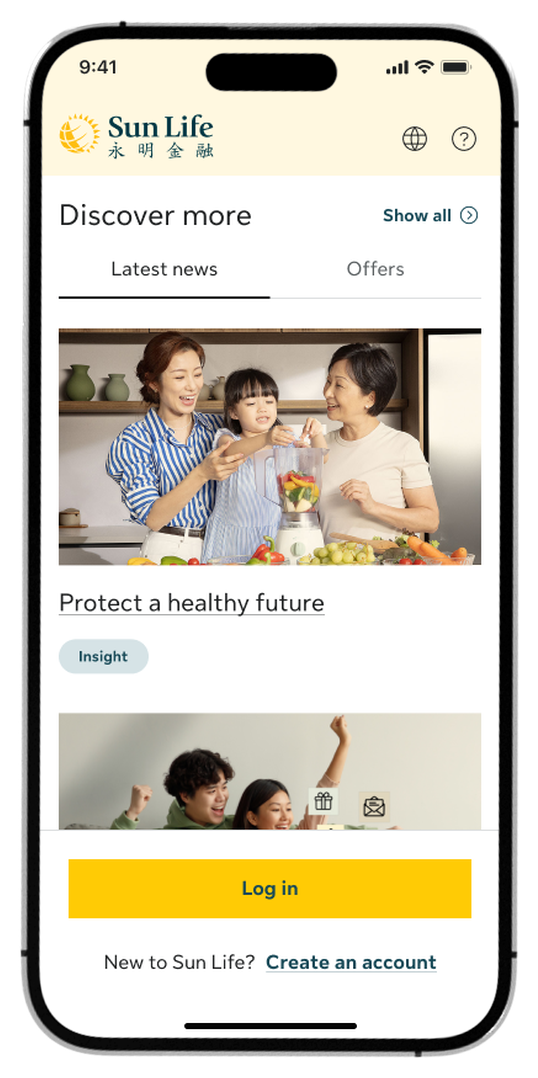
Step 1:
On the Home screen, tap Create an account at the bottom.
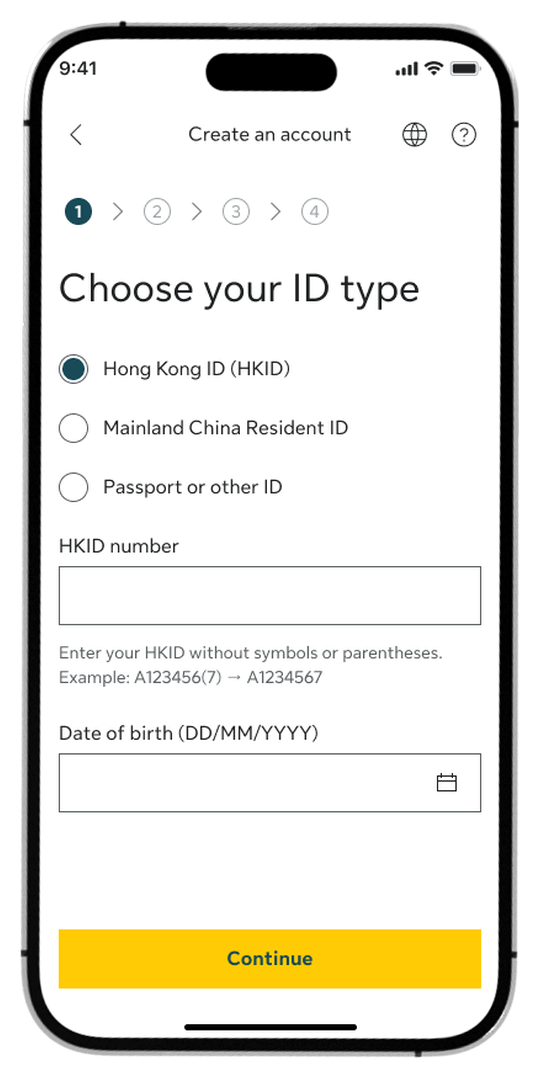
Step 2:
Choose your ID type, enter your ID number, and provide your date of birth.
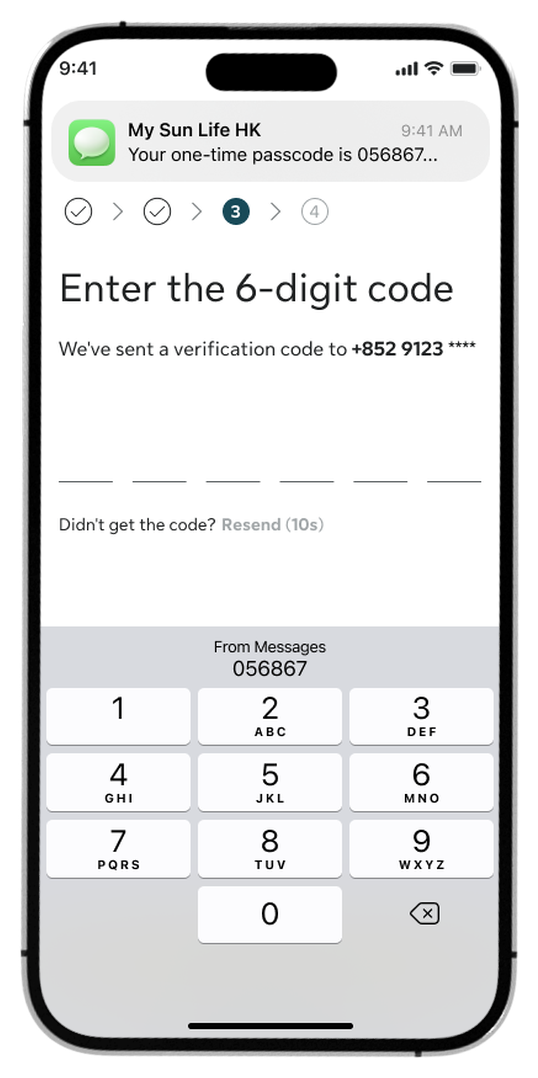
Step 3:
Enter the 6-digit verification code sent to your phone or email.
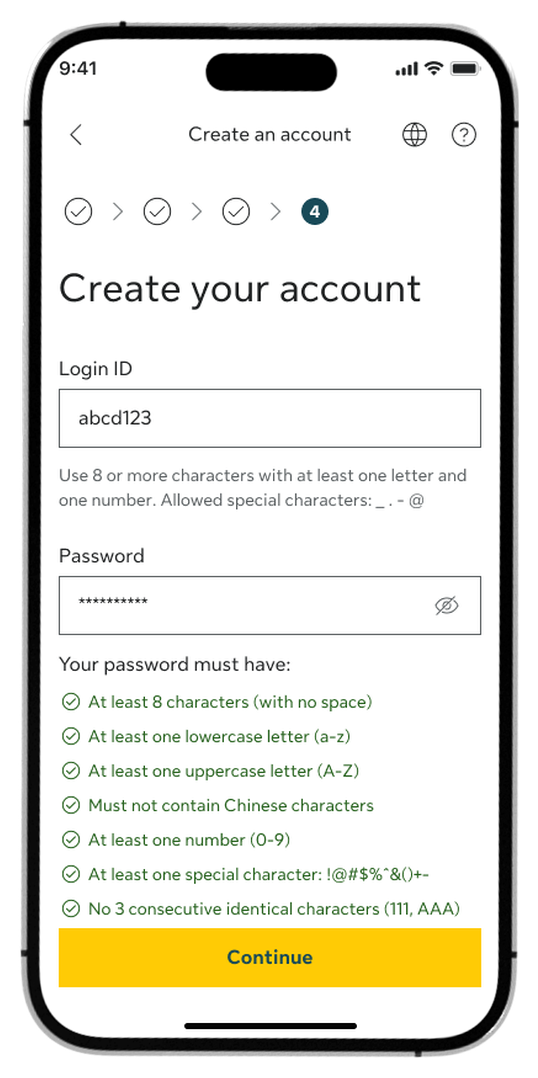
Step 4:
Create a Login ID, set a password that meets the criteria, and tap Continue.
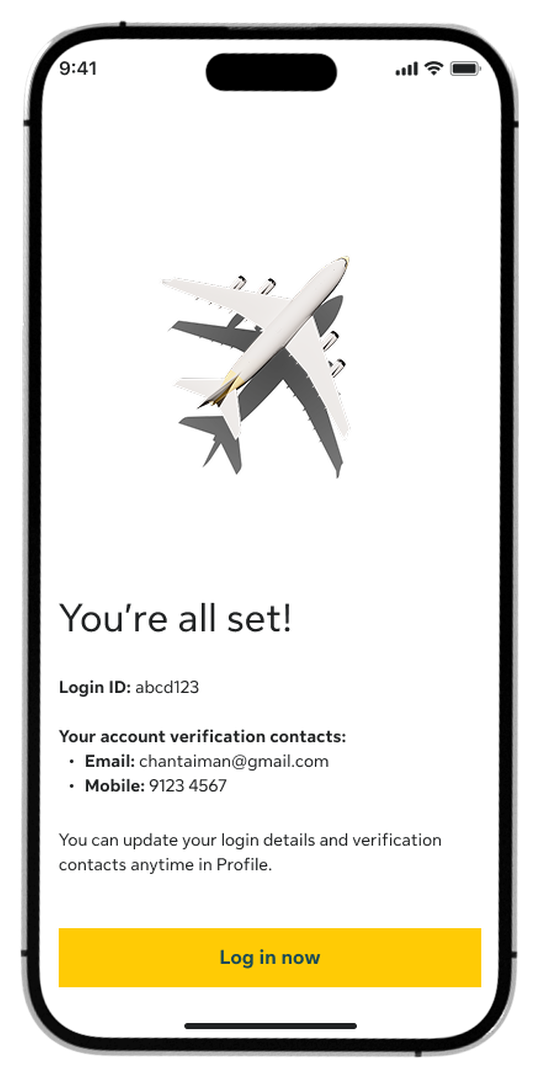
Step 5:
On the success screen, tap Log in now to access your account.
How to complete first-time login
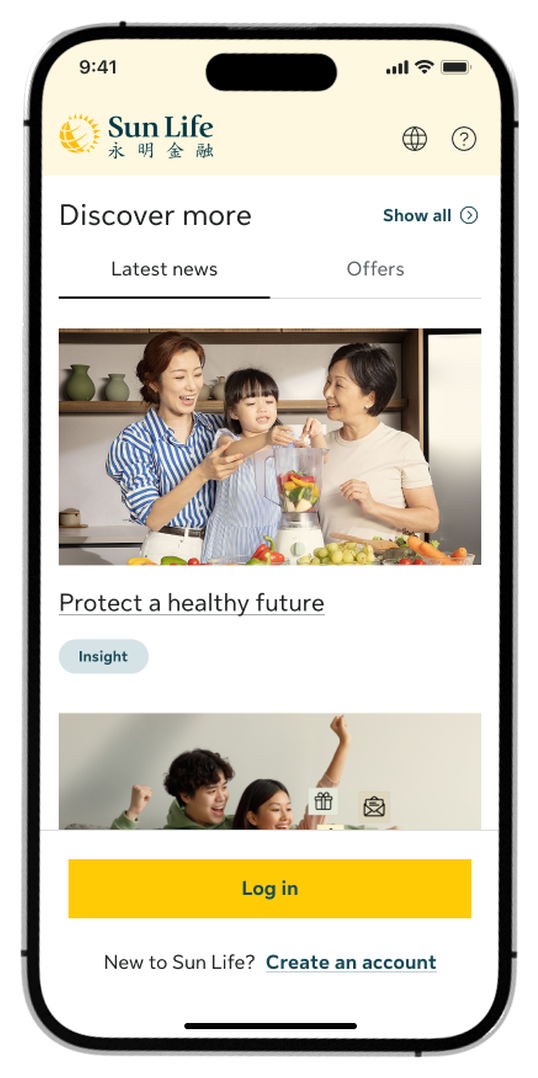
Step 1:
Tap Log in at the bottom of the home screen.
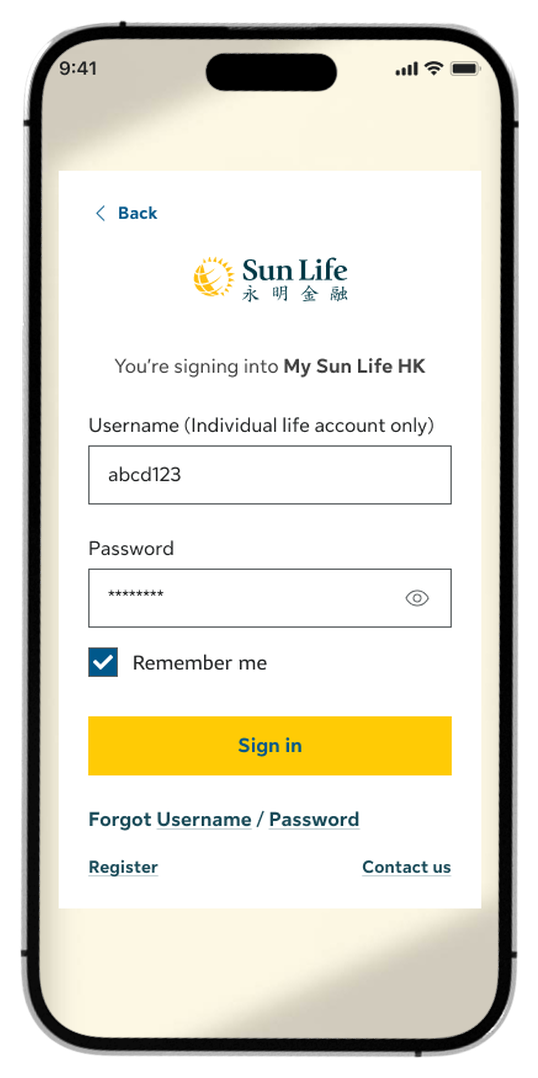
Step 2:
Enter your Login ID and Password, then tap Sign in.
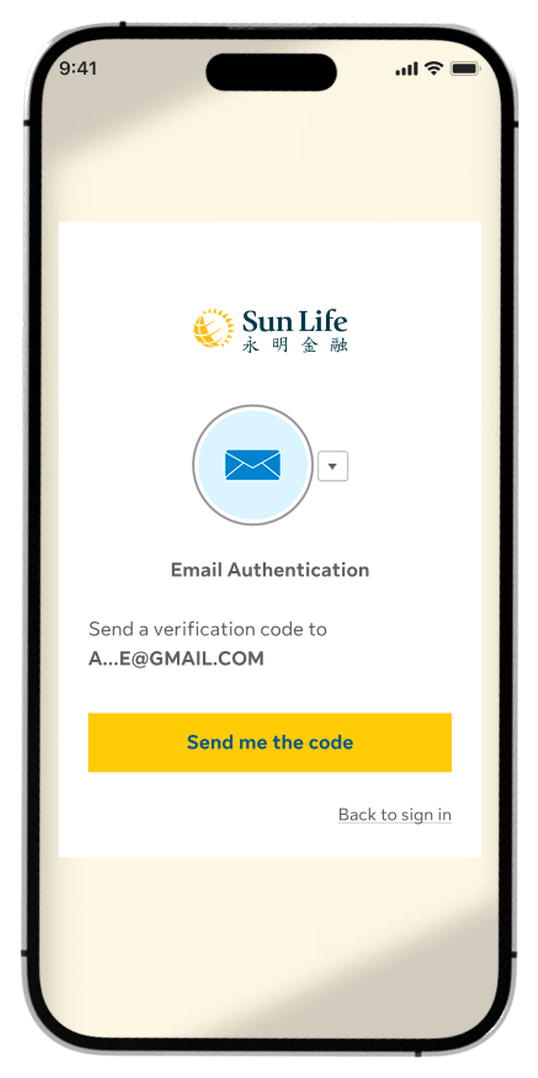
Step 3:
Choose a verification method and tap Send me the code.
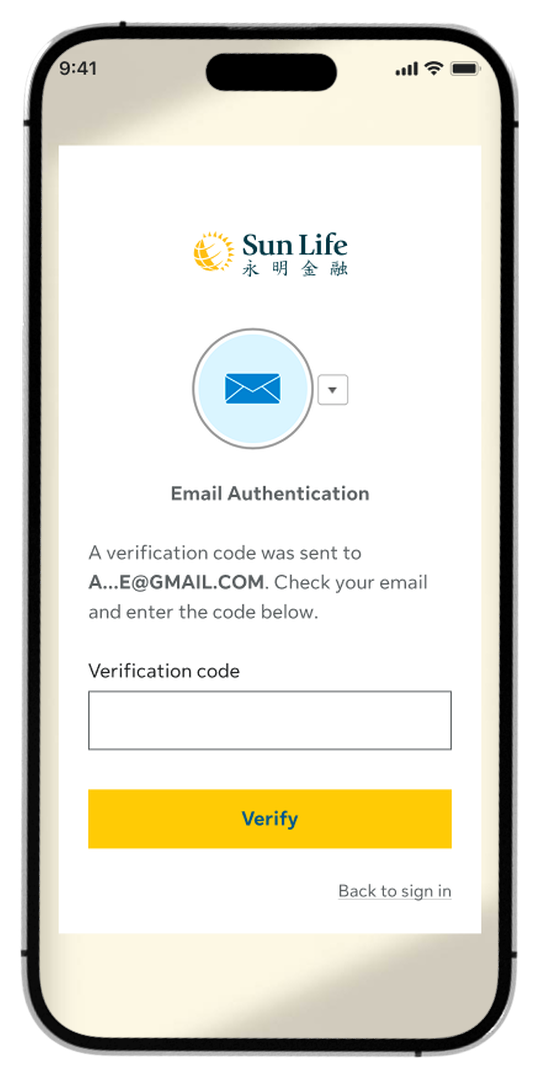
Step 4:
Enter the verification code and tap Verify.
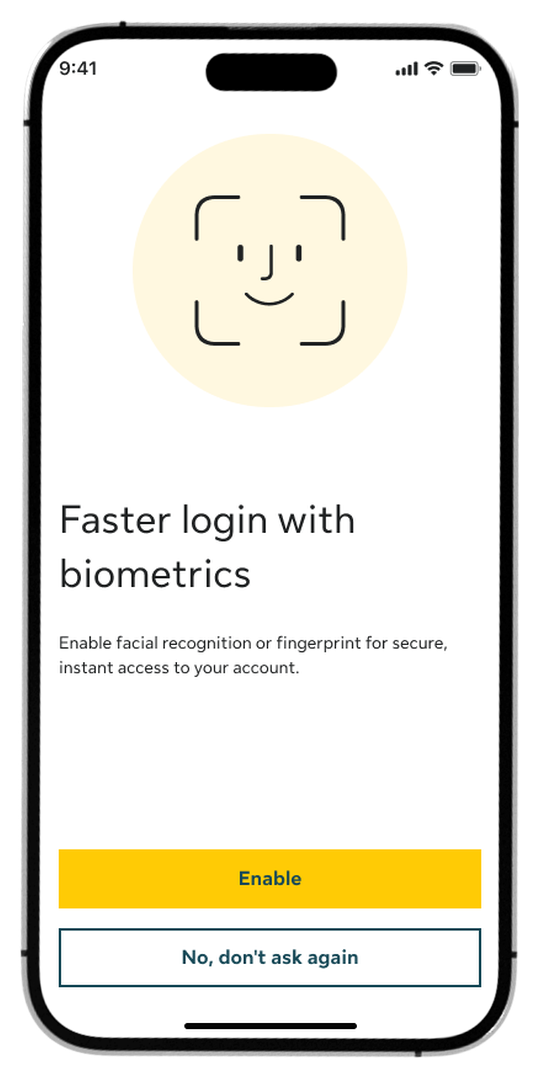
Step 5:
Choose whether to Enable faster login with biometrics.
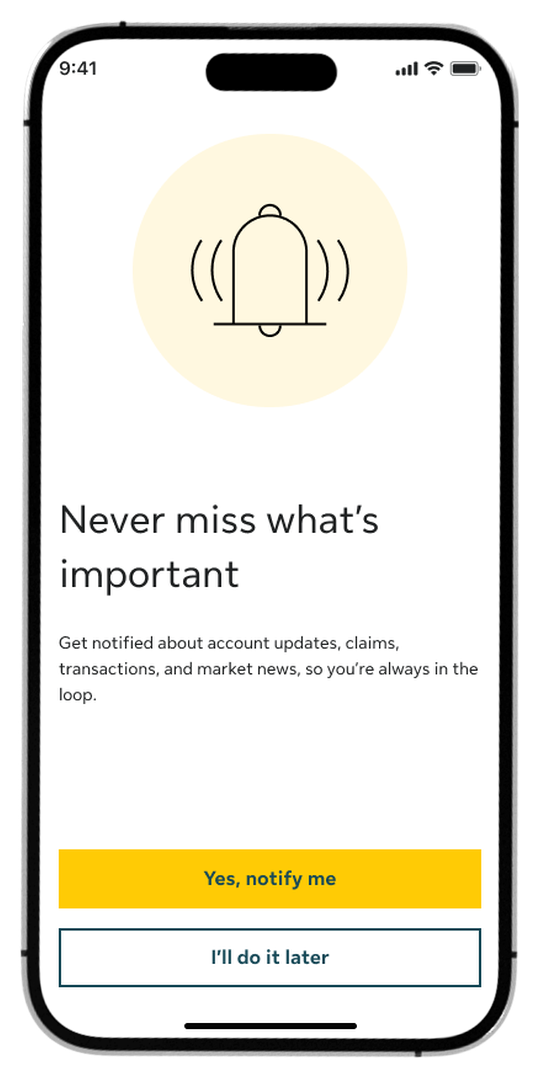
Step 6:
Turn on push notifications by tapping Yes, notify me.
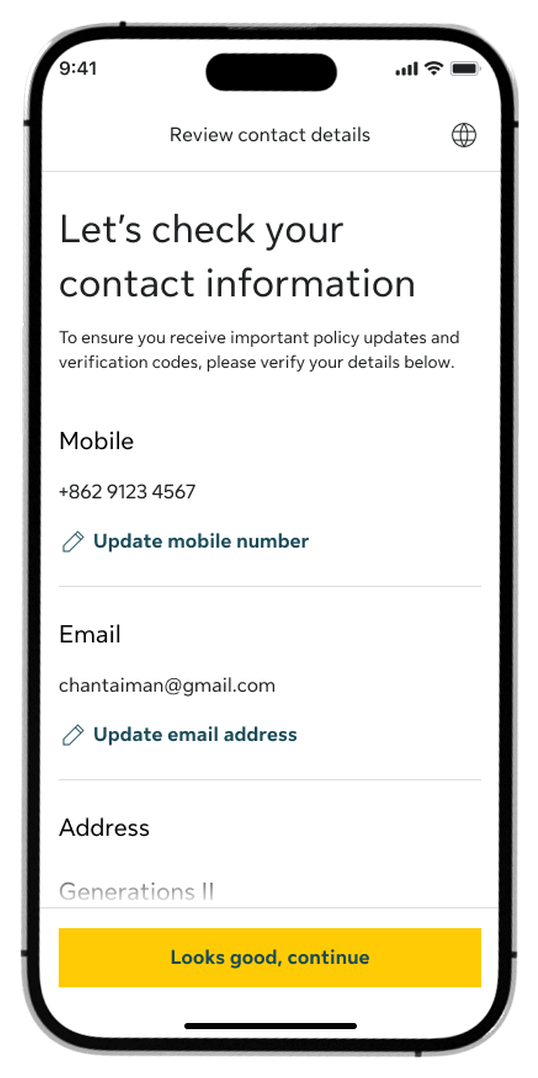
Step 7:
Review your contact details and tap Looks good, continue.
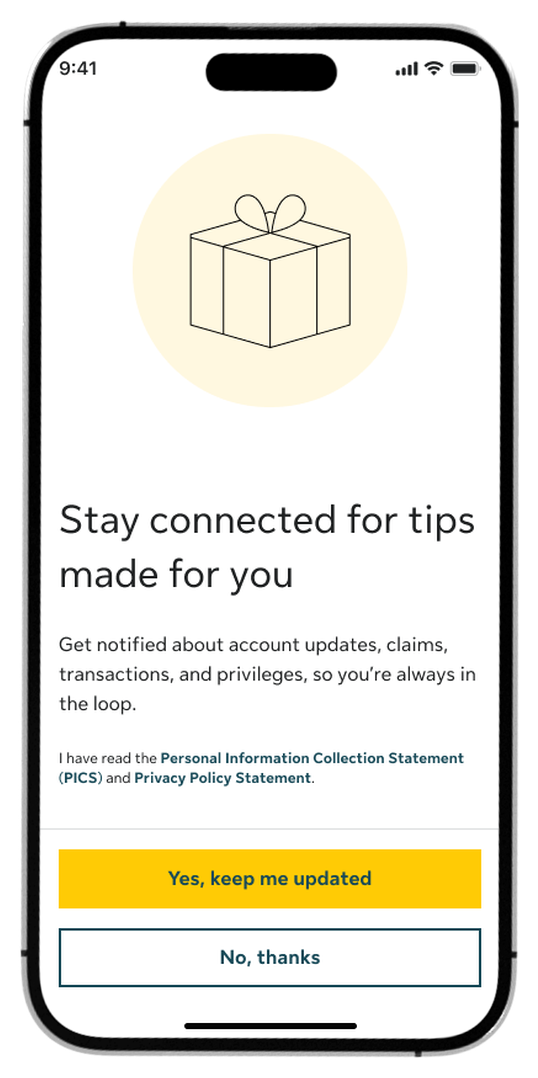
Step 8:
Opt in or out of promotional updates by tapping Yes, keep me updated or No, thanks.
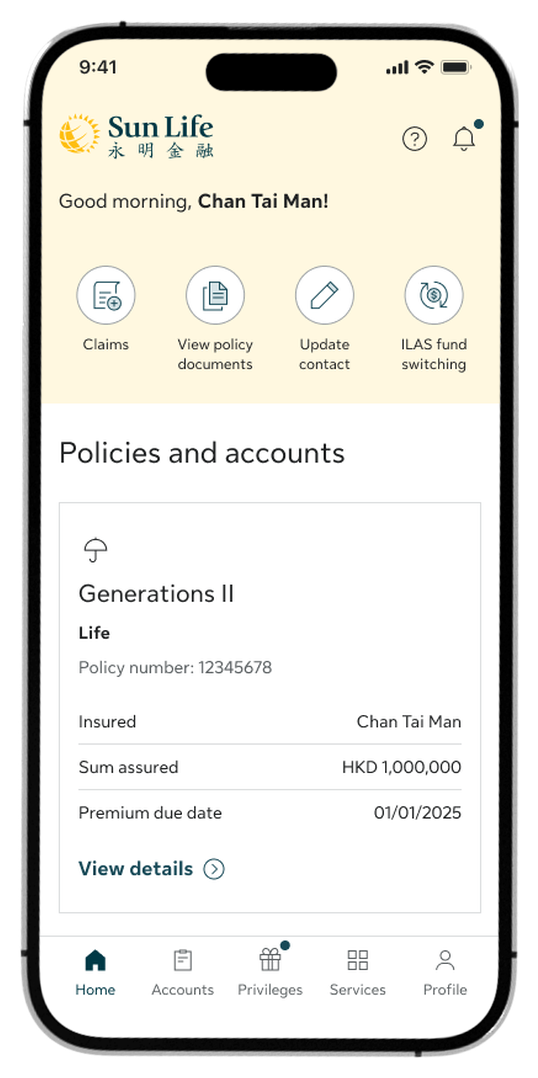
Step 9:
Now you’re all set! Begin exploring your account policies and features.
How to retrieve your login ID
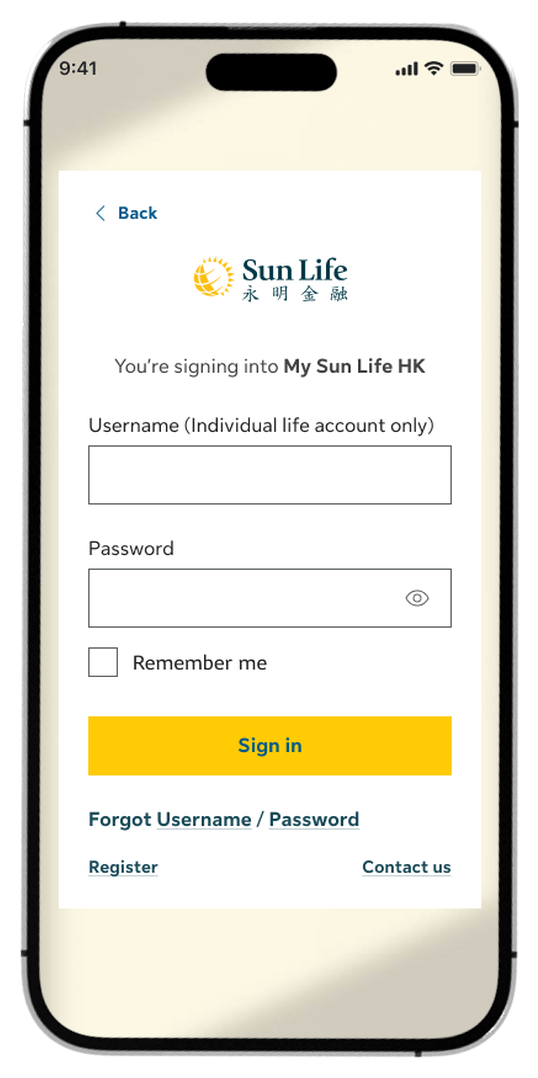
Step 1:
On the login screen, tap Forgot Username.
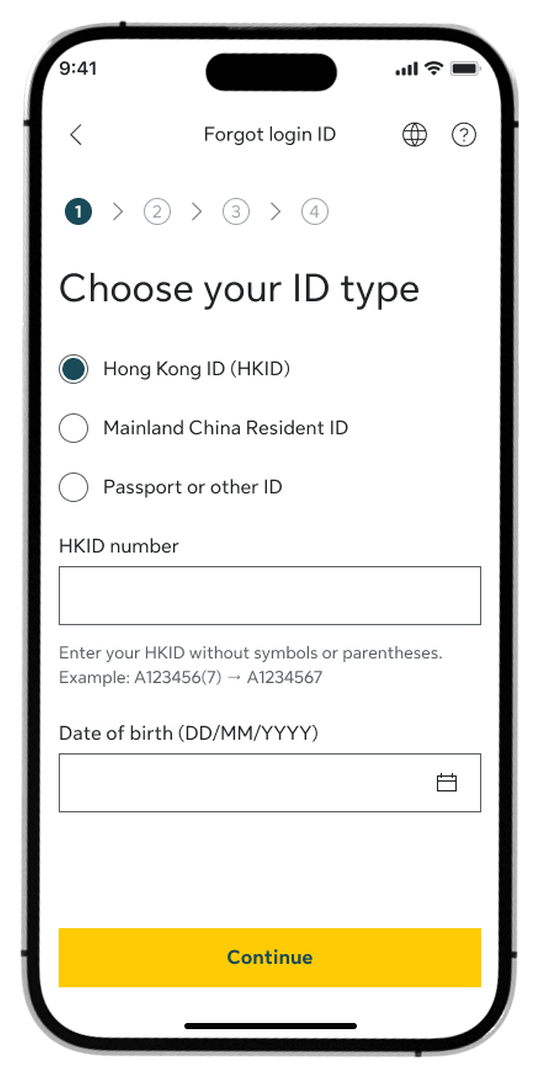
Step 2:
Choose your ID type, enter your ID number and date of birth, then tap Continue.
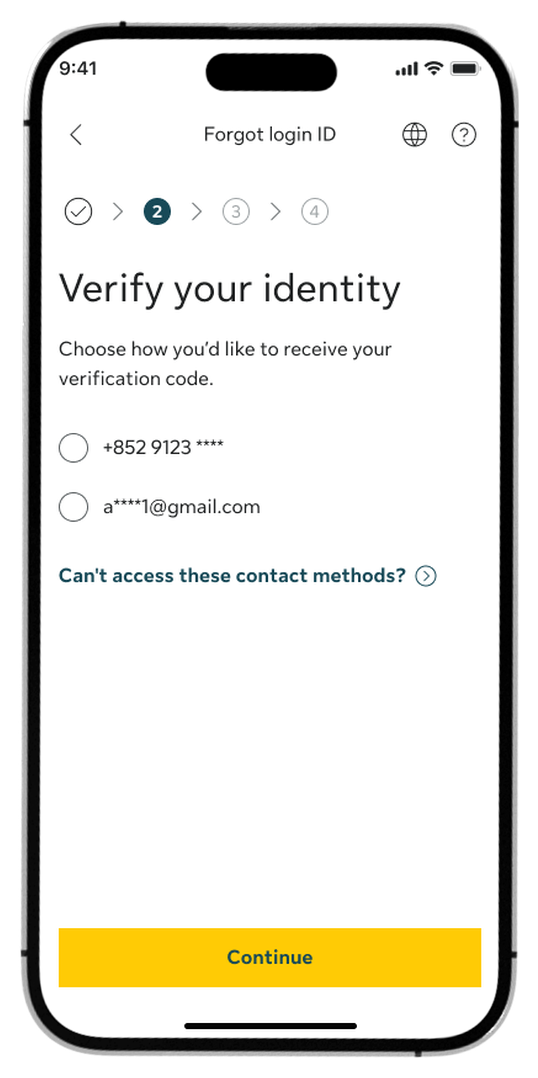
Step 3:
Select your preferred verification method (mobile number or email) and tap Continue to send the code.
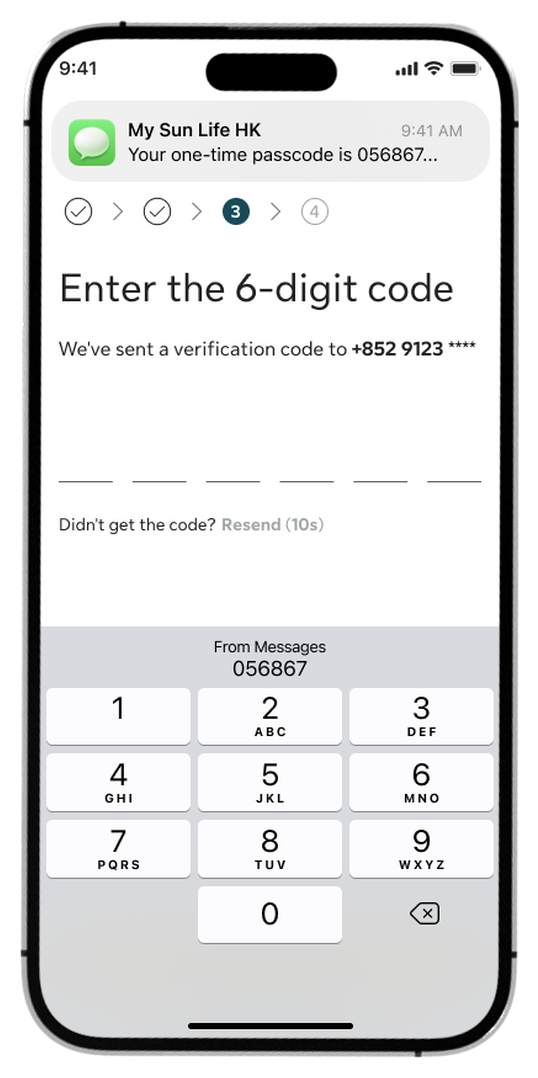
Step 4:
Enter the 6-digit verification code sent to your device.
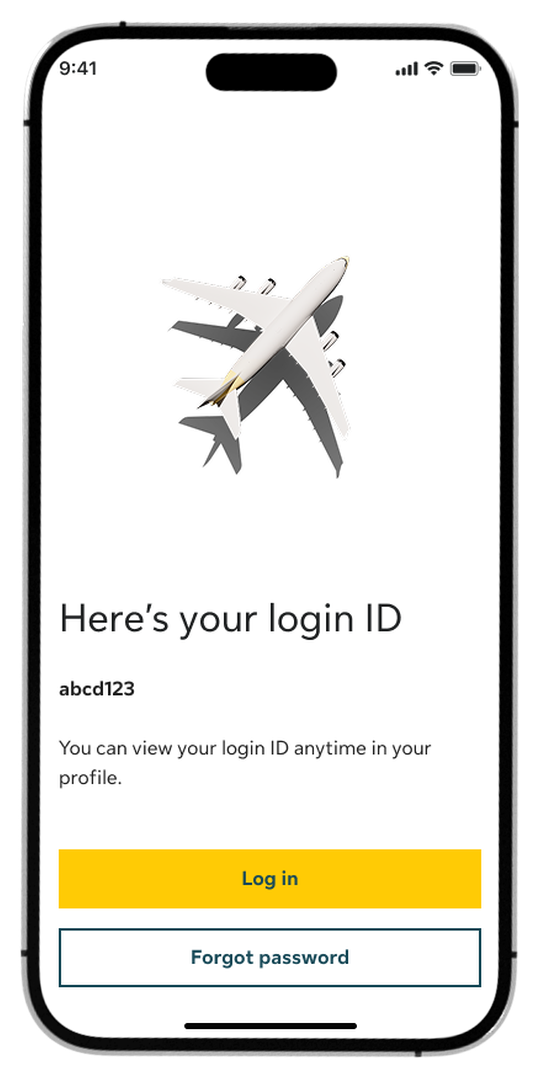
Step 5:
Once verified, your login ID will be displayed on the screen. Tap Log in to proceed.
Forgotten your password too? Tap Forgot password to reset it, then log in.
How to reset your password
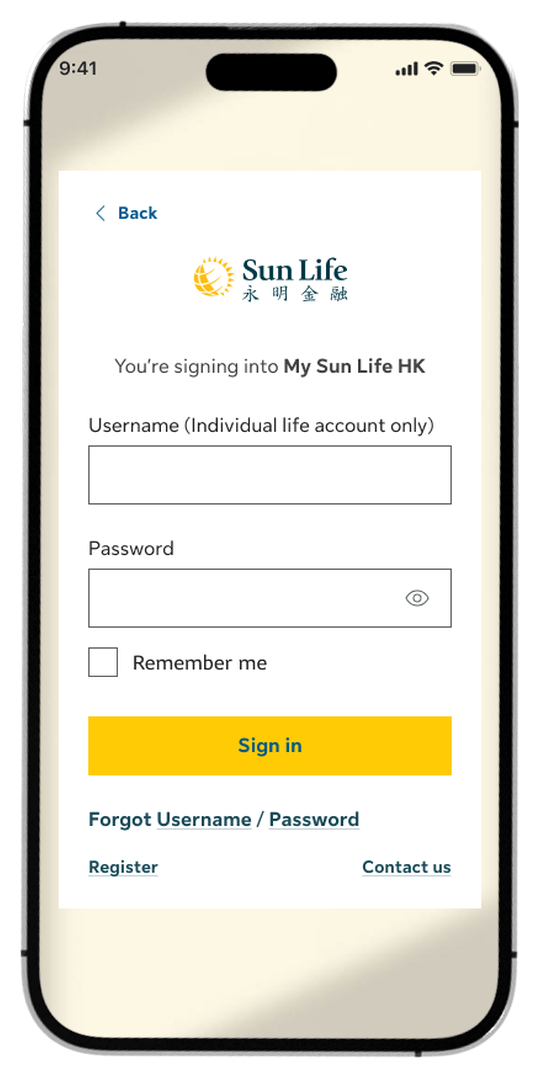
Step 1:
On the login screen, tap Password.
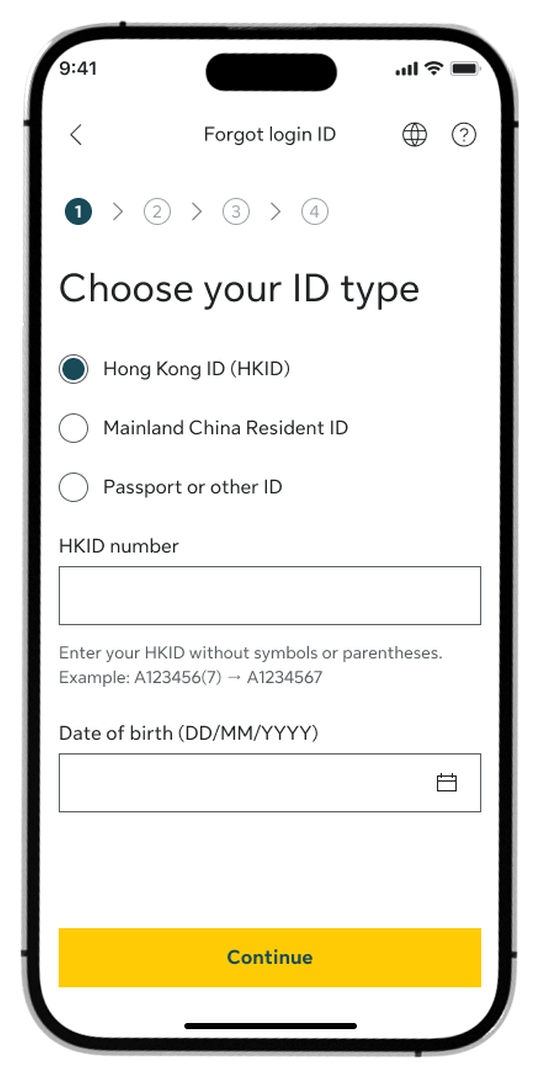
Step 2:
Choose your ID type, enter your ID number and date of birth, then tap Continue.
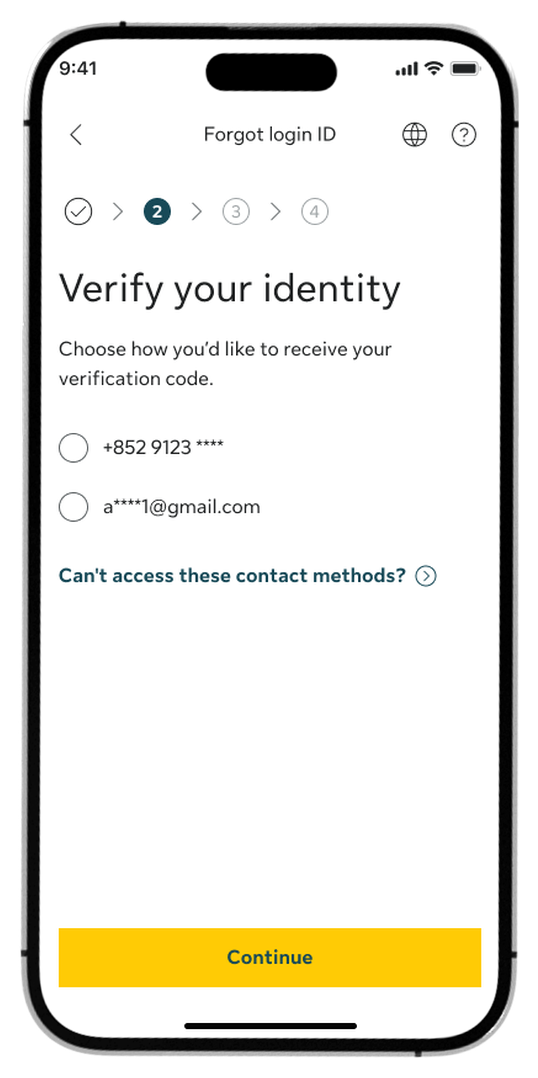
Step 3:
Select your preferred verification method (mobile number or email) and tap Continue to send the code.
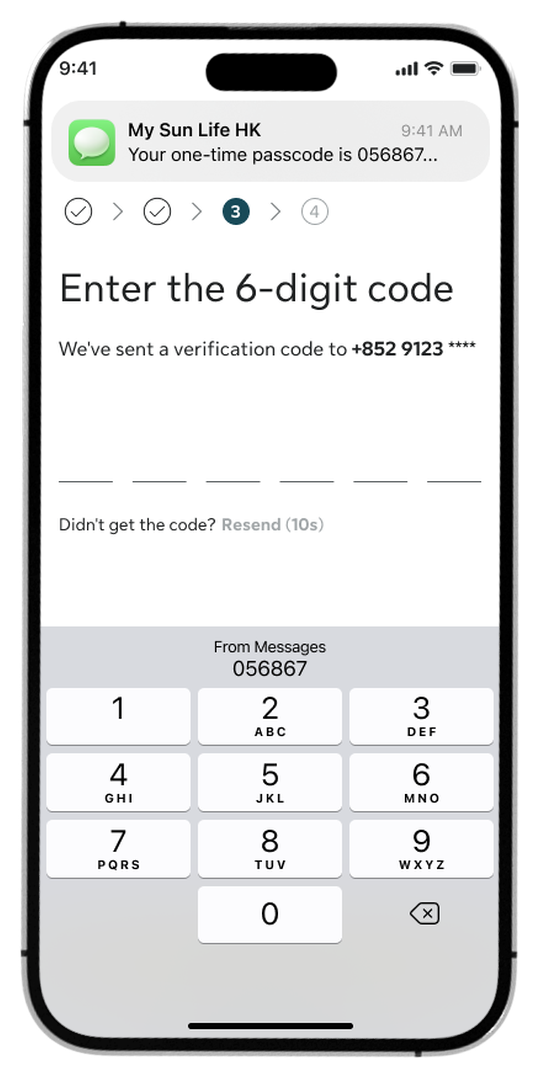
Step 4:
Enter the 6-digit verification code sent to your device.

Step 5:
Create and confirm your new password, then tap Continue.
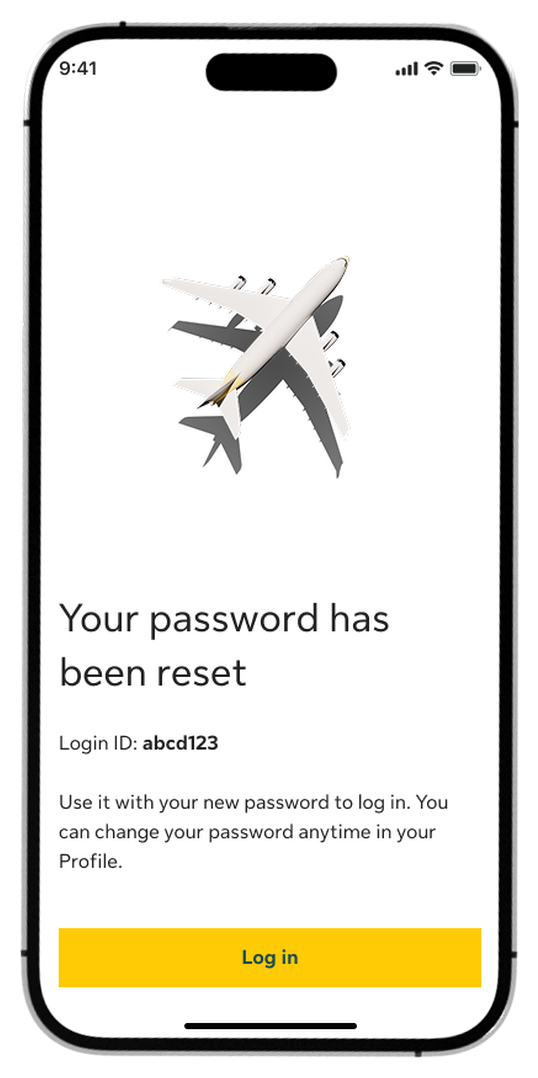
Step 6:
Once your password has been reset, tap Log in to access your account.
Log in to My Sun Life HK now
If you are situated in Mainland China or overseas and cannot use the app version, you can still access your policy details via the web version of My Sun Life HK.





Apple and the Apple logo are trademarks of Apple Inc., registered in the U.S. and other countries. App Store is a service mark of Apple Inc., registered in the U.S. and other countries.
Google Play and the Google Play logo are trademarks of Google LLC.