
Pay premium
Your guide to payments and settings. Learn how to settle your premium online or change your payment mode and method.

Step 1:
If a premium is due soon, tap Pay now on your Home screen reminder banner.
Step 2:
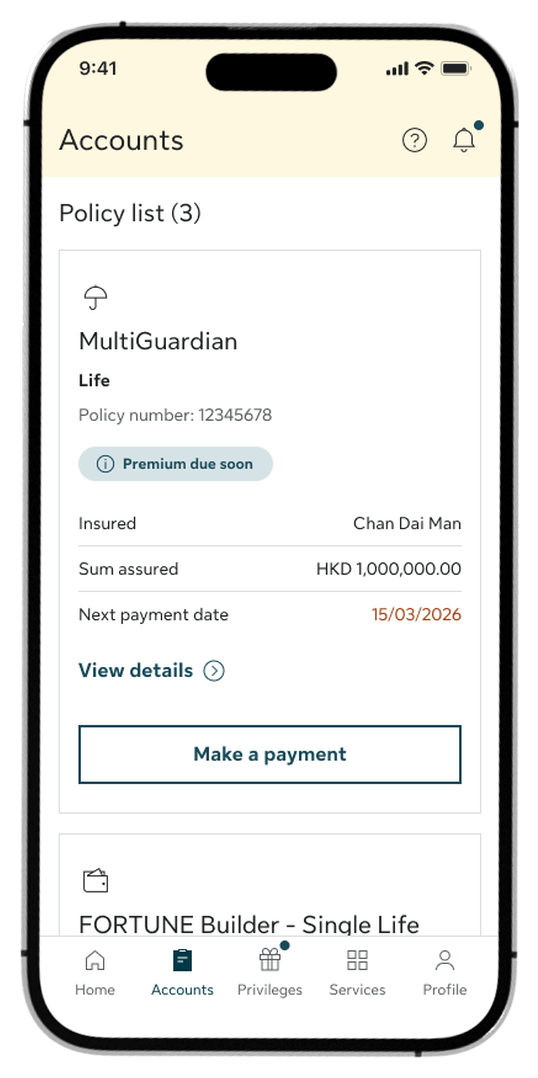
On the Accounts tab, browse your policy list to check for upcoming premium dues and tap View details to see the detailed breakdown.
Step 3:
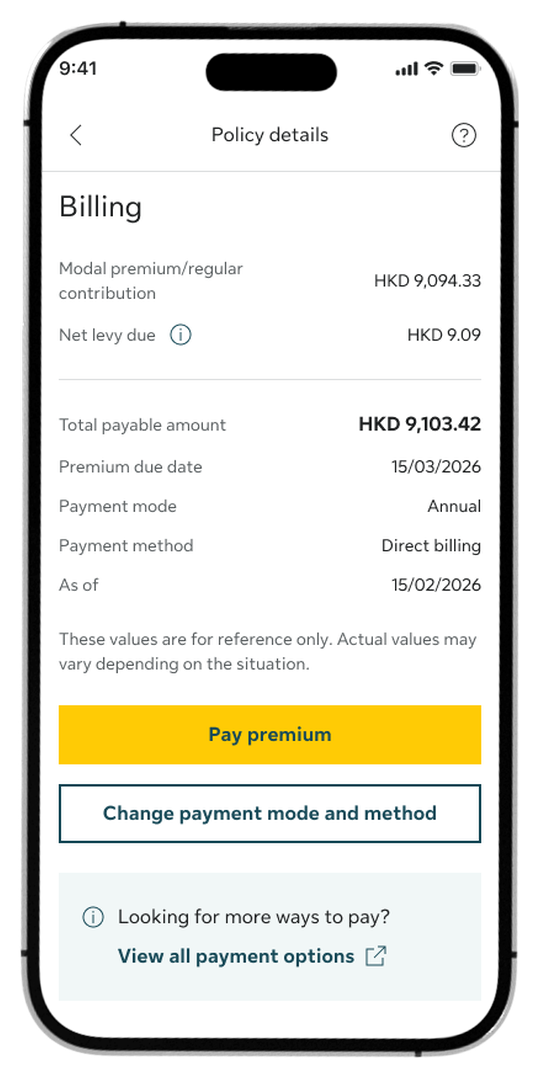
Review your premium breakdown on the policy details page, then tap Pay premium to proceed.
Step 4:
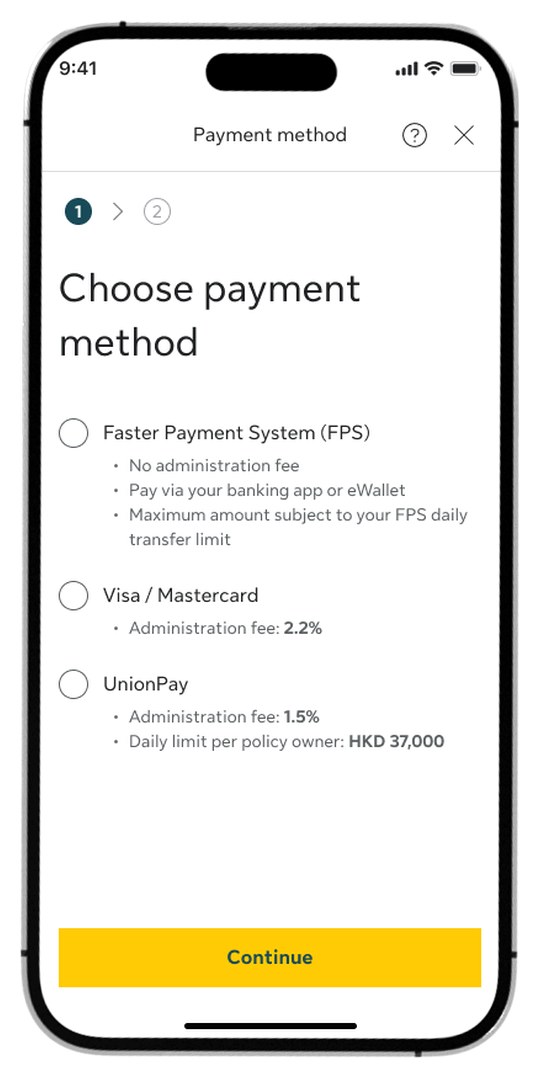
Choose your preferred payment method and tap Continue.
Step 5:
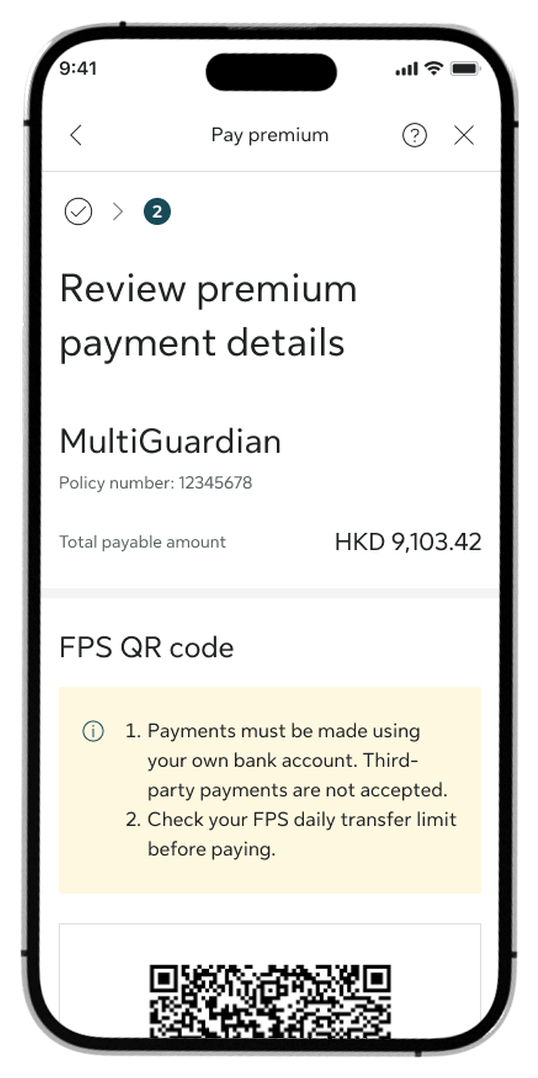
If using FPS, scan or import the generated FPS QR code using your banking app to complete the transaction.
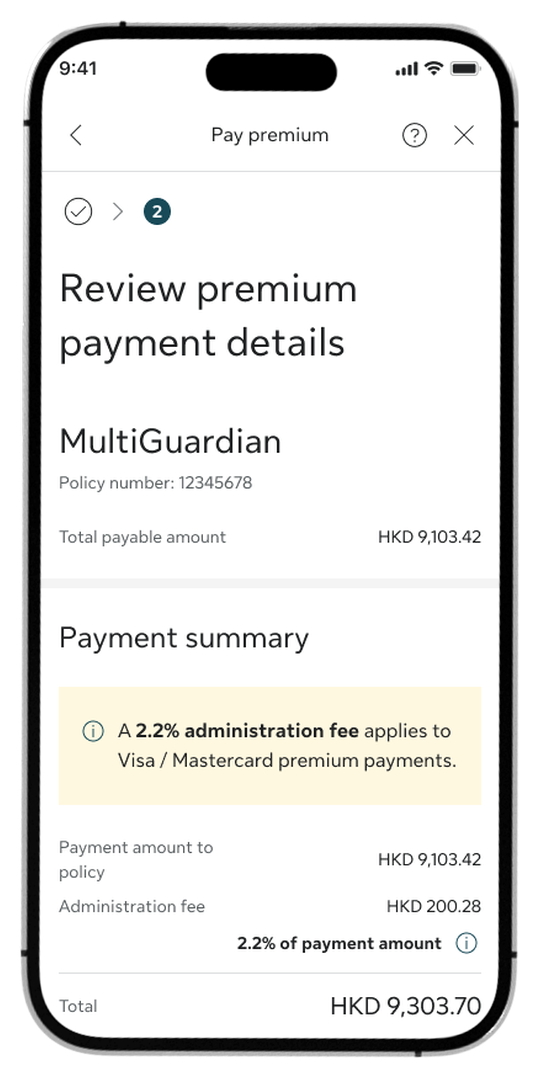
Step 6:
If using a credit card, review the summary, check the declaration boxes, and tap Yes, proceed to payment to redirect to the secure third-party payment gateway.
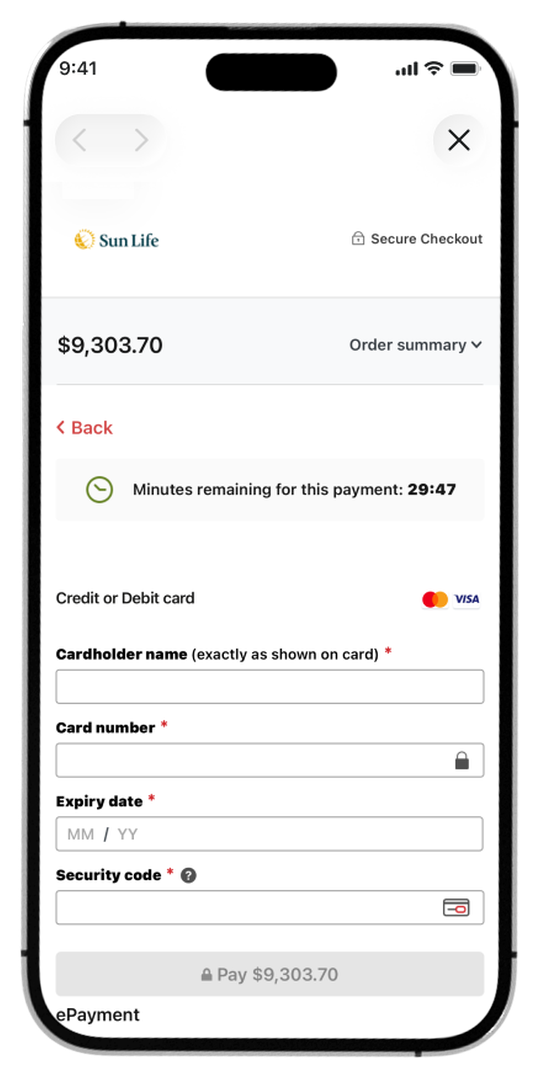
Step 7:
Enter your card credentials on the secure payment gateway screen and complete the authorisation.
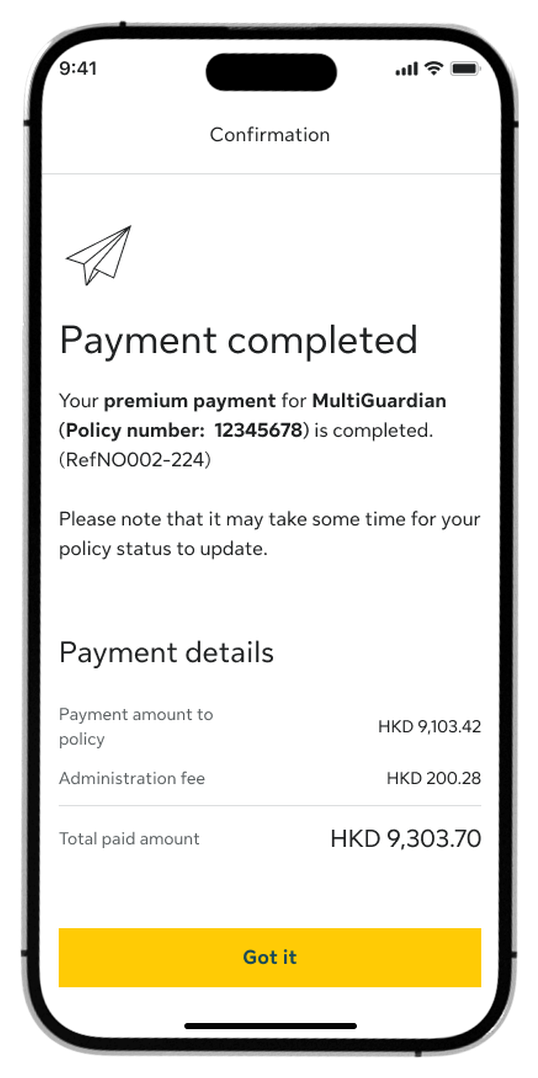
Step 8:
Once it’s completed, you’ll see a confirmation screen.
How to change payment mode and method
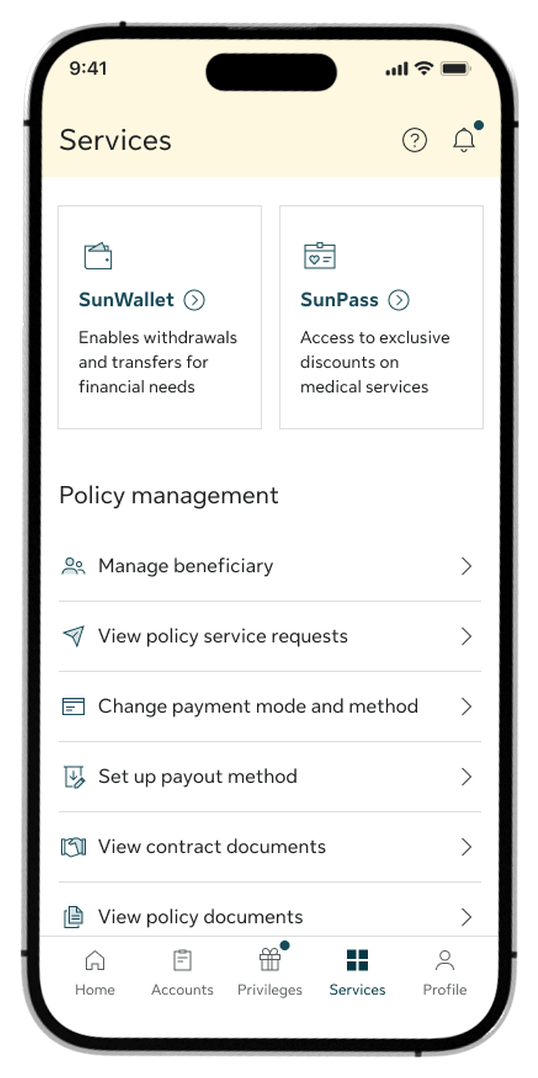
Step 1:
Go to the Services tab and select Change payment mode and method.
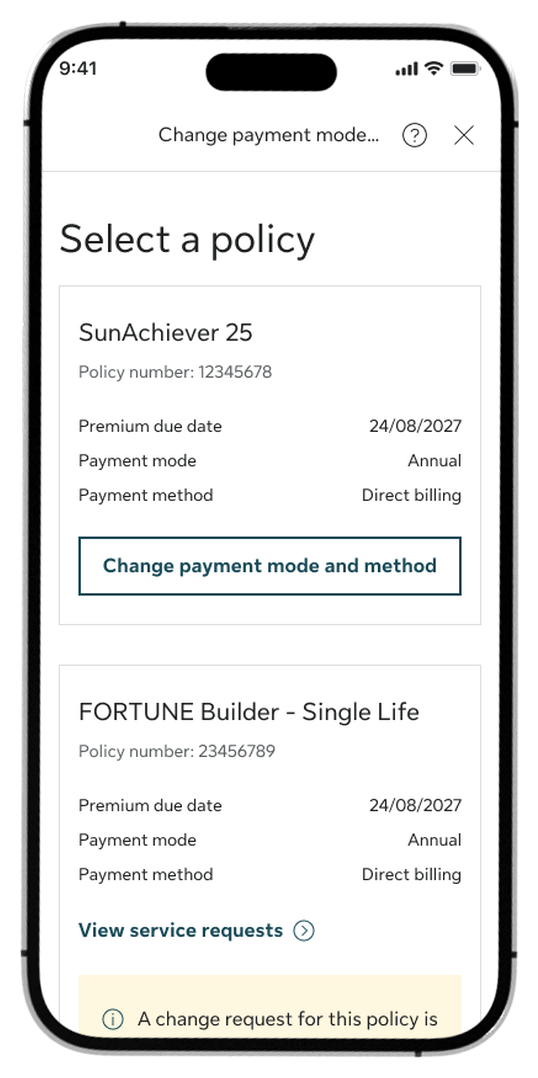
Step 2:
Select your policy and tap Change payment mode and method.
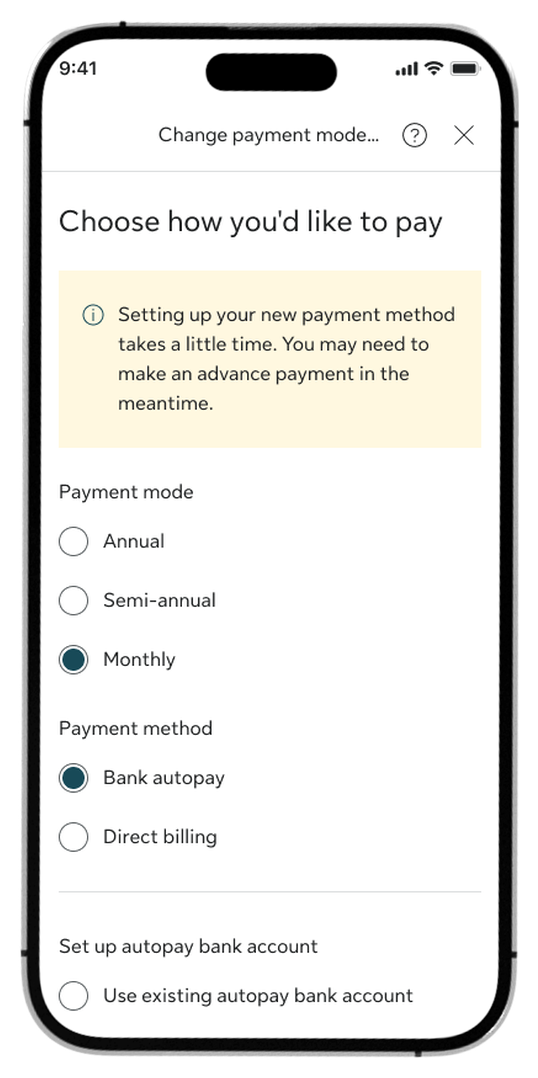
Step 3:
Choose your preferred frequency and payment method, then tap Continue.
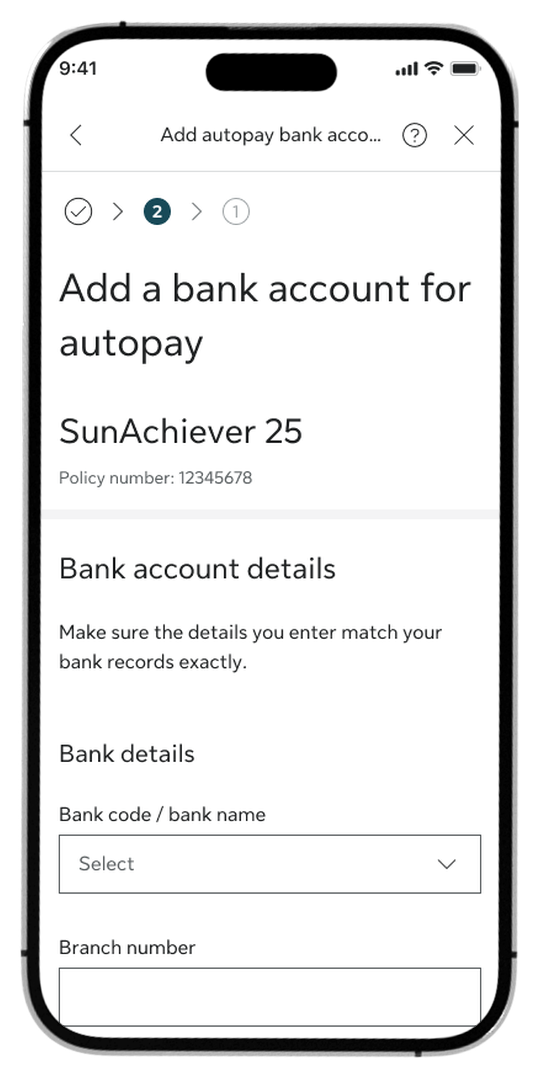
Step 4:
If you choose to add a new bank account, enter your bank account details, then tap Continue.
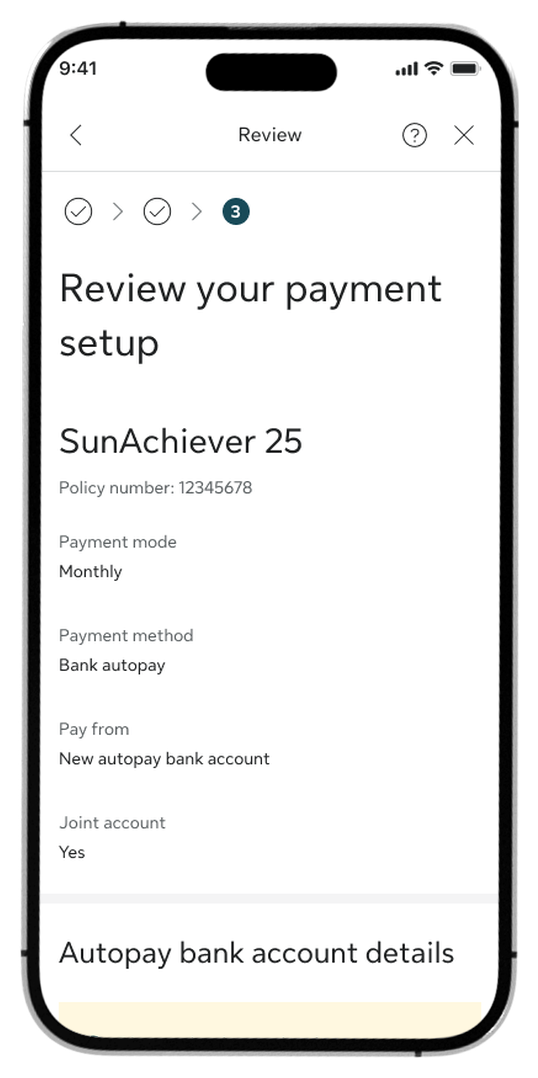
Step 5:
Review the summary, check the Declaration box, and tap Confirm.
Step 6:
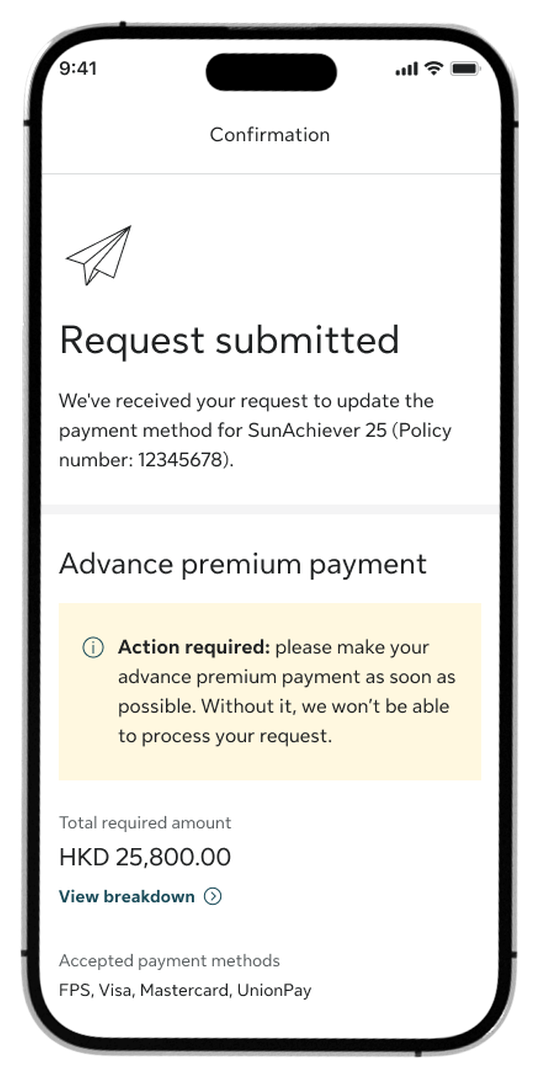
Once submitted, you will see a confirmation screen. Please note that an advance premium payment may be required immediately to successfully process your request.
Log in to My Sun Life HK now
If you are situated in Mainland China or overseas and cannot use the app version, you can still access your policy details via the web version of My Sun Life HK.







Apple and the Apple logo are trademarks of Apple Inc., registered in the U.S. and other countries. App Store is a service mark of Apple Inc., registered in the U.S. and other countries.
Google Play and the Google Play logo are trademarks of Google LLC.