How to use SunPass QR code
- Please enter a search term.
-
Bermuda
Canada
China
Hong Kong, SAR
India
Indonesia
Malaysia
Philippines
Singapore
United Arab Emirates
United States
Vietnam
Corporate (sunlife.com)

- Please enter a search term.
-
Health insurance
Investment-linked fund prices & performance
Wealth management
-
Quick links
-
Who we are
Tools & resources
-
Overview
-
Digital insurance experience
-
WeChat
-
My Sun Life HK Client Digital Platforms
-
Retirement Calculator
-
My Sun Life HK - Group Insurance app
-
Education Budget Calculator
-
Bright Solutions
-
Cost estimator of treating major illnesses
-
First Contribution Calculator
-
Investment Risk Assessment
-
Retirement Savings Calculator
-
Expense Calculator
-
Savings Planning Calculator
-
MPF Navigator - the MPF investment tool
-
Overview
-
Digital insurance experience
-
WeChat
-
My Sun Life HK Client Digital Platforms
-
Retirement Calculator
-
My Sun Life HK - Group Insurance app
-
Education Budget Calculator
-
Bright Solutions
-
Cost estimator of treating major illnesses
-
First Contribution Calculator
-
Investment Risk Assessment
-
Retirement Savings Calculator
-
Expense Calculator
-
Savings Planning Calculator
-
MPF Navigator - the MPF investment tool
-
SunPass
Learn how to use your SunPass QR code and search for network doctors to access healthcare-related services more conveniently.
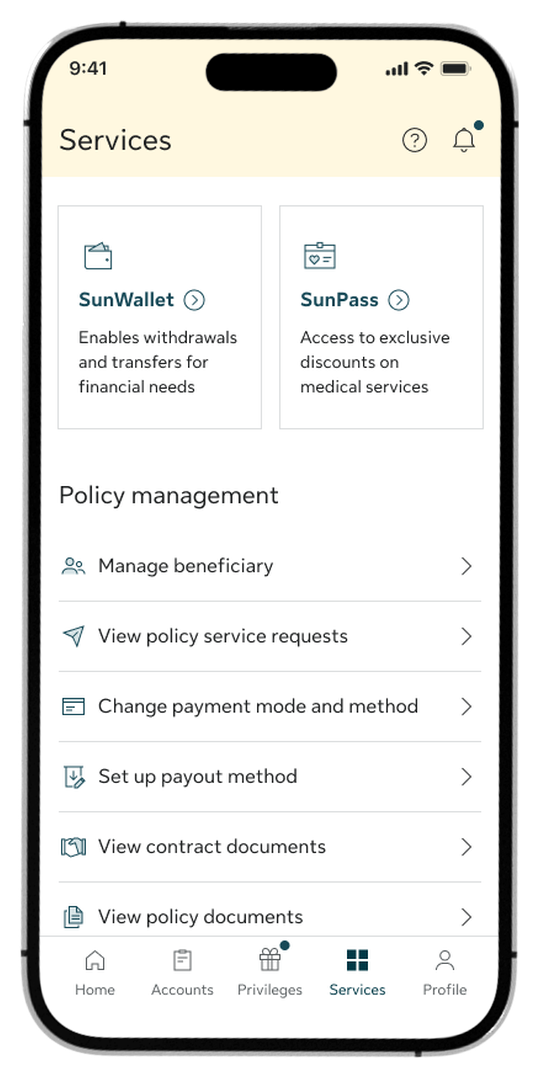
Step 1:
Go to the Services tab and select SunPass from the top menu options.
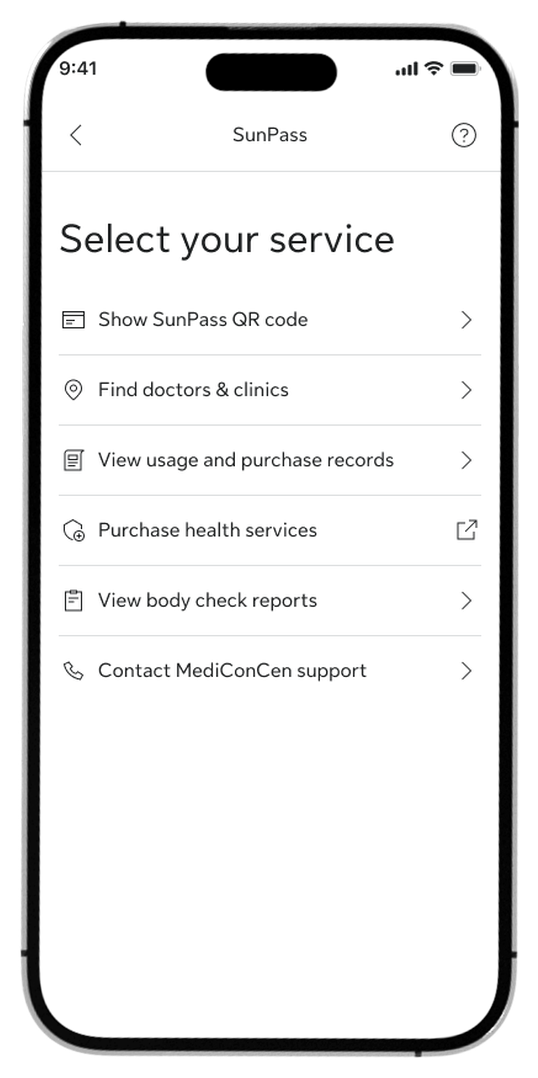
Step 2:
Select Show SunPass QR code from the list of available services.
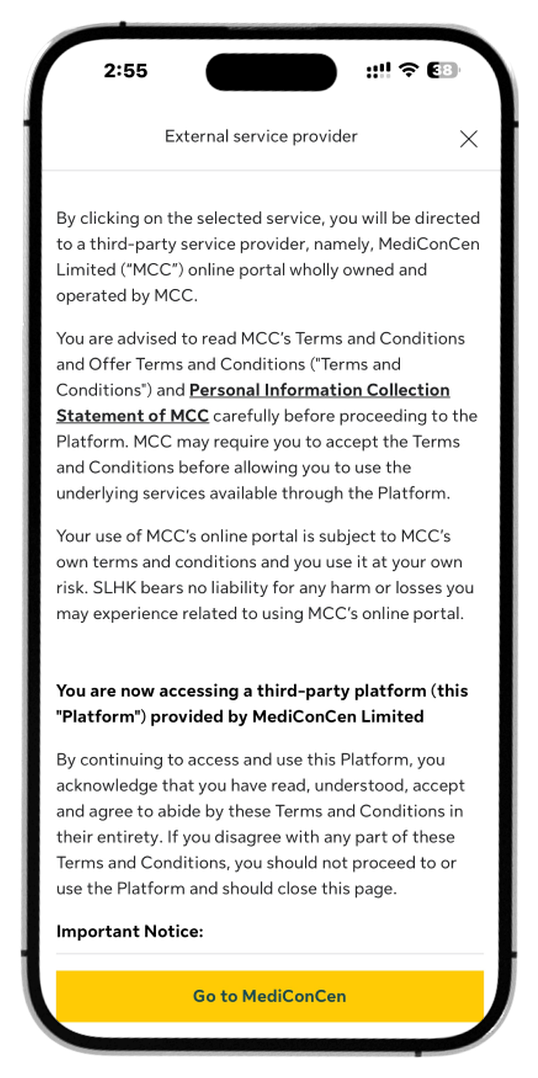
Step 3:
Review the third-party disclaimer and tap Go to MediConCen to continue.
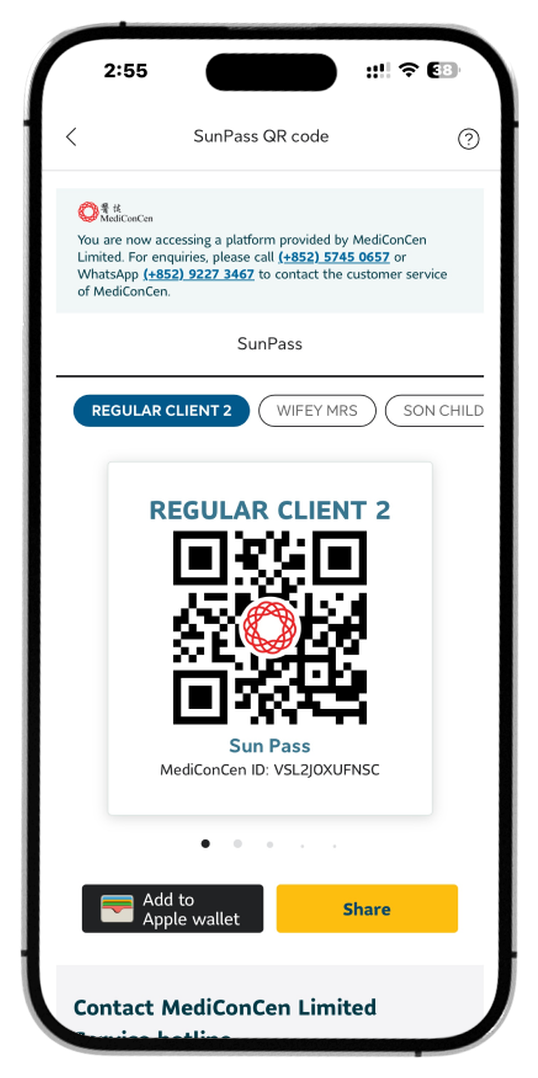
Step 4:
Show your SunPass QR code to your medical or healthcare service provider to register.
How to find medical and healthcare providers
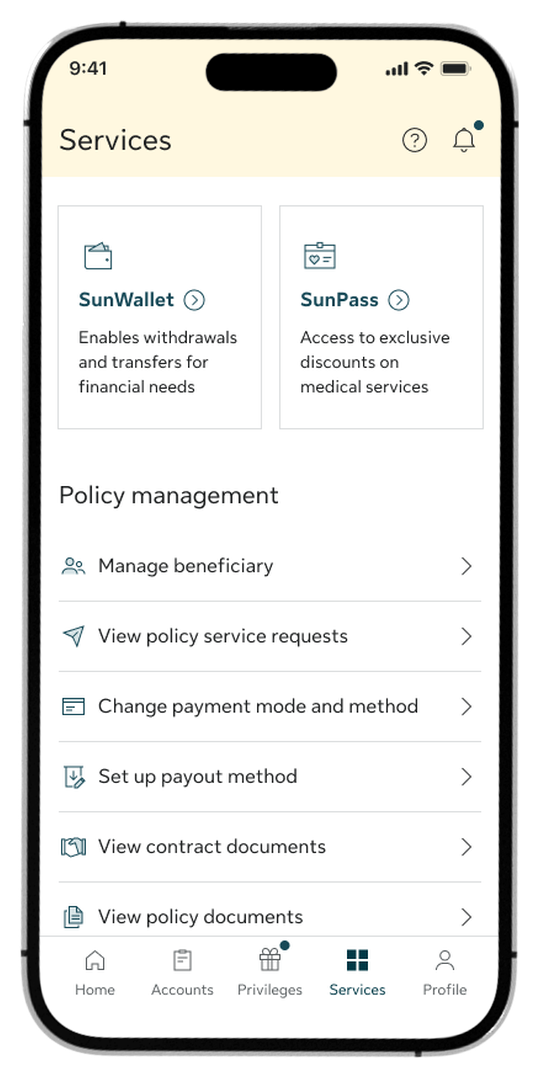
Step 1:
Go to the Services tab and select SunPass from the top menu options.
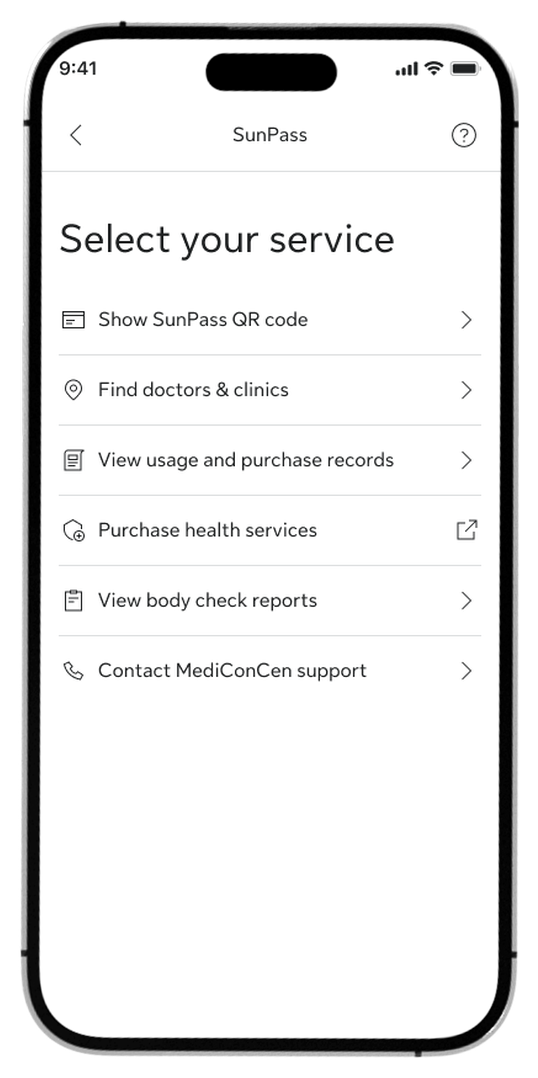
Step 2:
Select “Find doctors & clinics” from the list.
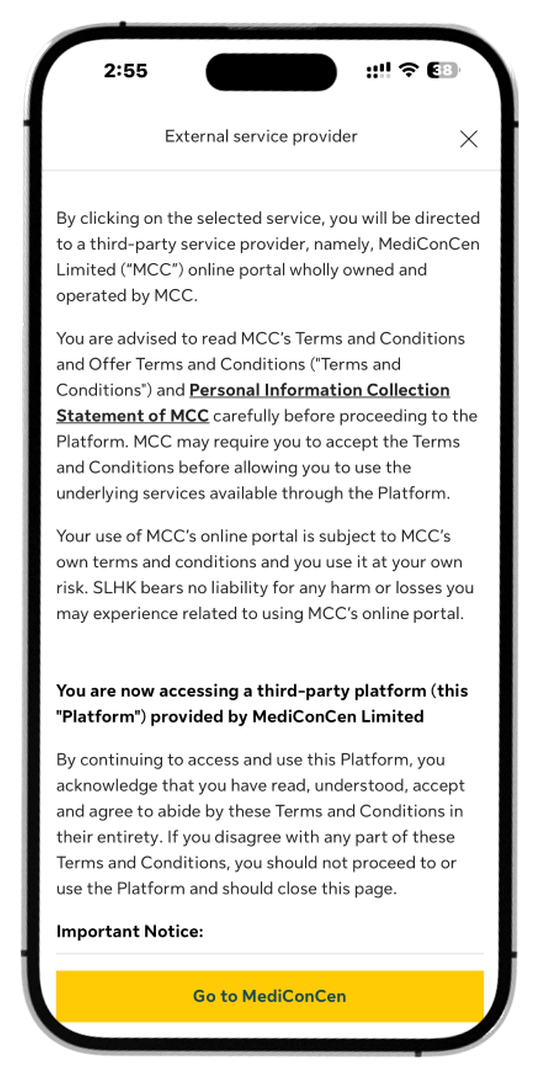
Step 3:
Review the third-party disclaimer and tap Go to MediConCen to continue.

Step 4:
Search and look up available doctors and medical clinics that fit your needs.
Log in to My Sun Life HK now
If you are situated in Mainland China or overseas and cannot use the app version, you can still access your policy details via the web version of My Sun Life HK.
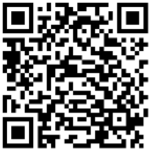

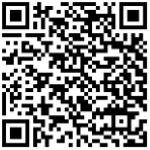



Apple and the Apple logo are trademarks of Apple Inc., registered in the U.S. and other countries. App Store is a service mark of Apple Inc., registered in the U.S. and other countries.
Google Play and the Google Play logo are trademarks of Google LLC.