
How to submit one-off value withdrawal
SunWallet
Learn how to manage your policy value by submitting withdrawal requests and setting up recurring withdrawal or value transfer instructions.
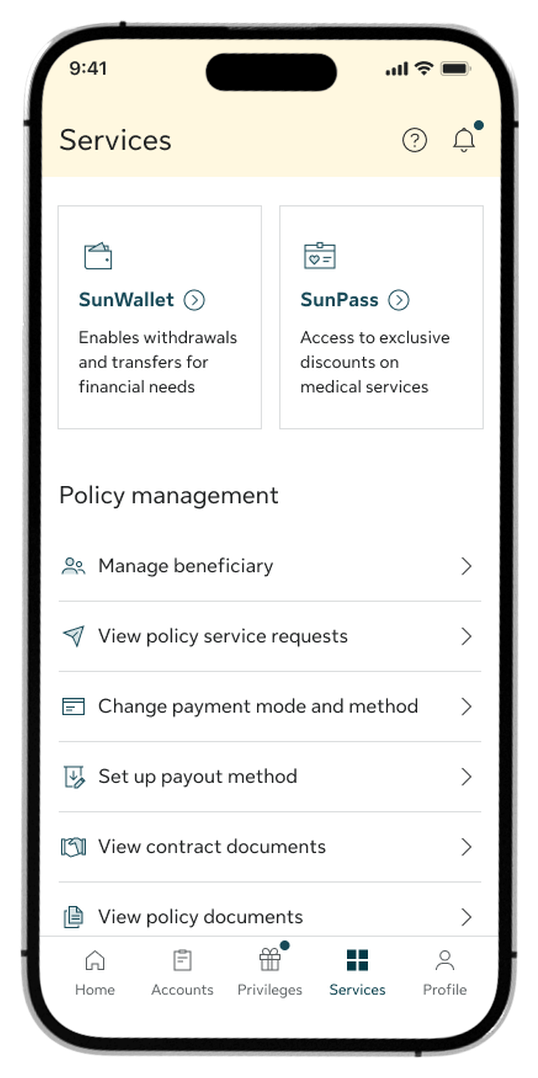
Step 1:
Go to the Services tab and select SunWallet from the top menu options.
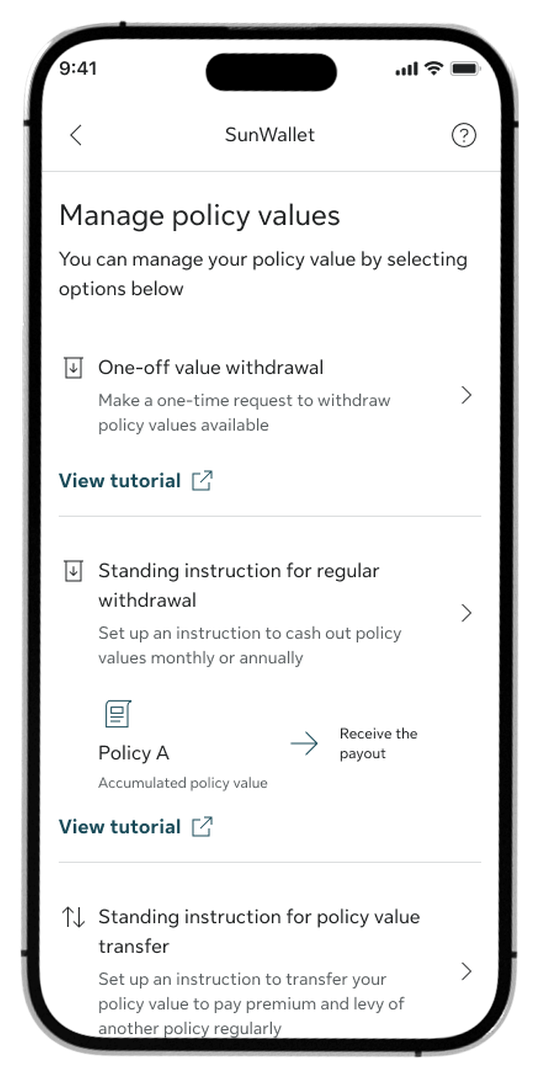
Step 2:
Select One-off value withdrawal in the Manage policy values section.
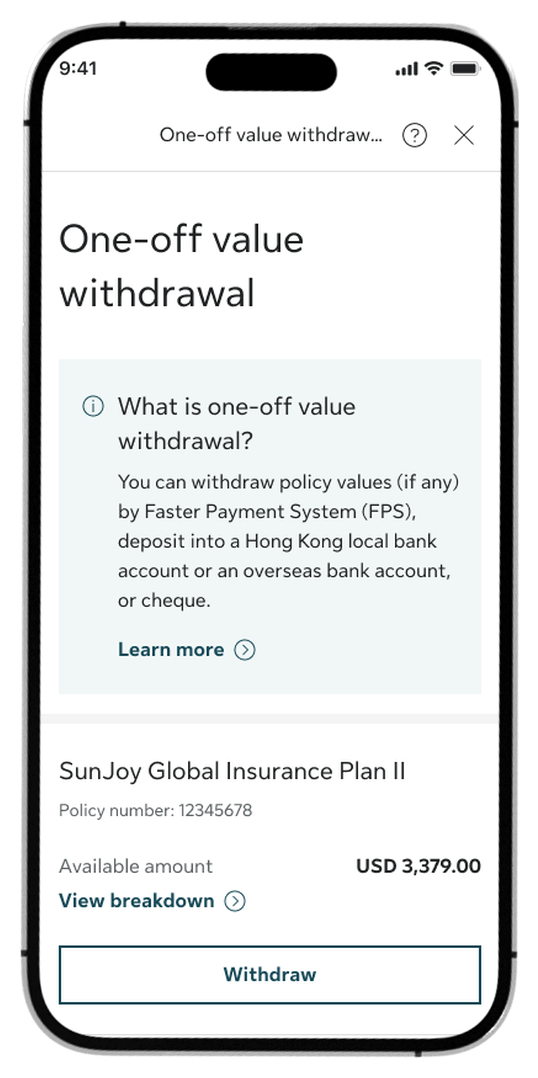
Step 3:
Choose the specific policy you want to withdraw value from and tap Withdraw.
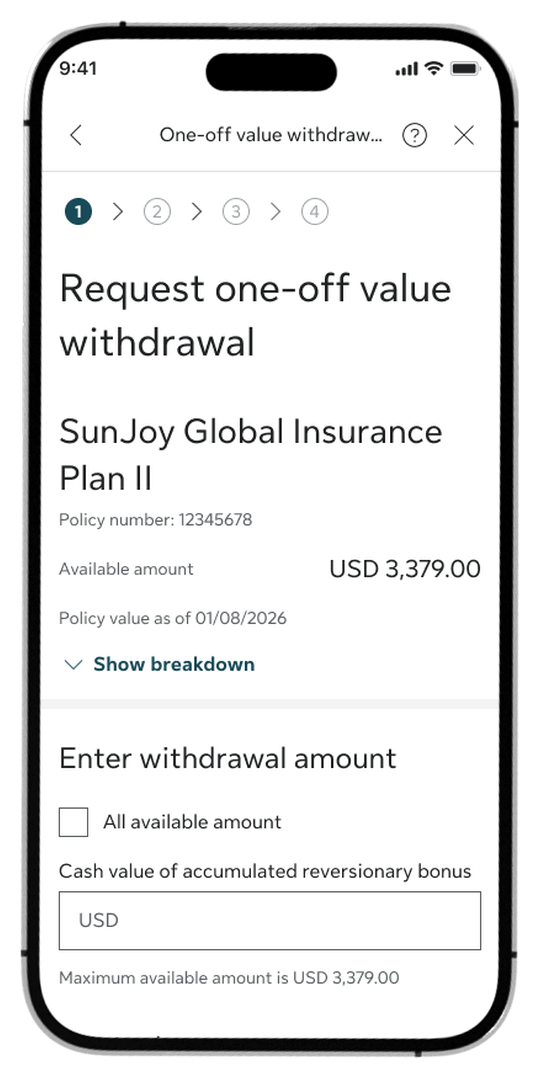
Step 4:
Enter your desired withdrawal amount details.
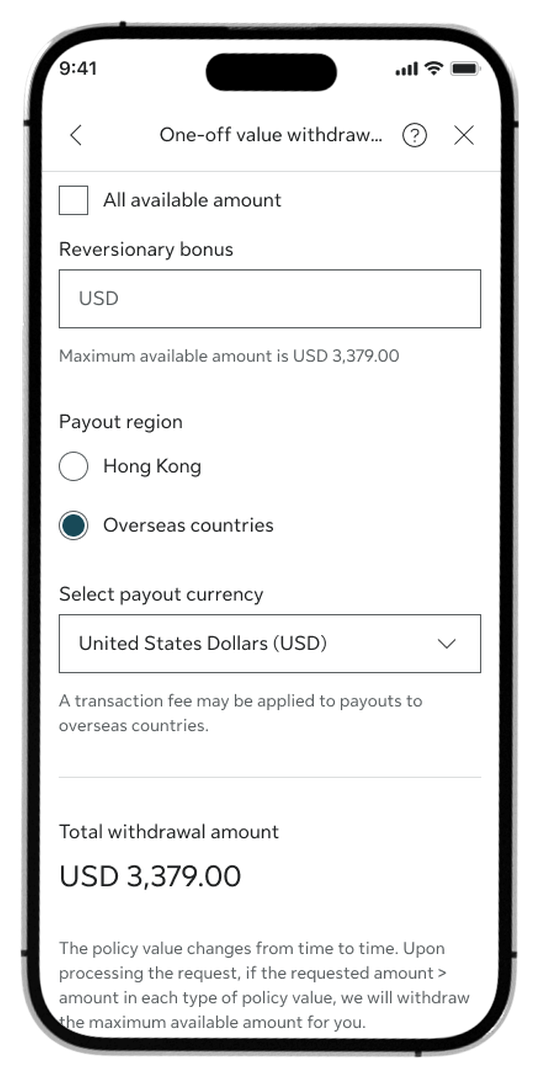
Step 5:
Select the payout region and payout currency, then tap Continue.
For overseas bank transfers, choose Overseas countries for the payout region.
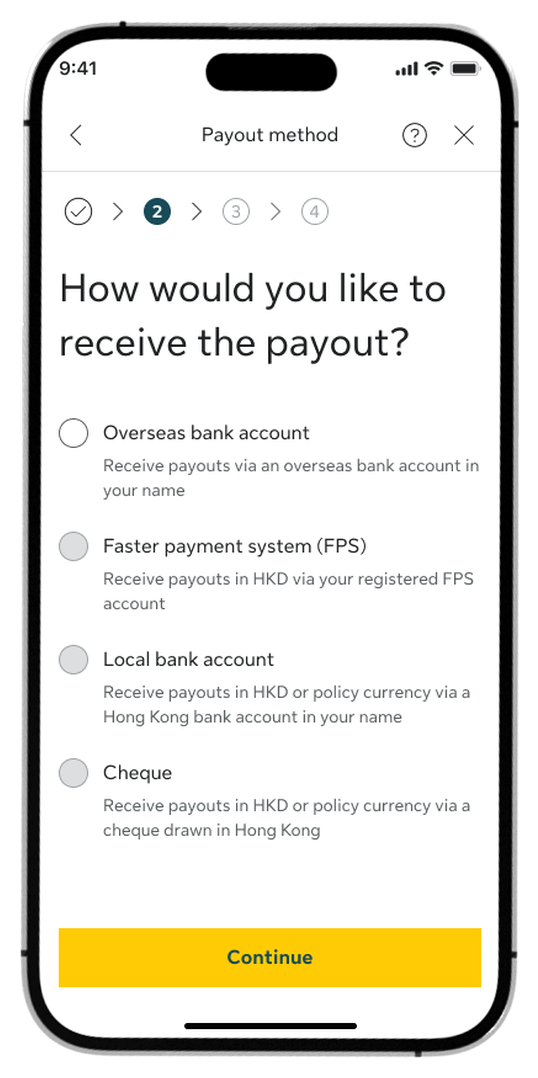
Step 6:
Choose your preferred payout method and tap Continue.
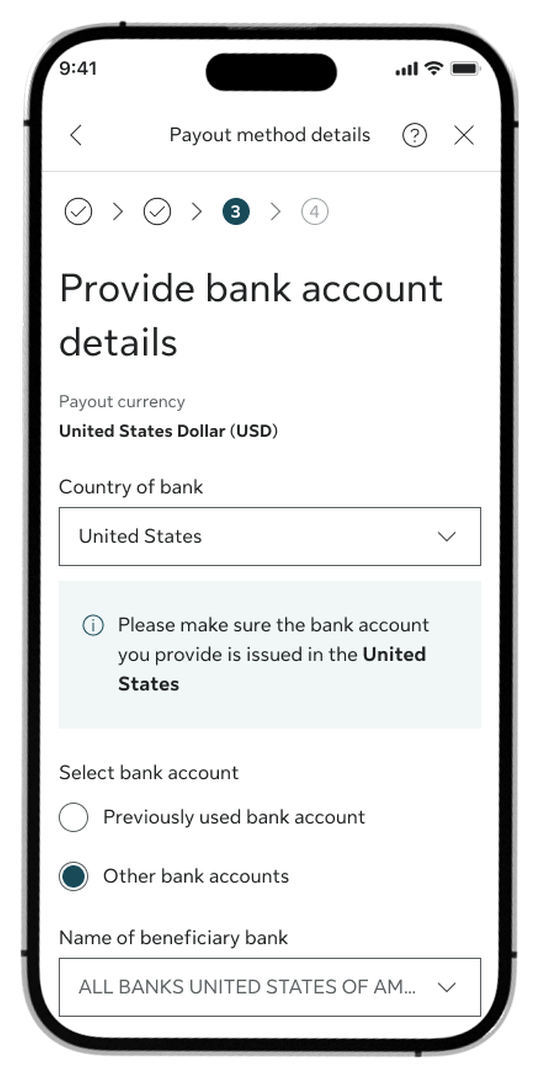
Step 7:
Enter relevant information to receive the payout and tap Continue.
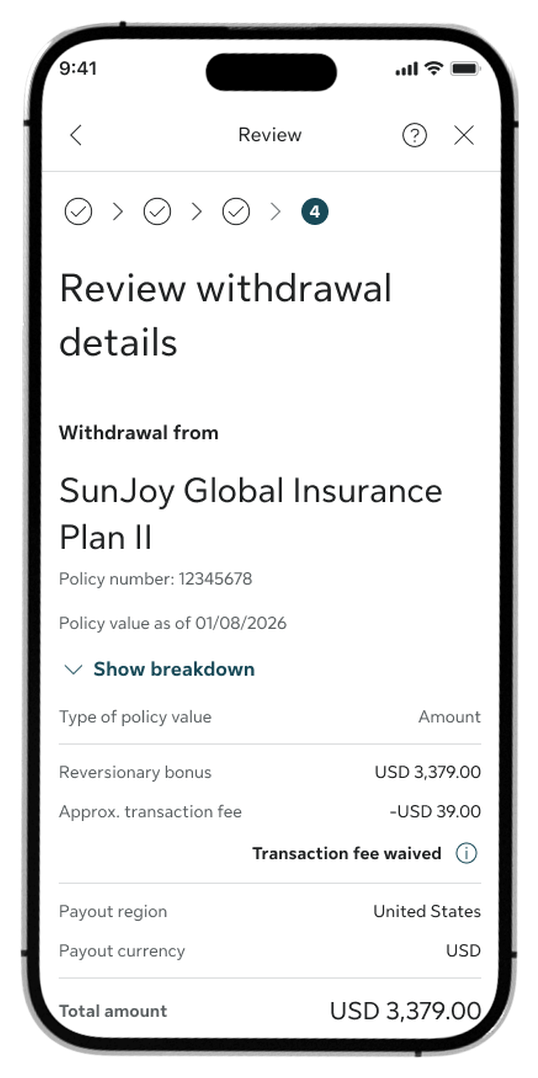
Step 8:
Review your withdrawal summary, check the Declaration box, and tap Confirm.
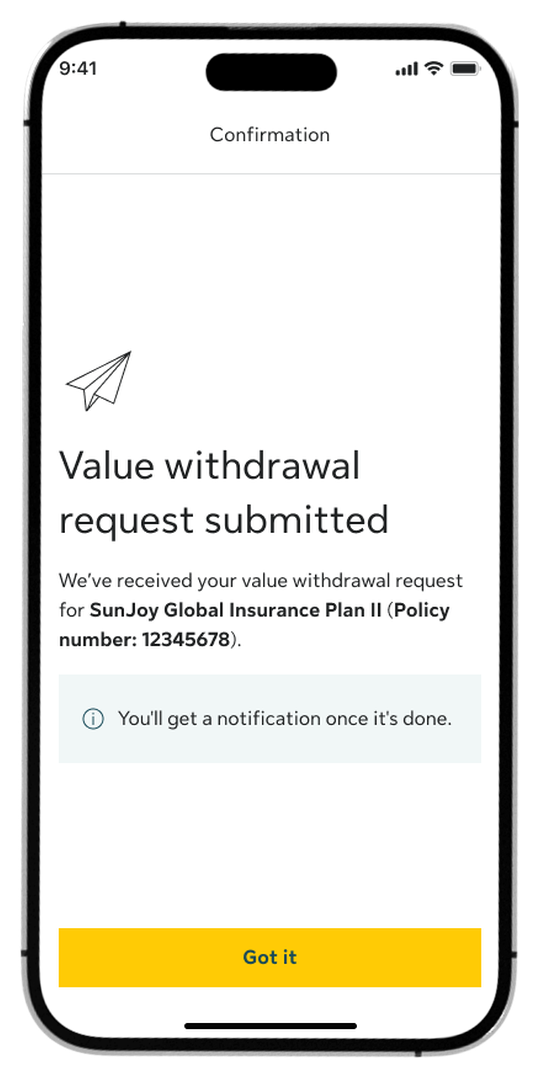
Step 9:
Once submitted, you’ll see a confirmation screen.
How to submit standing instruction for regular withdrawal
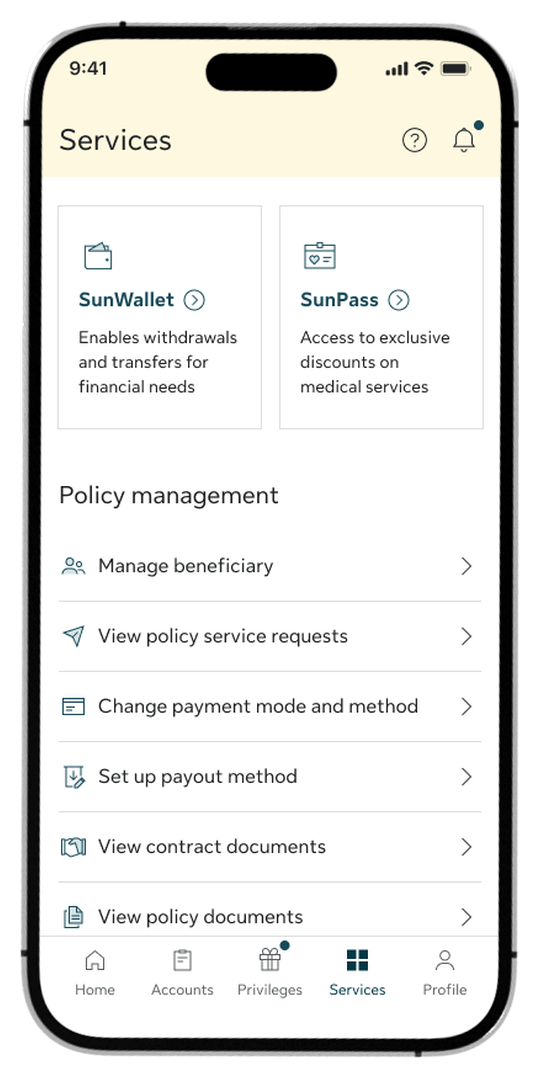
Step 1:
Go to the Services tab and select SunWallet from the top menu options.
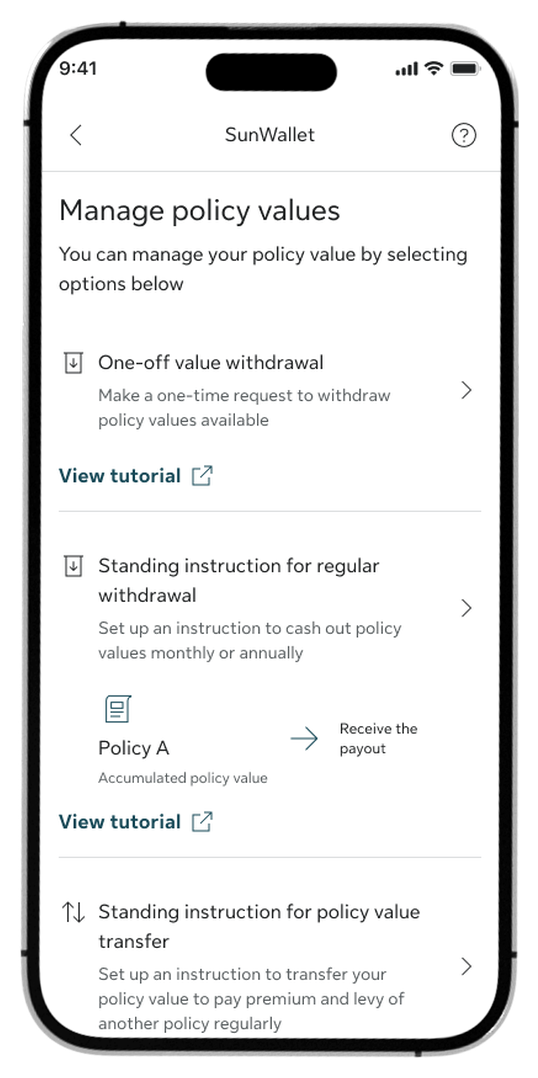
Step 2:
Select Standing instruction for regular withdrawal in the Manage policy values section.
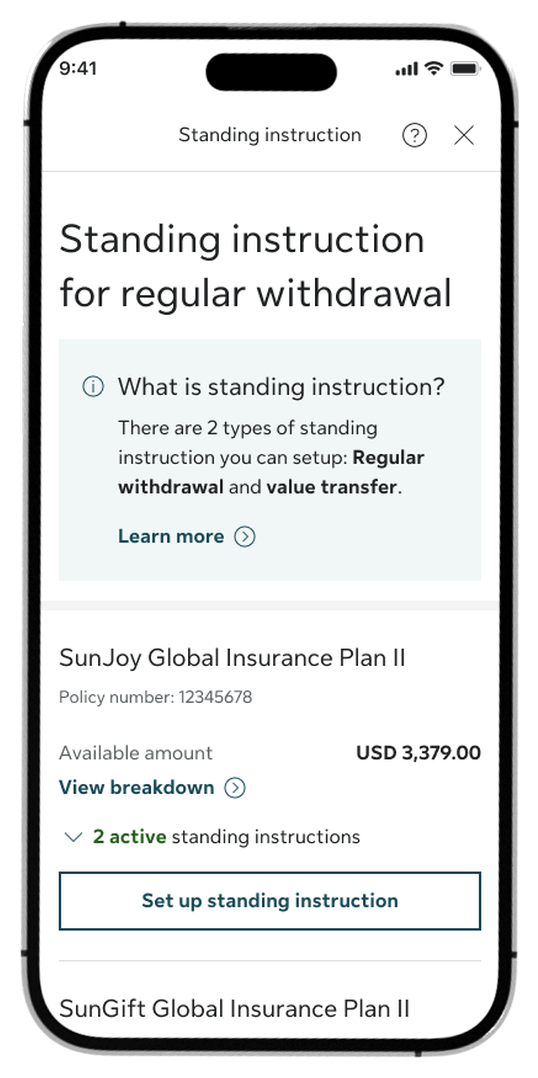
Step 3:
Choose the specific policy you want to set up regular withdrawals for.
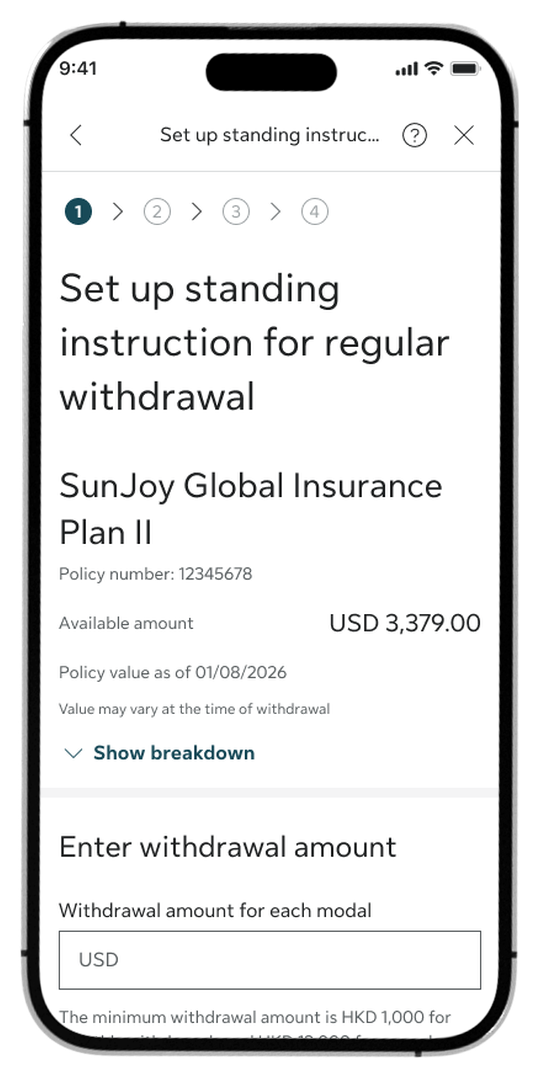
Step 4:
Set your withdrawal amount.
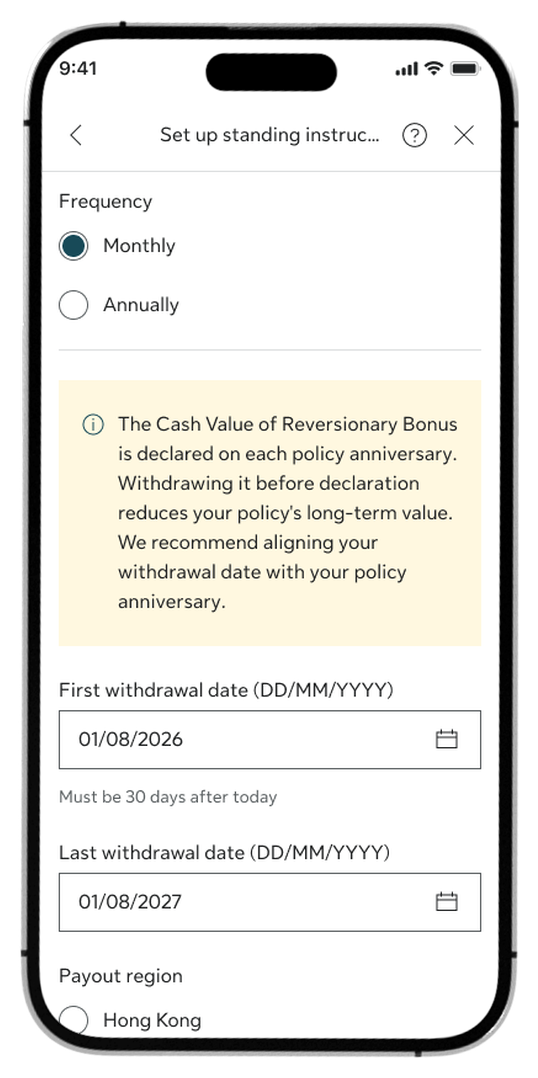
Step 5:
Enter the first and last withdrawal dates, select the payout region and payout currency, choose your insufficient balance handling option (if any), and tap Continue.
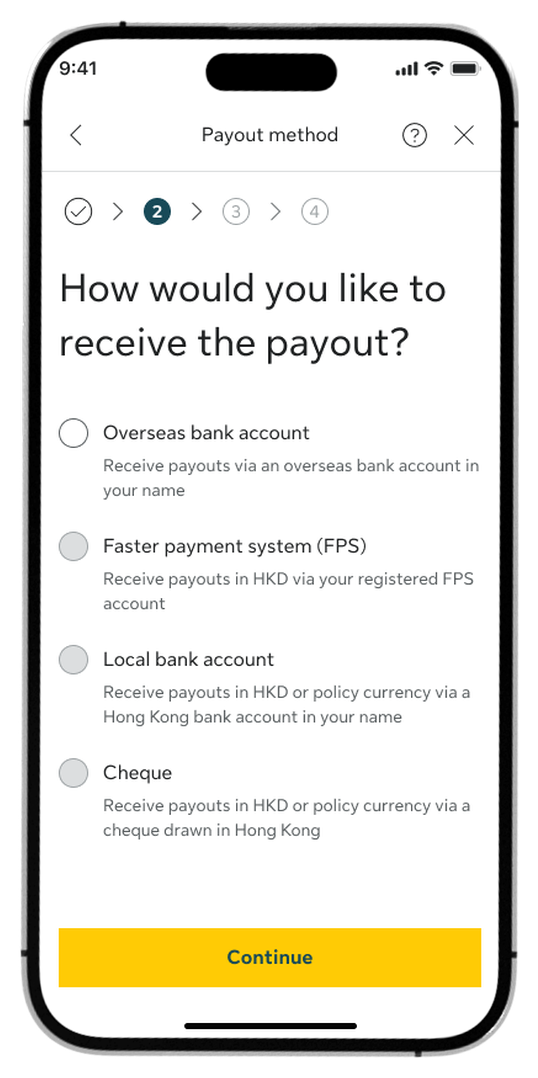
Step 6:
Choose your preferred payout method and tap Continue.
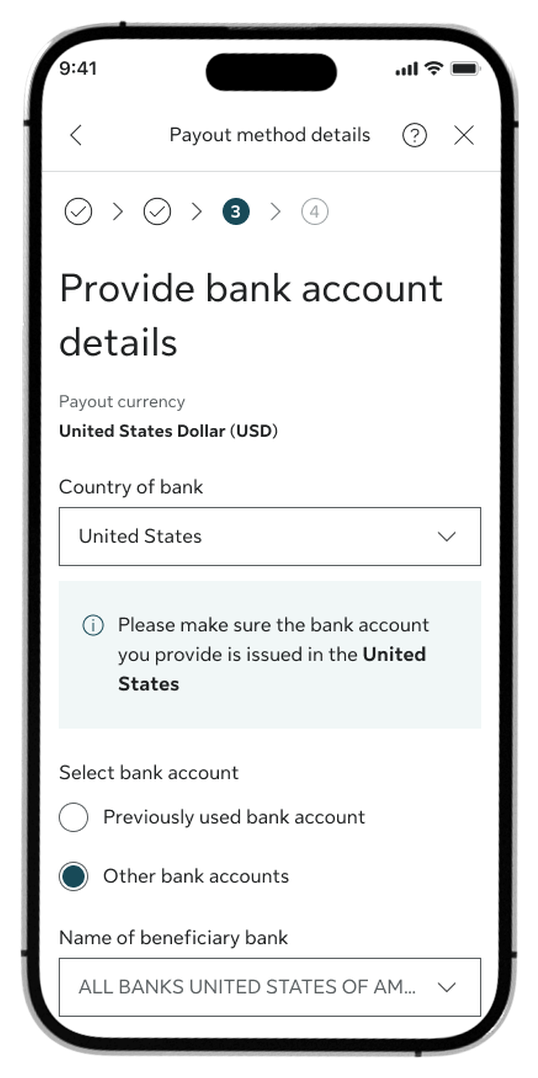
Step 7:
Provide your required payout details and tap Continue.
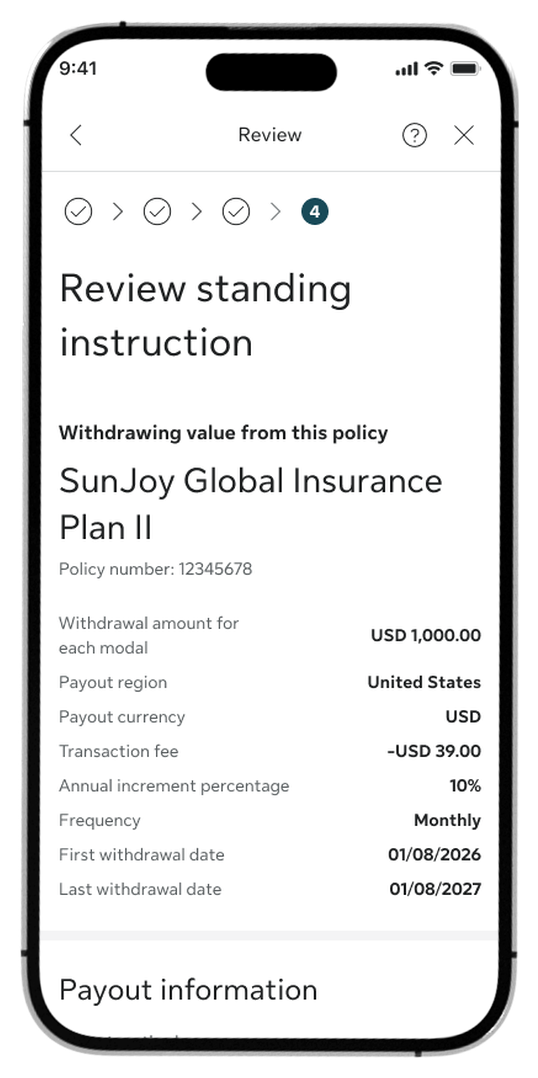
Step 8:
Review the summary, check the Declaration box, and tap Confirm.
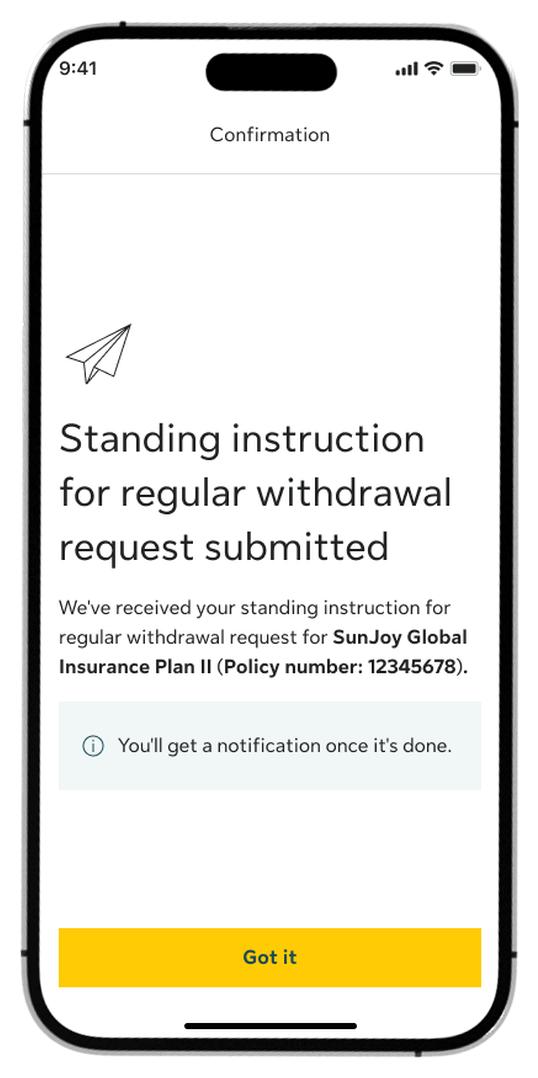
Step 9:
Once submitted, you’ll see a confirmation screen.
How to submit standing instruction for value transfer
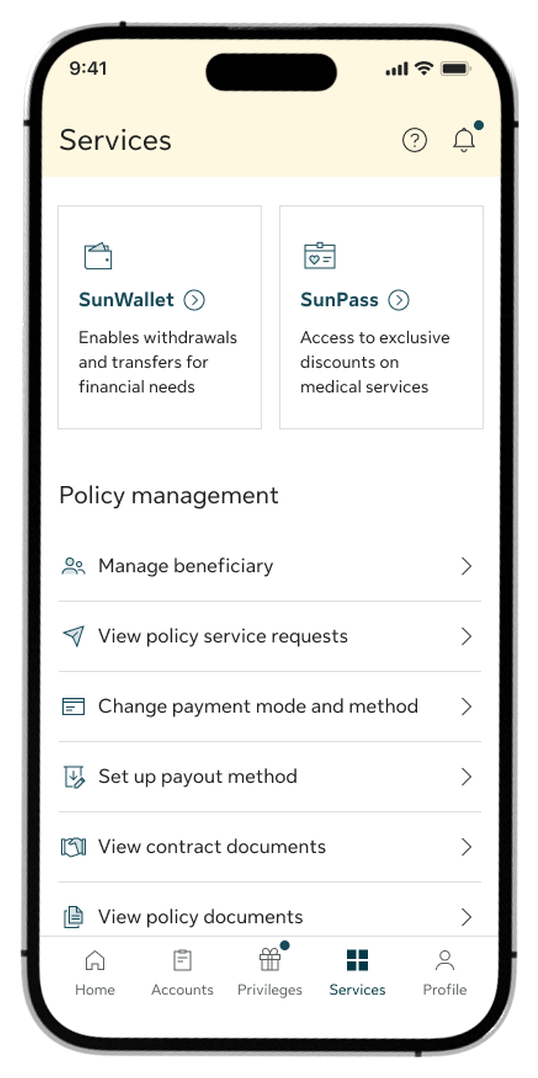
Step 1:
Go to the Services tab and select SunWallet from the top menu options.
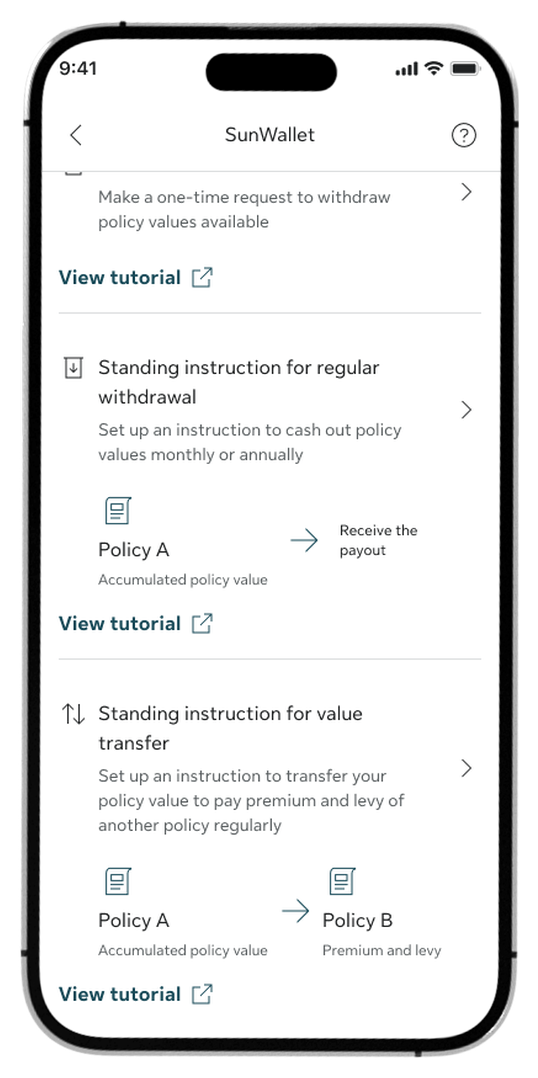
Step 2:
Select Standing instruction for value transfer in the Manage policy values section.
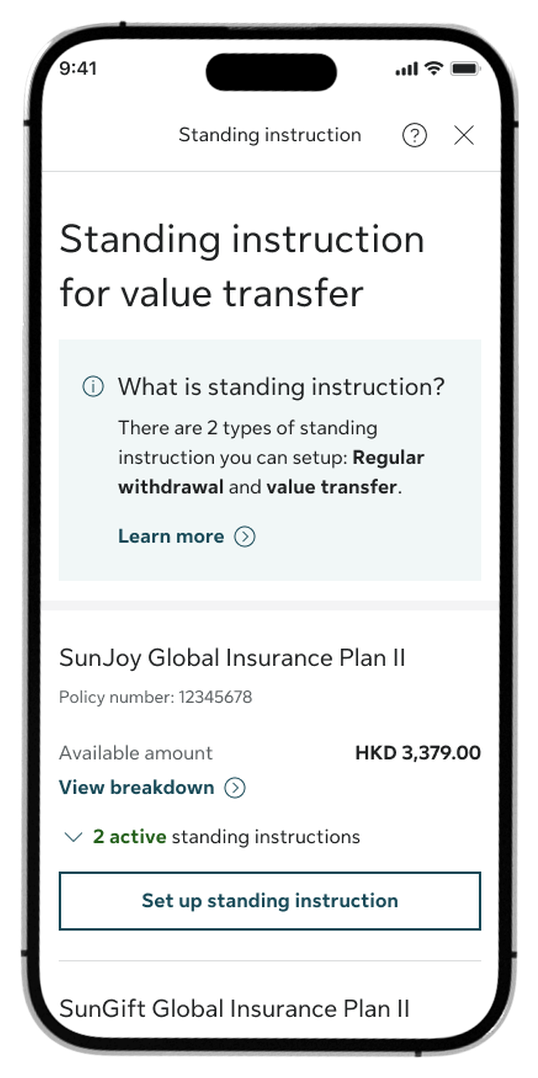
Step 3:
Choose the specific policy you want to transfer value from and tap Set up standing instruction.
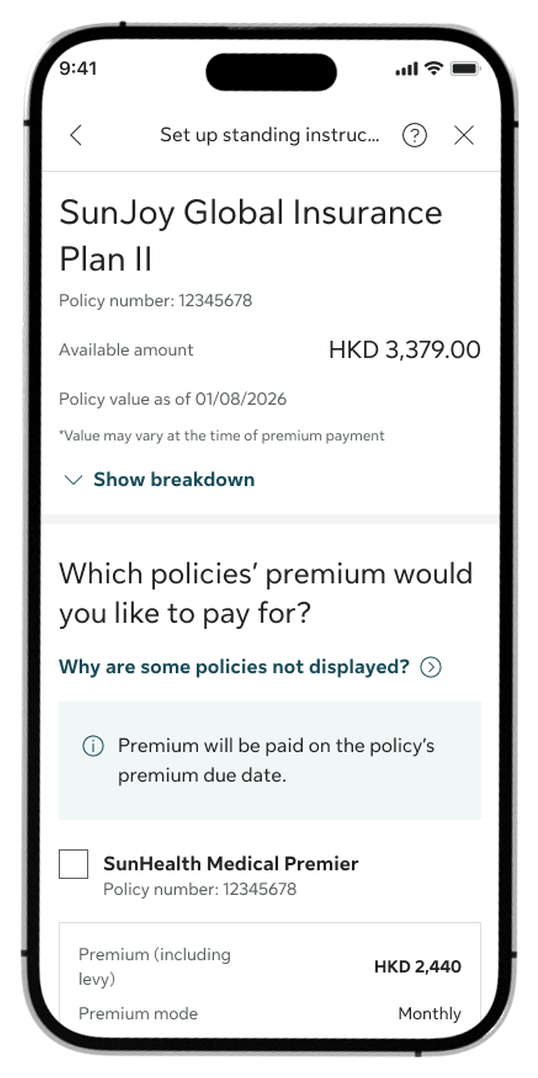
Step 4:
Select the target policies you would like to pay premium for and tap Continue.
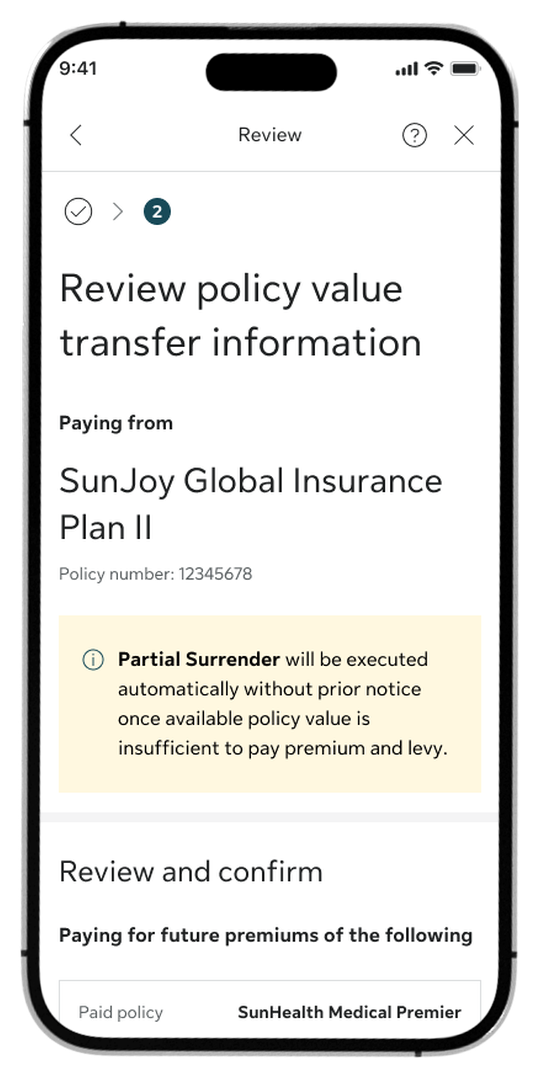
Step 5:
Review the transfer information summary, check the Declaration box, and tap Confirm.
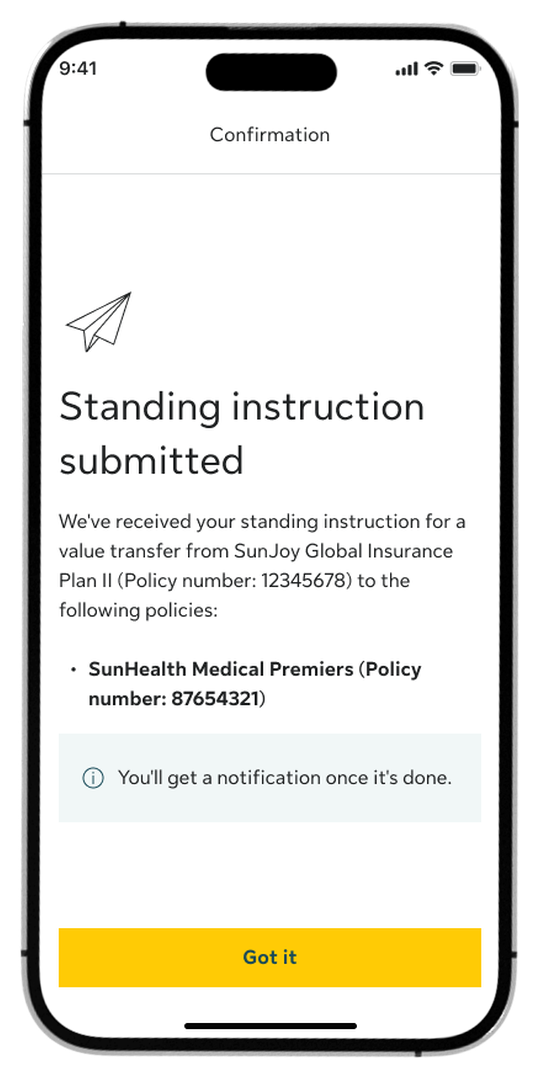
Step 6:
Once submitted, you’ll see a confirmation screen.
Log in to My Sun Life HK now
If you are situated in Mainland China or overseas and cannot use the app version, you can still access your policy details via the web version of My Sun Life HK.







Apple and the Apple logo are trademarks of Apple Inc., registered in the U.S. and other countries. App Store is a service mark of Apple Inc., registered in the U.S. and other countries.
Google Play and the Google Play logo are trademarks of Google LLC.