Investment-linked assurance schemes
Learn how to manage your investment-linked policies by switching funds and updating future premium allocation to align with your investment goals.
How to submit a fund switching request
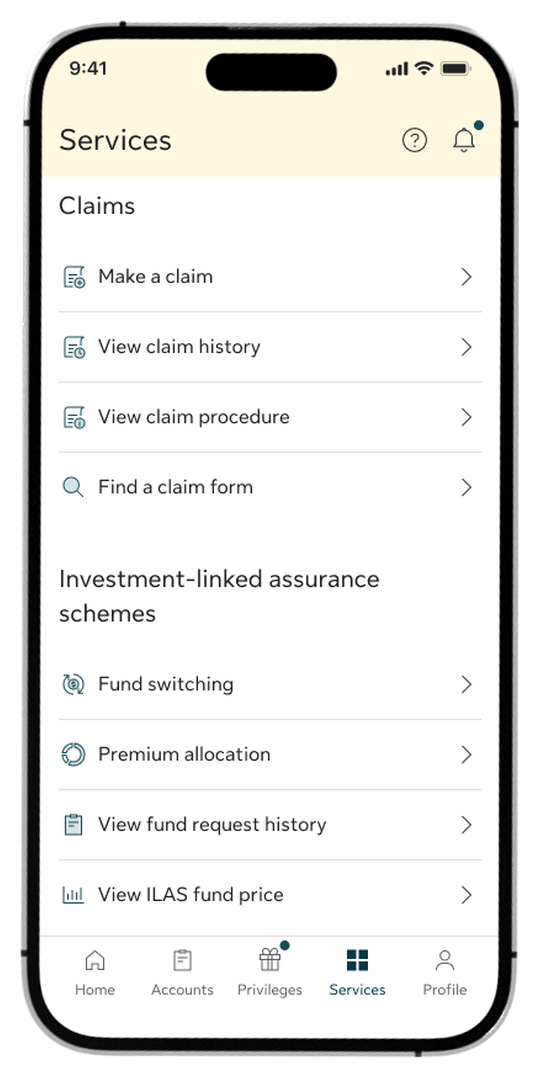
Step 1:
Go to Services and select Fund Switching. Alternatively, open your policy details and tap the Fund Switching quick link.
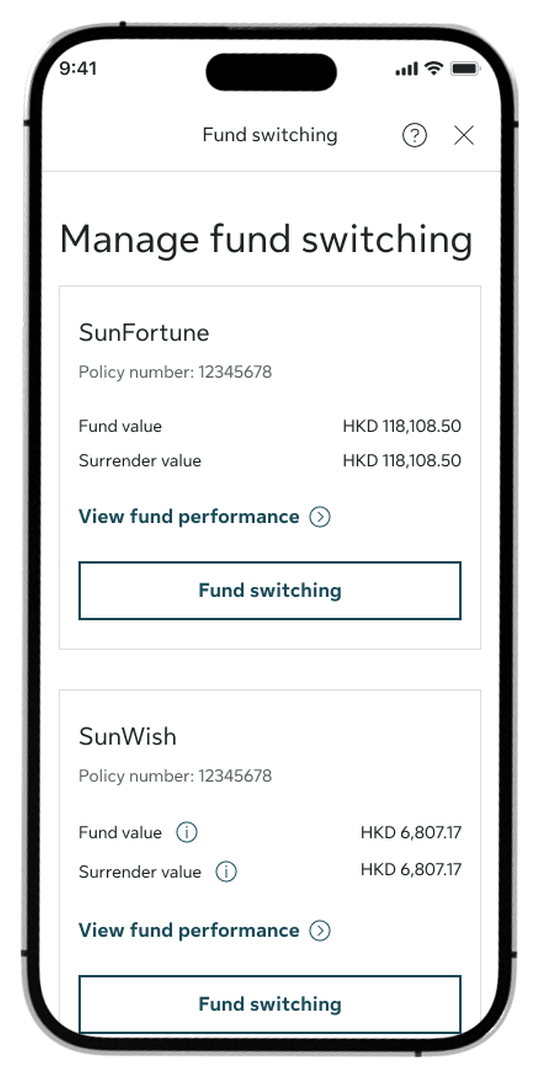
Step 2:
Find the policy you want to change and tap Fund switching.
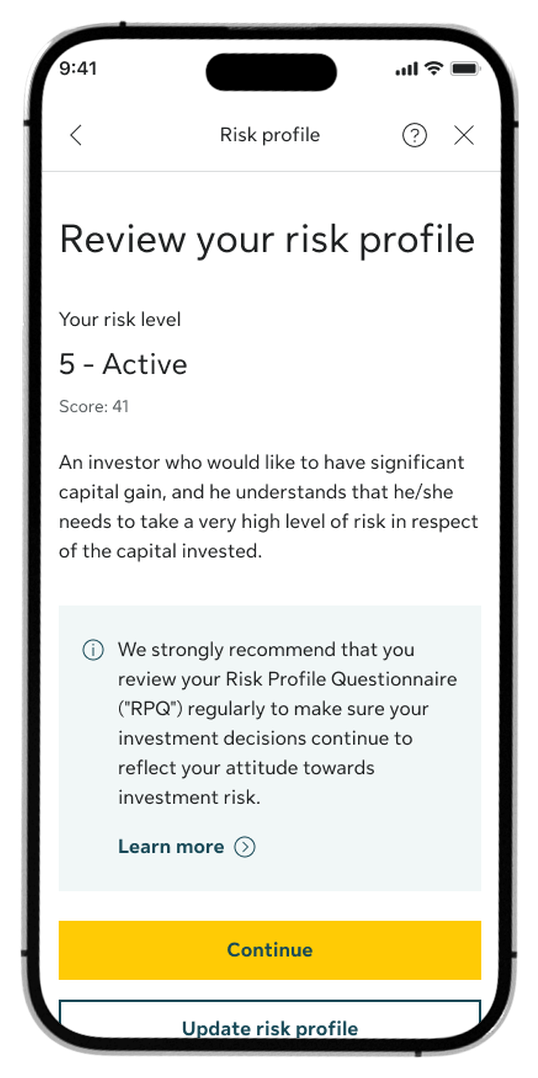
Step 3:
Review your risk profile. Tap Continue to proceed to fund switching, or tap Update risk profile to retake the questionnaire and update your risk level.
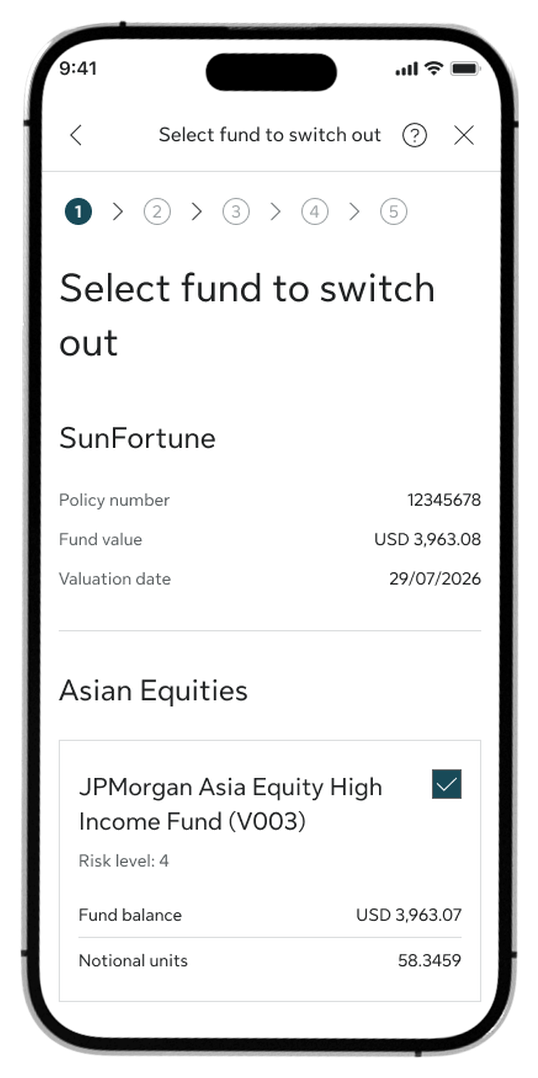
Step 4:
Choose the fund you want to switch out, then tap Continue.
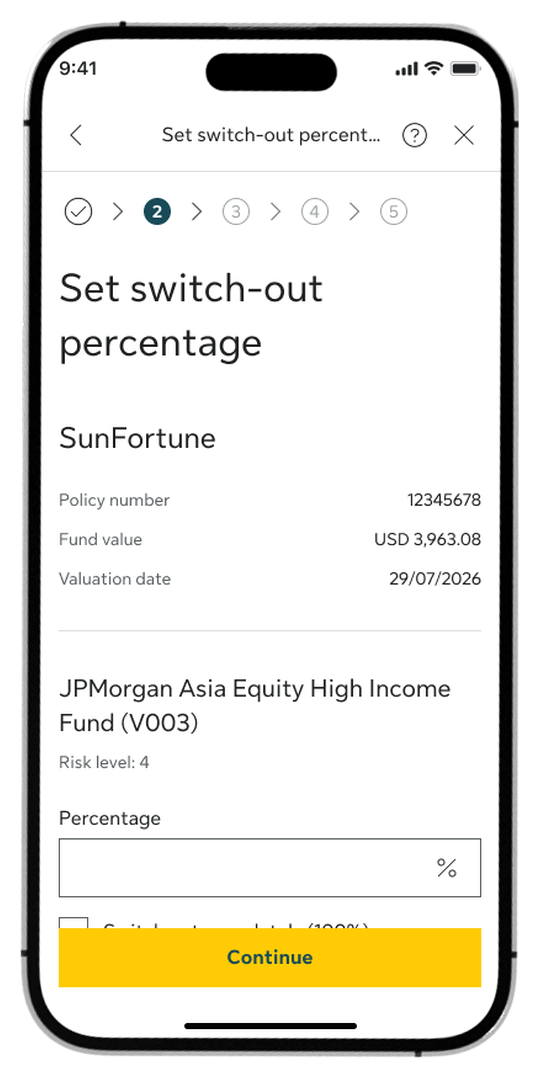
Step 5:
Enter the percentage you want to switch out, then tap Continue.
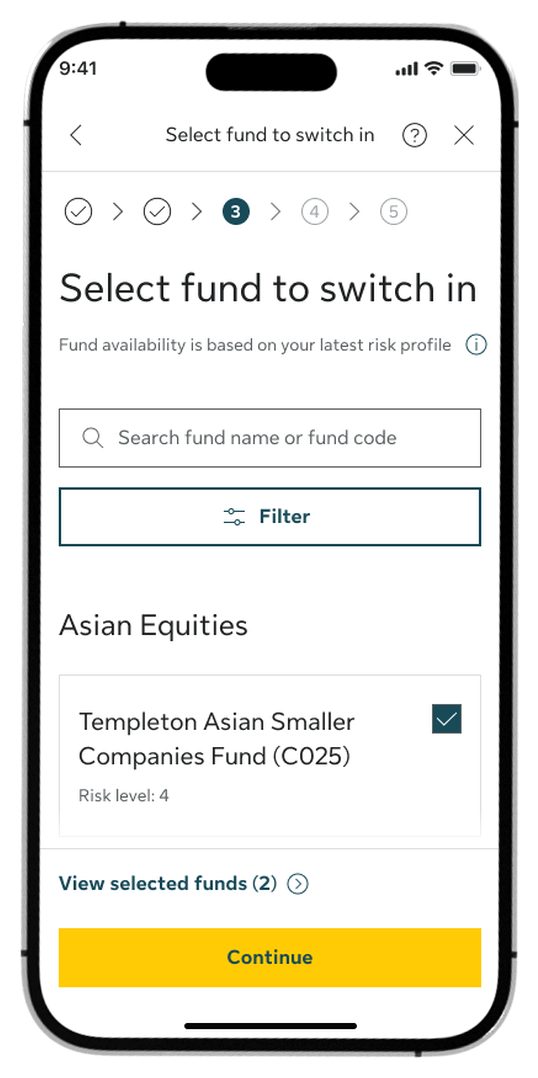
Step 6:
Choose the new fund you want to switch in, then tap Continue.
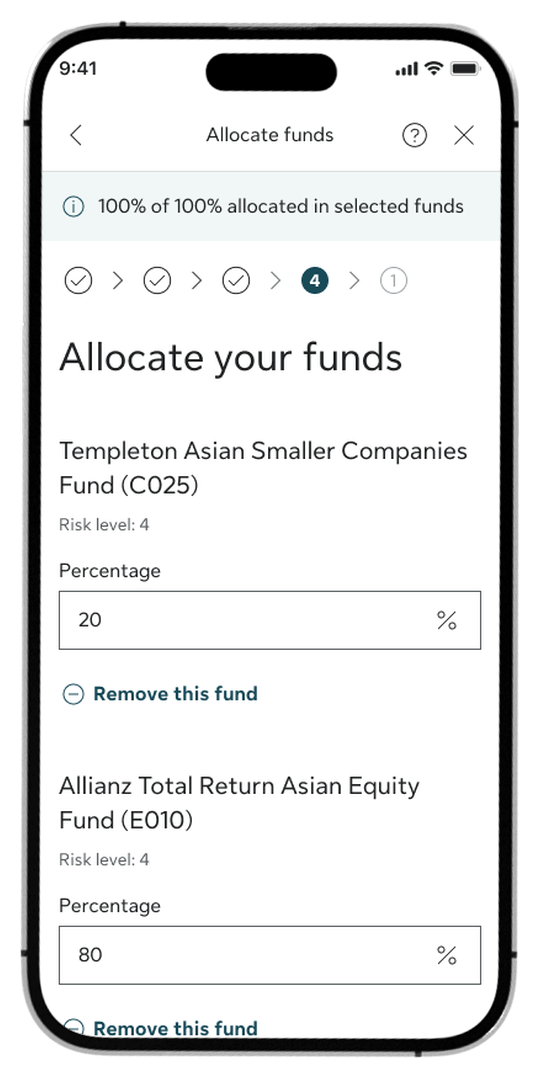
Step 7:
Set your fund allocation. Please ensure the total adds up to exactly 100%.
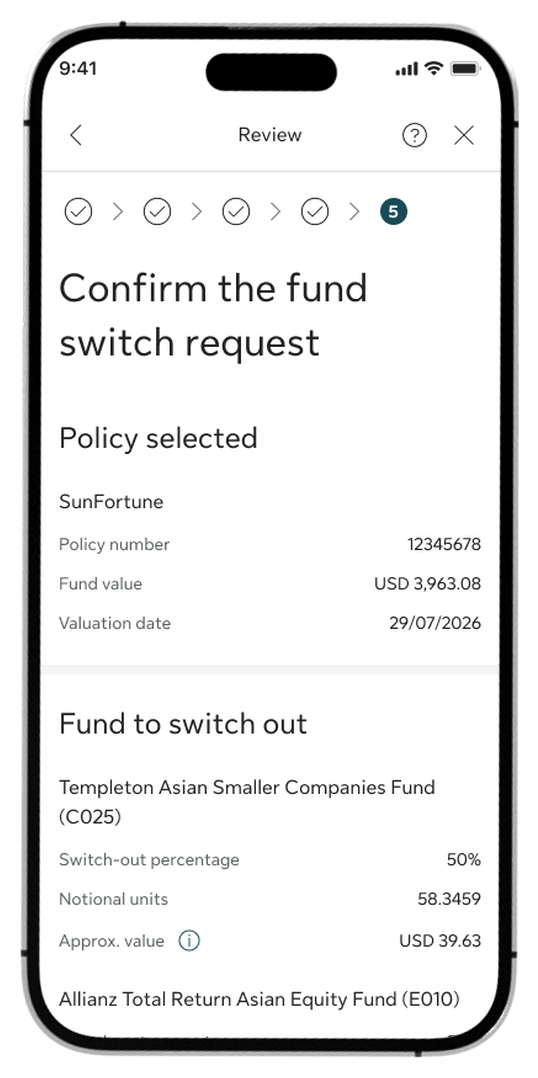
Step 8:
Review your request details, check the declaration box, and tap Confirm to submit.
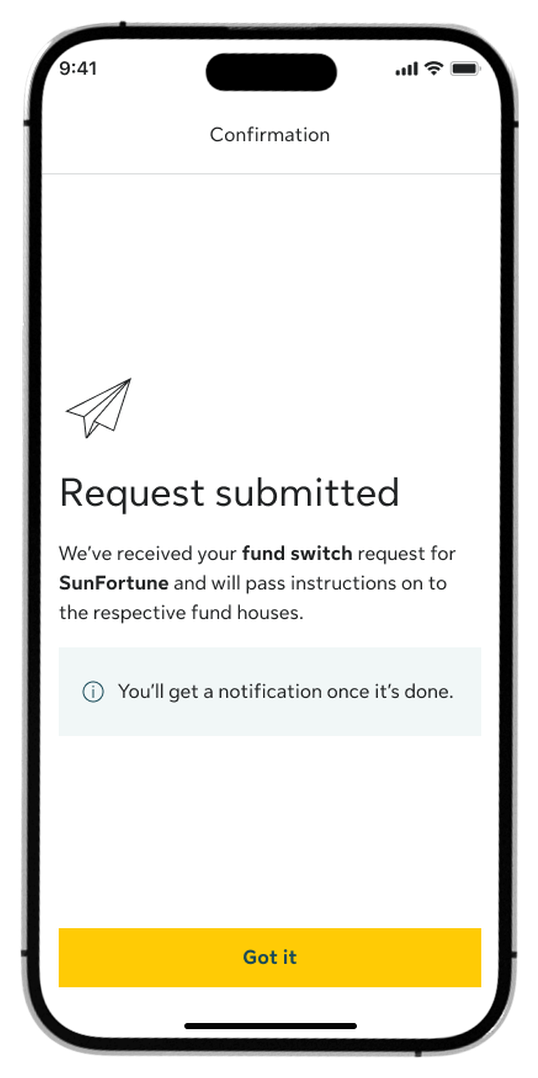
Step 9:
You are all set! A confirmation screen will appear to show your request is received.

Step 1:
Go to Services and select Premium allocation. Alternatively, open your policy details and tap the Premium allocation quick link.

Step 2:
Find the policy you want to change and tap Allocate future premium.
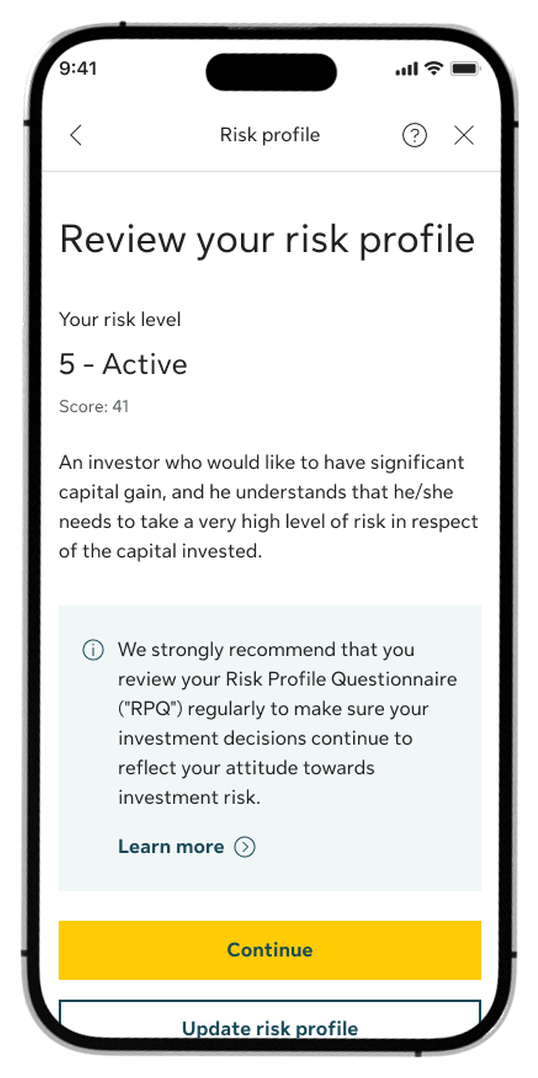
Step 3:
Review your risk profile. Tap Continue to proceed to future premium allocation, or tap Update risk profile to retake the questionnaire and update your risk level.

Step 4:
Enter your allocation percentages, then tap Continue. You can also select new funds by tapping Add funds.

Step 5:
Choose the new funds you want to add to your portfolio if needed, then tap Continue.
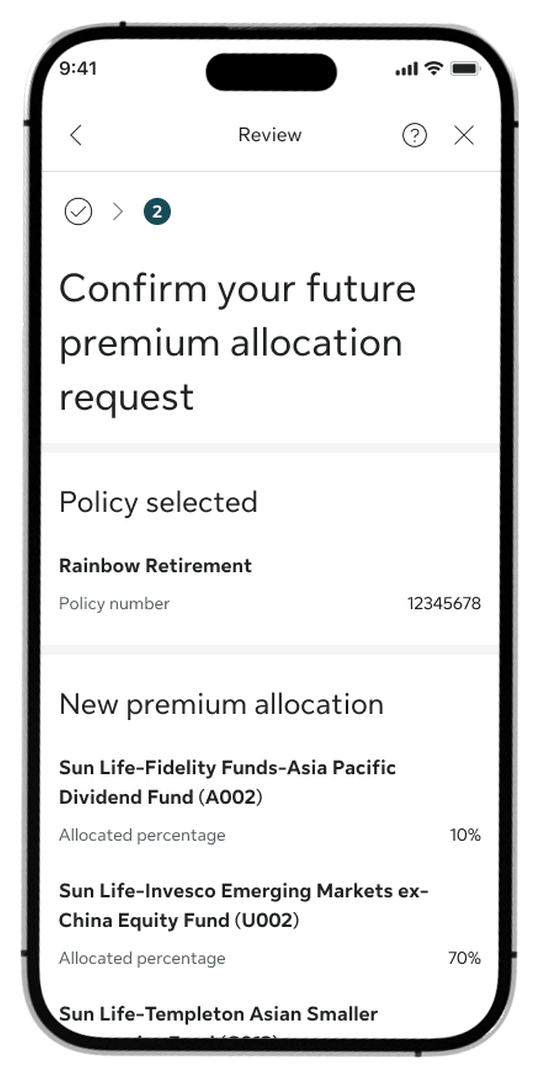
Step 6:
Review your request details, check the declaration box, and tap Confirm to submit.

Step 7:
You are all set! A confirmation screen will appear to show your request is received.
Log in to My Sun Life HK now
If you are situated in Mainland China or overseas and cannot use the app version, you can still access your policy details via the web version of My Sun Life HK.







Apple and the Apple logo are trademarks of Apple Inc., registered in the U.S. and other countries. App Store is a service mark of Apple Inc., registered in the U.S. and other countries.
Google Play and the Google Play logo are trademarks of Google LLC.