
How to submit a claim
Claims
Learn how to submit Accident claims or Hospitalisation & Surgical claims in one go and track their progress anytime. You can even receive your payout as quickly as 24 hours#.
#Applicable when submitting via My Sun Life HK Client Digital Platforms and selecting FPS for payout.
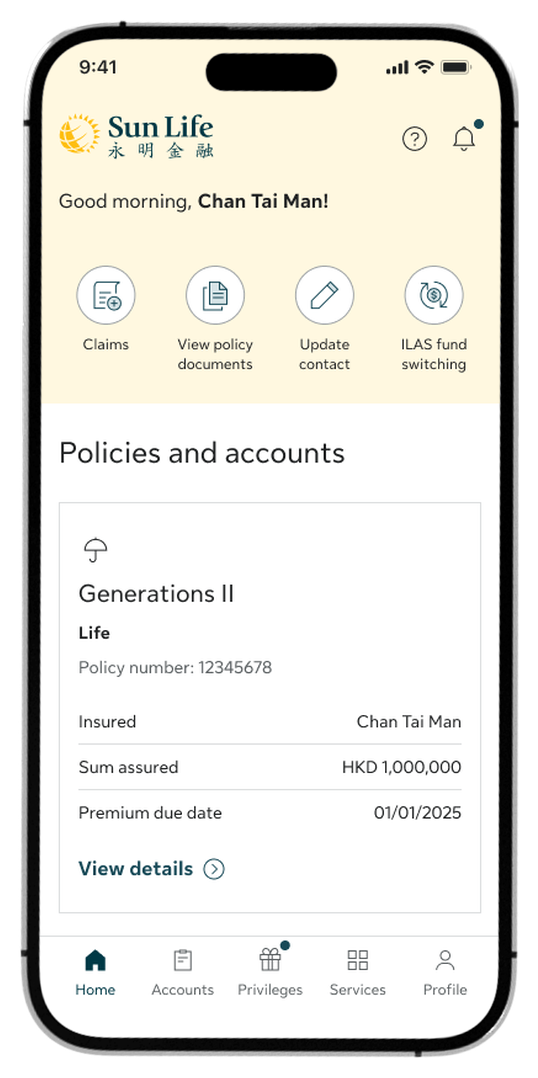
Step 1:
On the Home screen, tap Claims
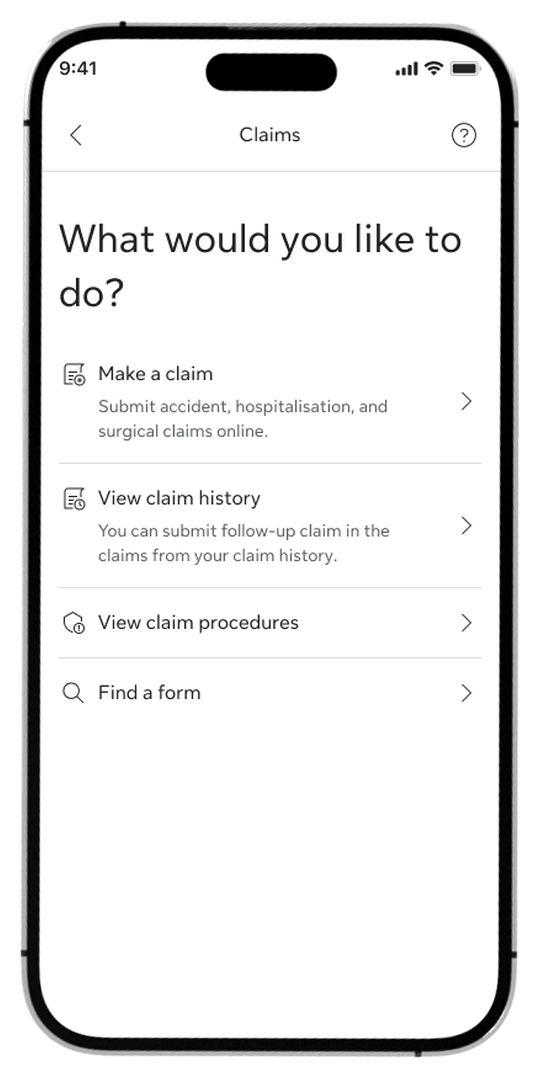
Step 2:
Tap Make a claim to begin
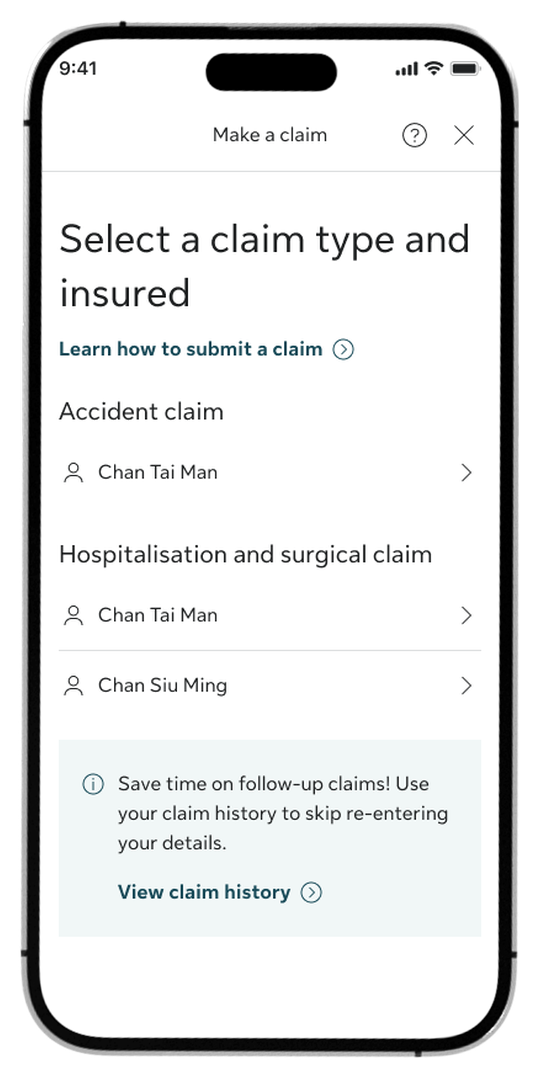
Step 3:
Select the claim type and insured person
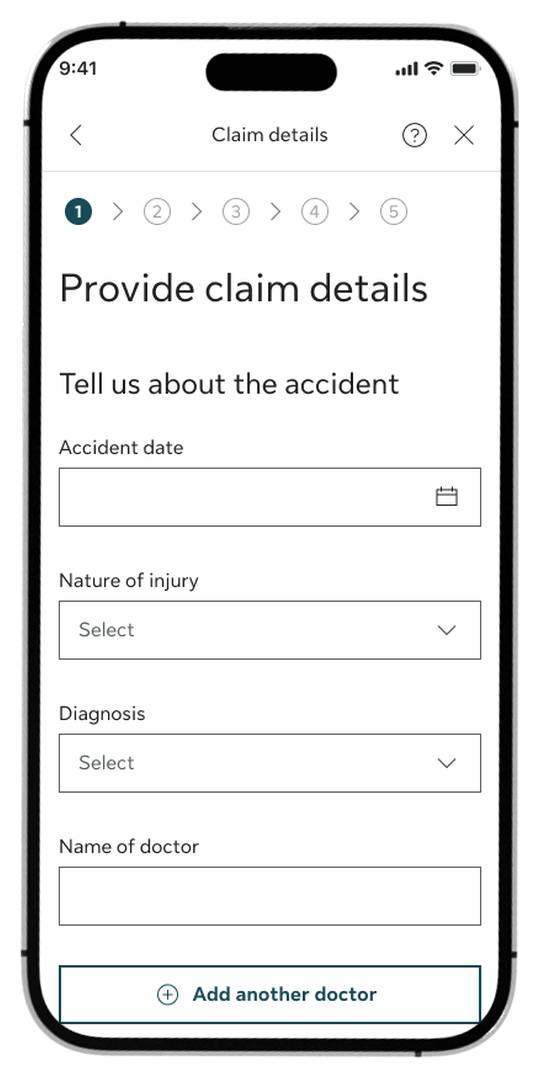
Step 4:
Enter your claim details
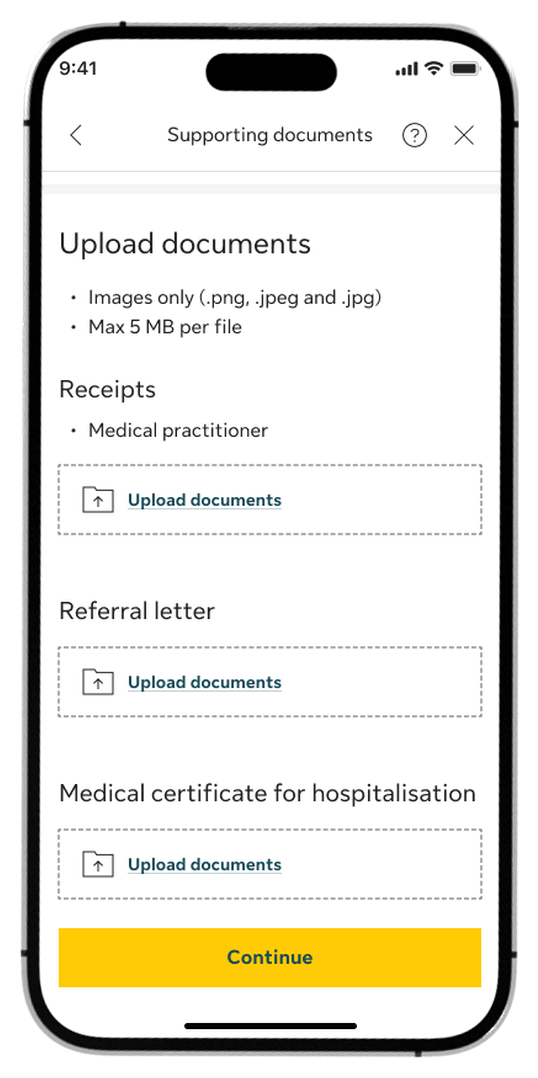
Step 5:
Upload your receipts and supporting documents
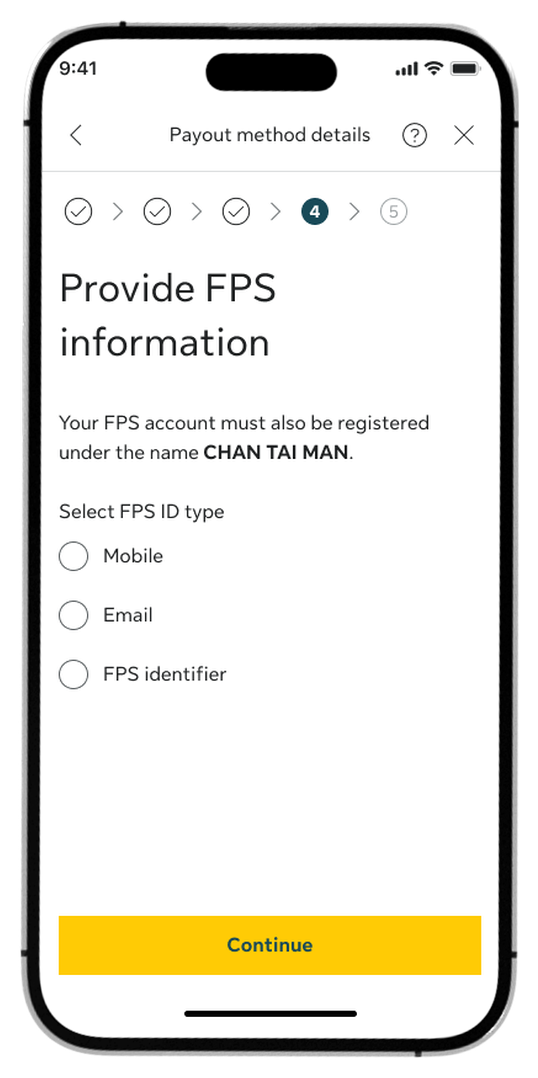
Step 6:
Choose your preferred payout method
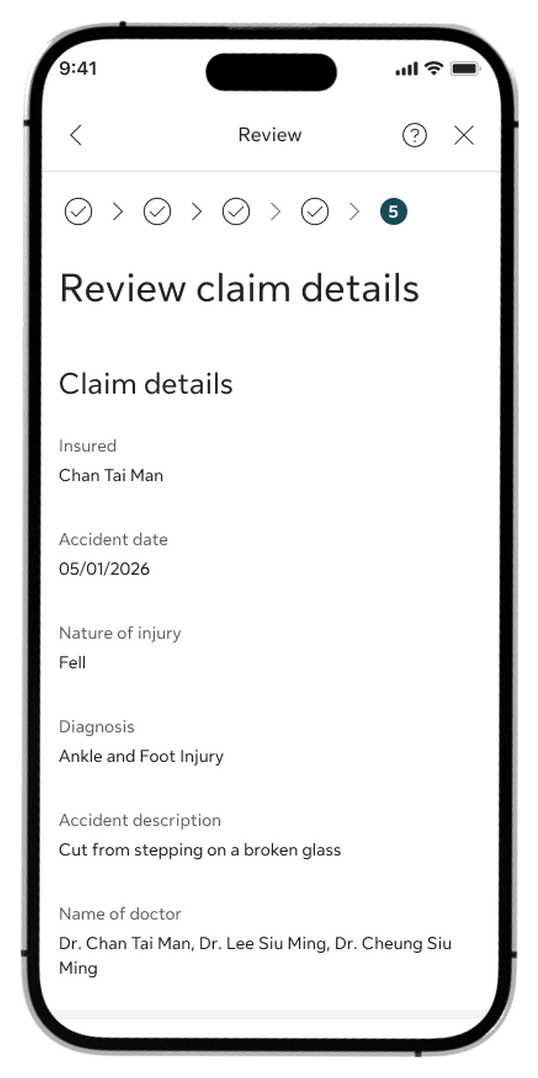
Step 7:
Review the details and tap Confirm to submit
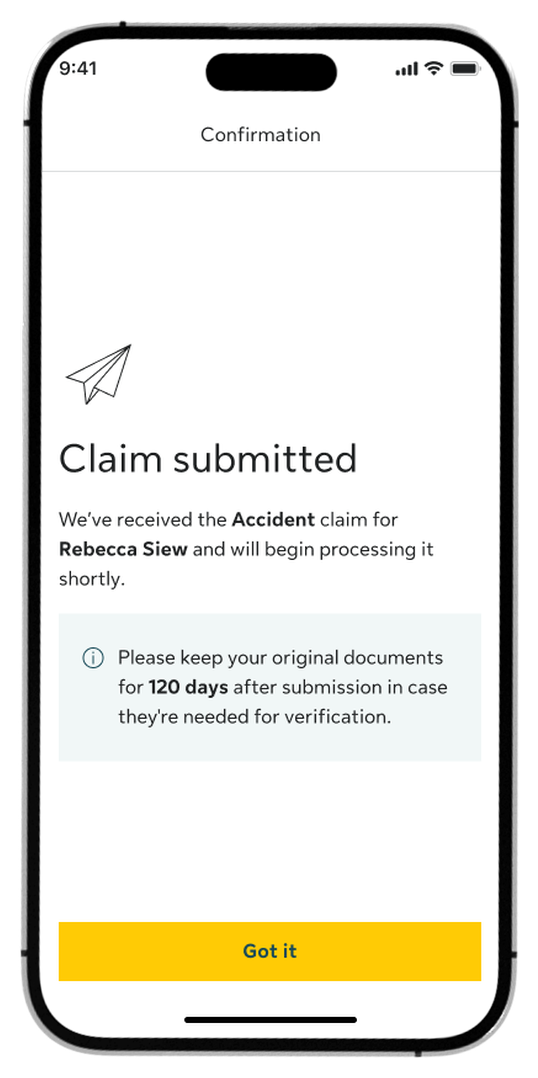
Step 8:
Once submitted, you’ll see a confirmation screen
How to view claim status
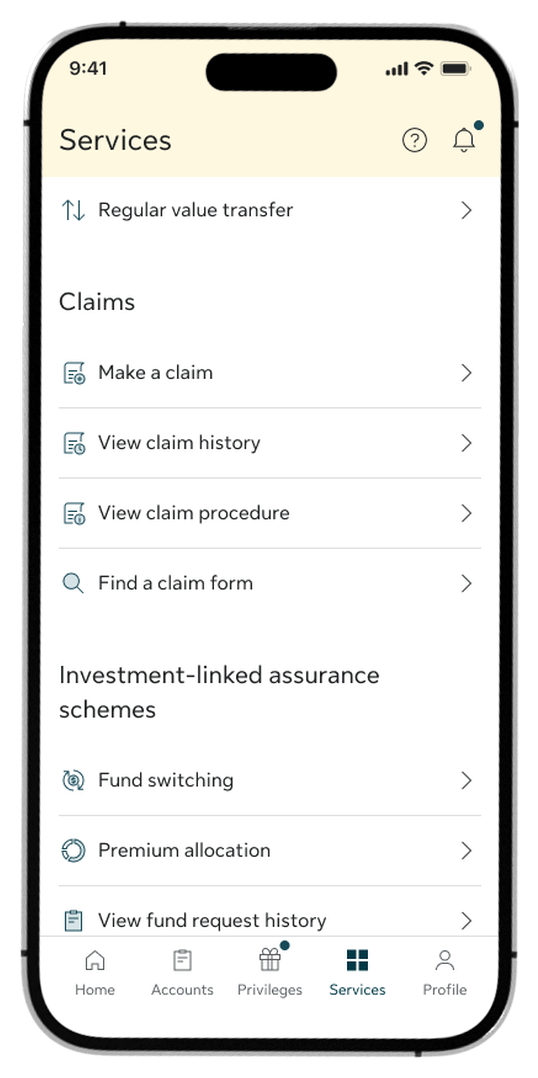
Step 1:
Go to the Services tab and select View claim history under the Claims section.
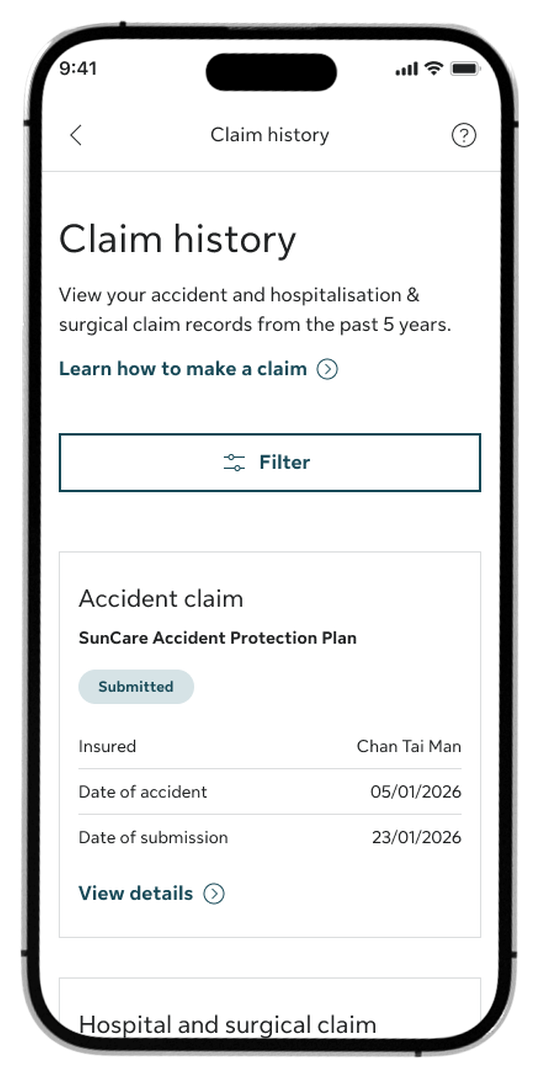
Step 2:
Browse your list of submitted claims to see their current status tags.
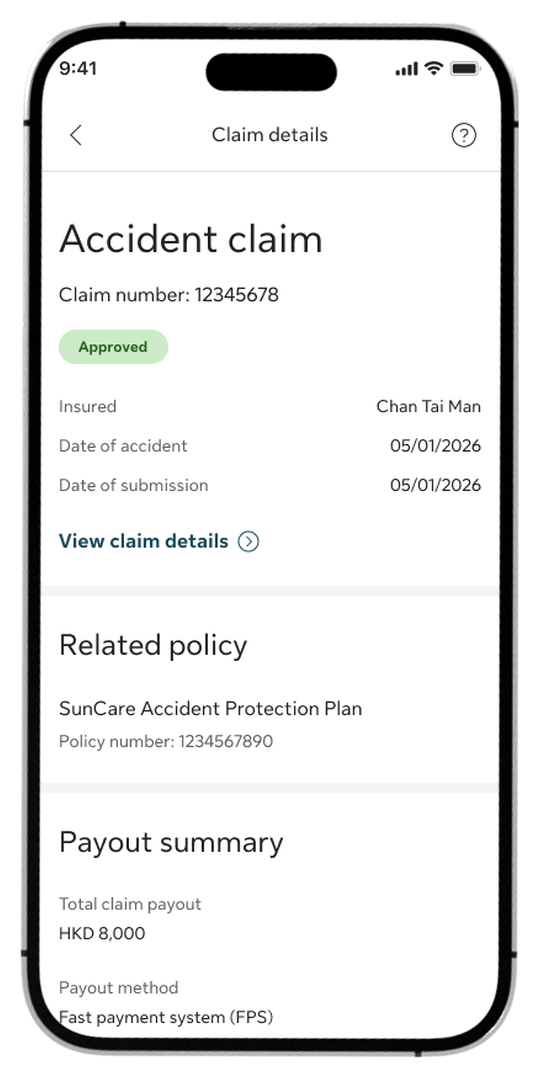
Step 3:
Tap View claim details on any claim to see your overall claim info and related policy.
To check your payout: See the Payout summary section for the total amount you have received or will receive.
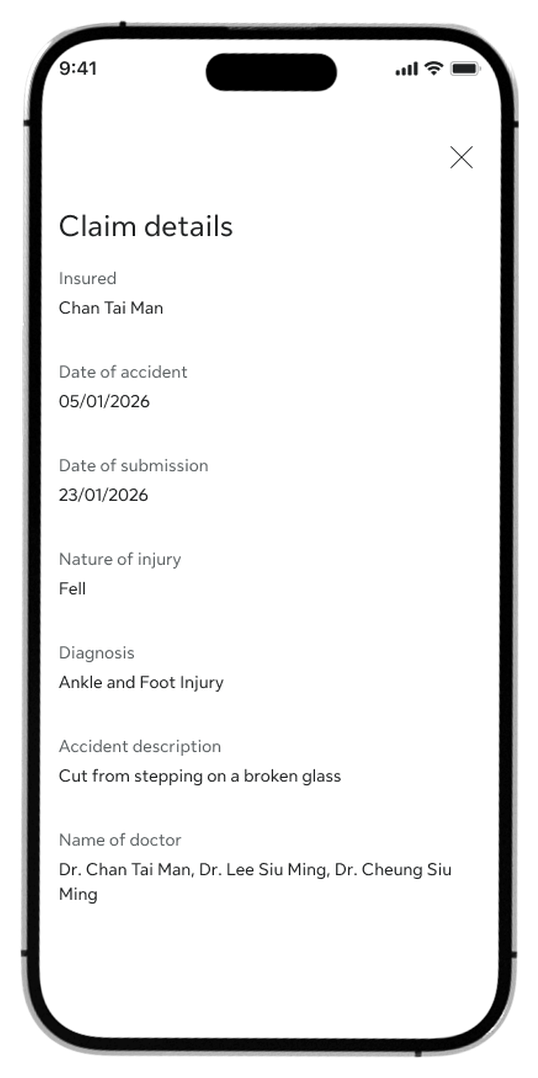
Step 4:
From the Claim details page, tap View claim details to review specific case information, including the diagnosis and accident description.
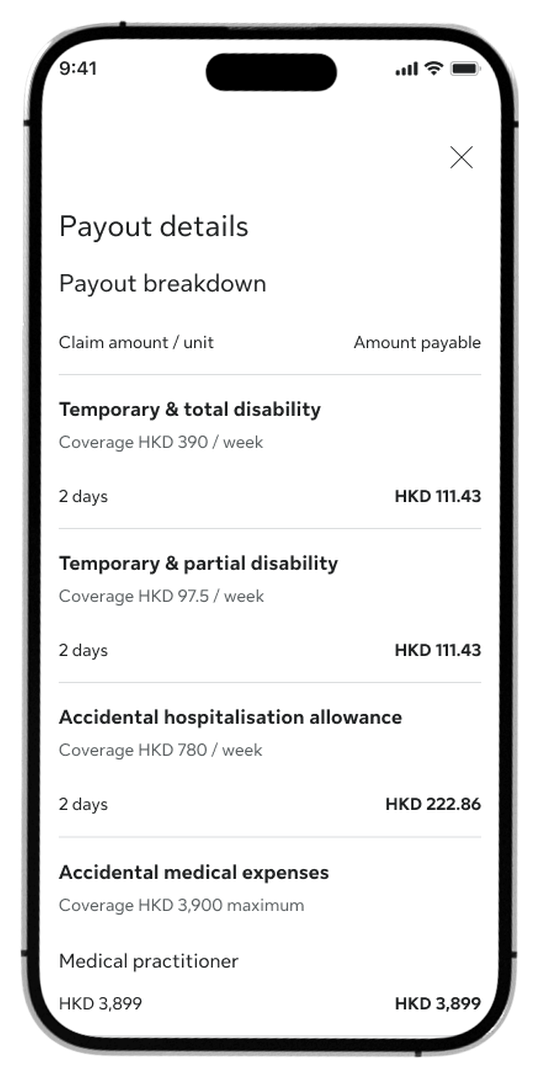
Step 5:
Tap View payout details to see a full financial breakdown of your benefits.
Log in to My Sun Life HK now
If you are situated in Mainland China or overseas and cannot use the app version, you can still access your policy details via the web version of My Sun Life HK.







Apple and the Apple logo are trademarks of Apple Inc., registered in the U.S. and other countries. App Store is a service mark of Apple Inc., registered in the U.S. and other countries.
Google Play and the Google Play logo are trademarks of Google LLC.