Accident Claims Procedure

Claim fast and easy with eClaim!

Claim Processing Time

1 working day

Claim Payment Time

Instant (FPS)

Claim Success Rate

95% +

Your full claims journey

1. Prepare Required Documents

  • For eClaims: Accident Benefit Claim Form Part II - Attending Physician’s Statement
    Download Part II
  • Receipts or hospital statement (with name of patient, diagnosis and treatment details) 
  • Referral letter
  • Sick leave certificates (if applicable)
  • Discharge summary, pathological and laboratory reports etc. (if applicable)

If the total claim amount exceeds HKD8,000, please submit an eClaim first and provide the original documents in person or by mail to:

Client Service Centre

G/F, MU Tower B, 18 Hung Luen Road, Hunghom, Kowloon, Hong Kong

We will begin processing your eClaim immediately, but a final decision will be made after receiving the original documents.
2. Submit The Claim

Log in to your My Sun Life HK account and follow these simple steps. Remember to submit your claim and documents within 90 days of your discharge, surgery, or consultation.

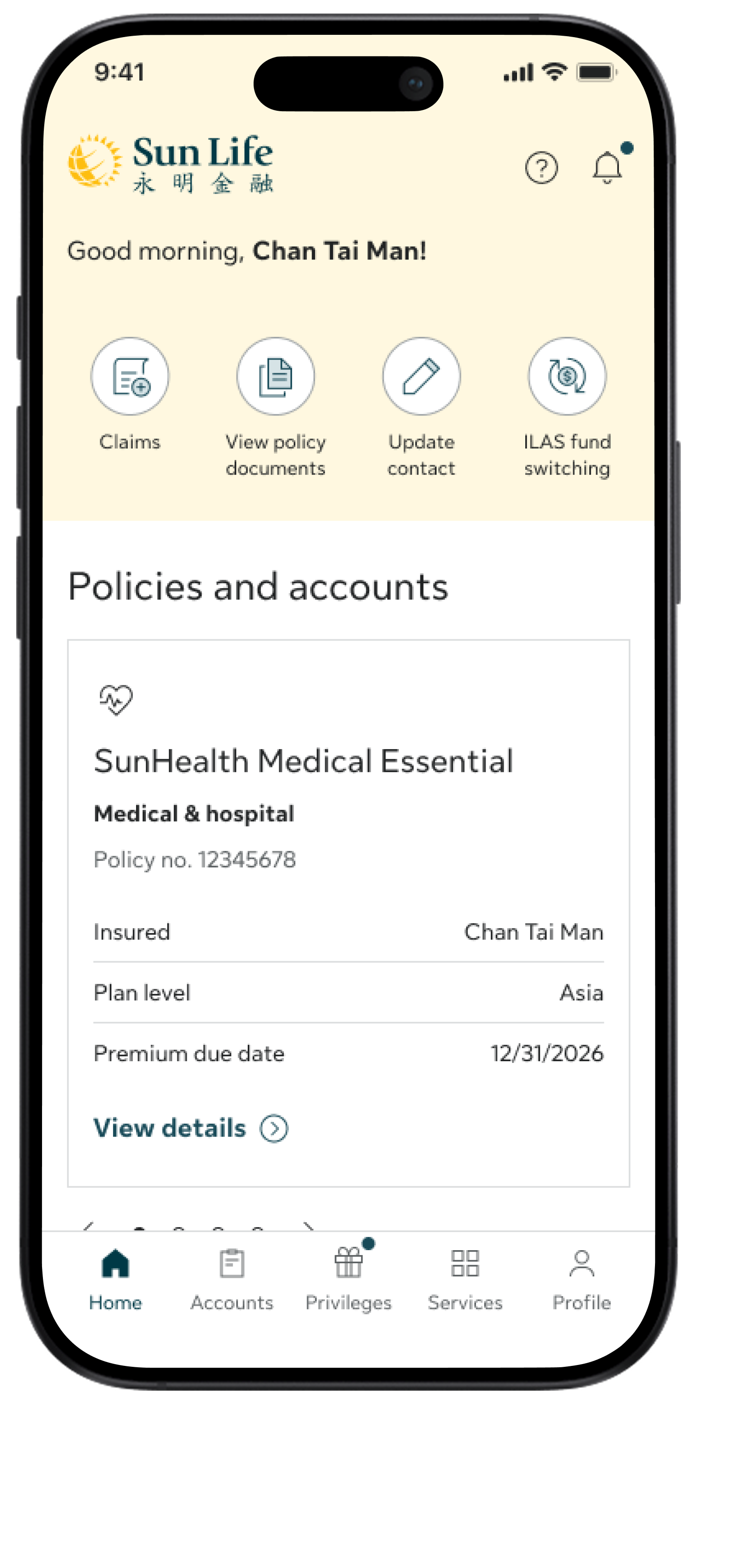
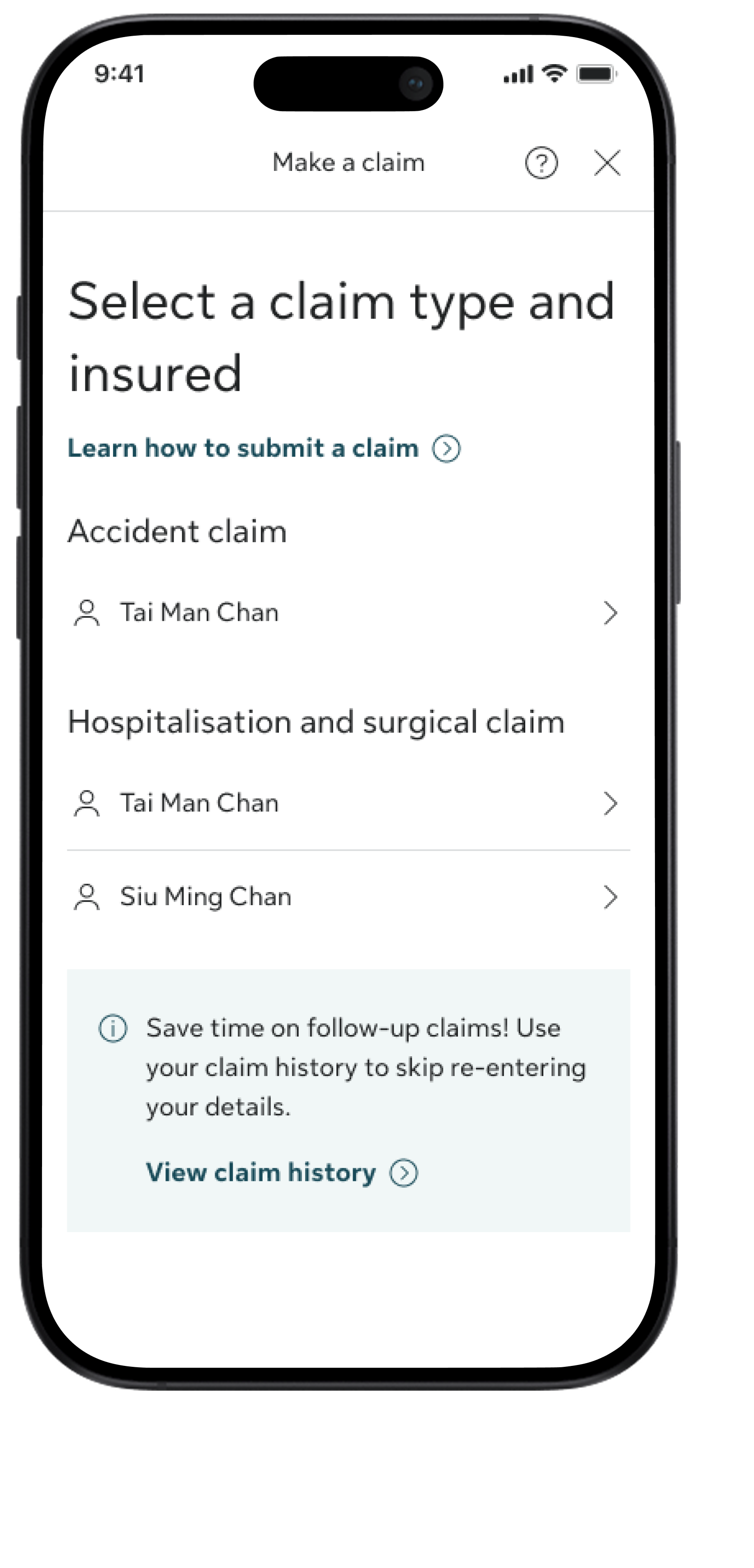
How to submit a claim

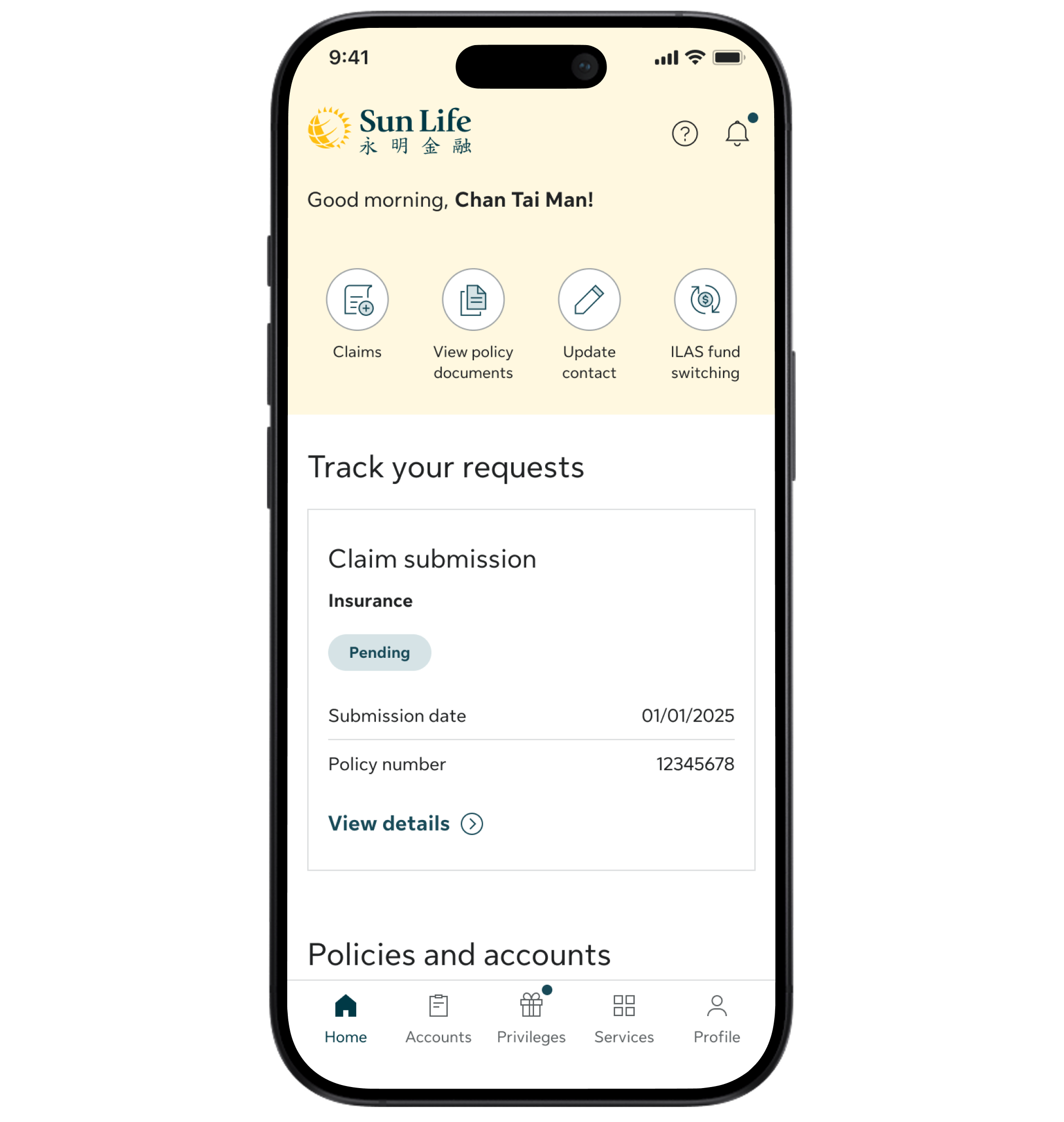
Step 1

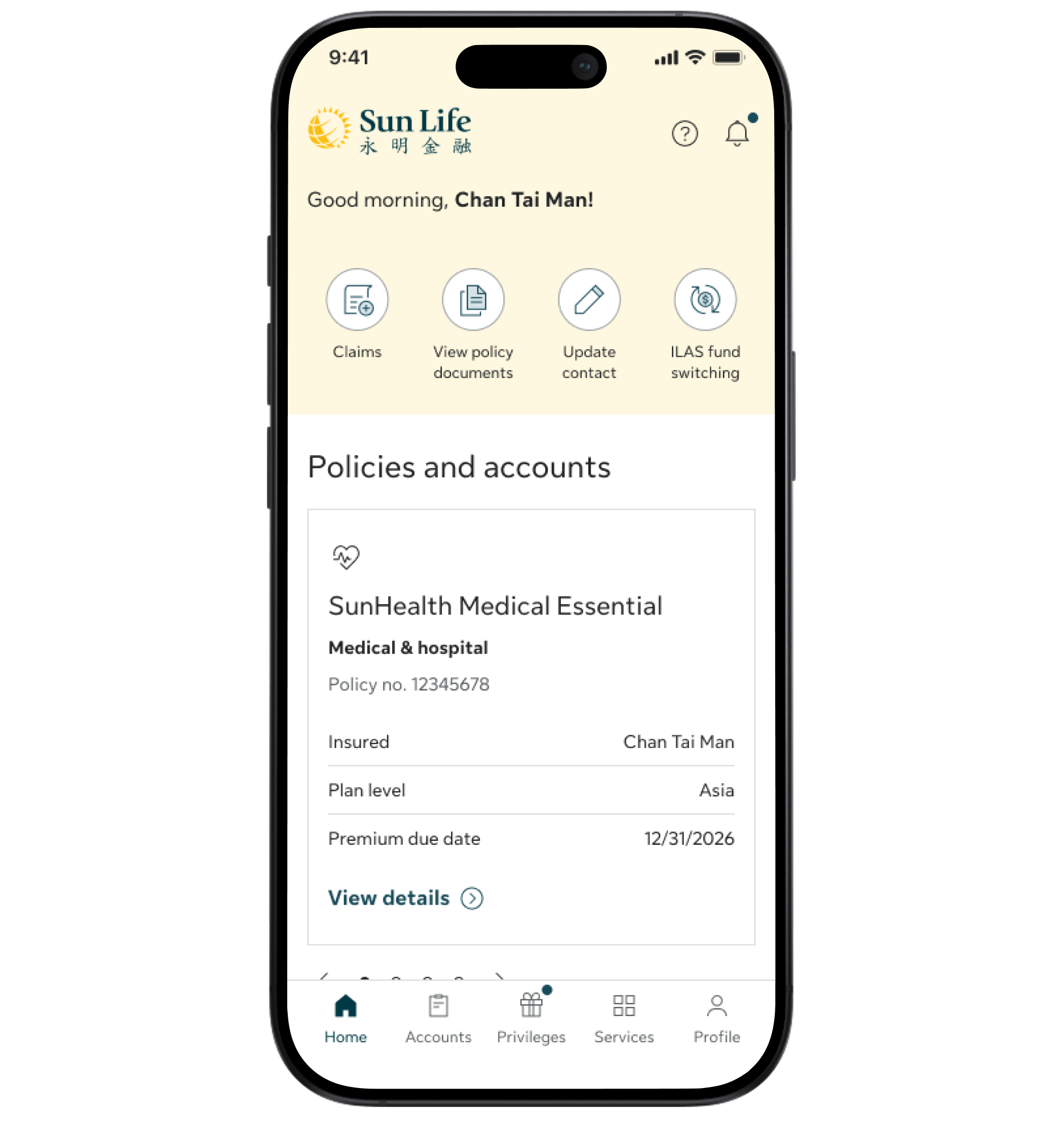
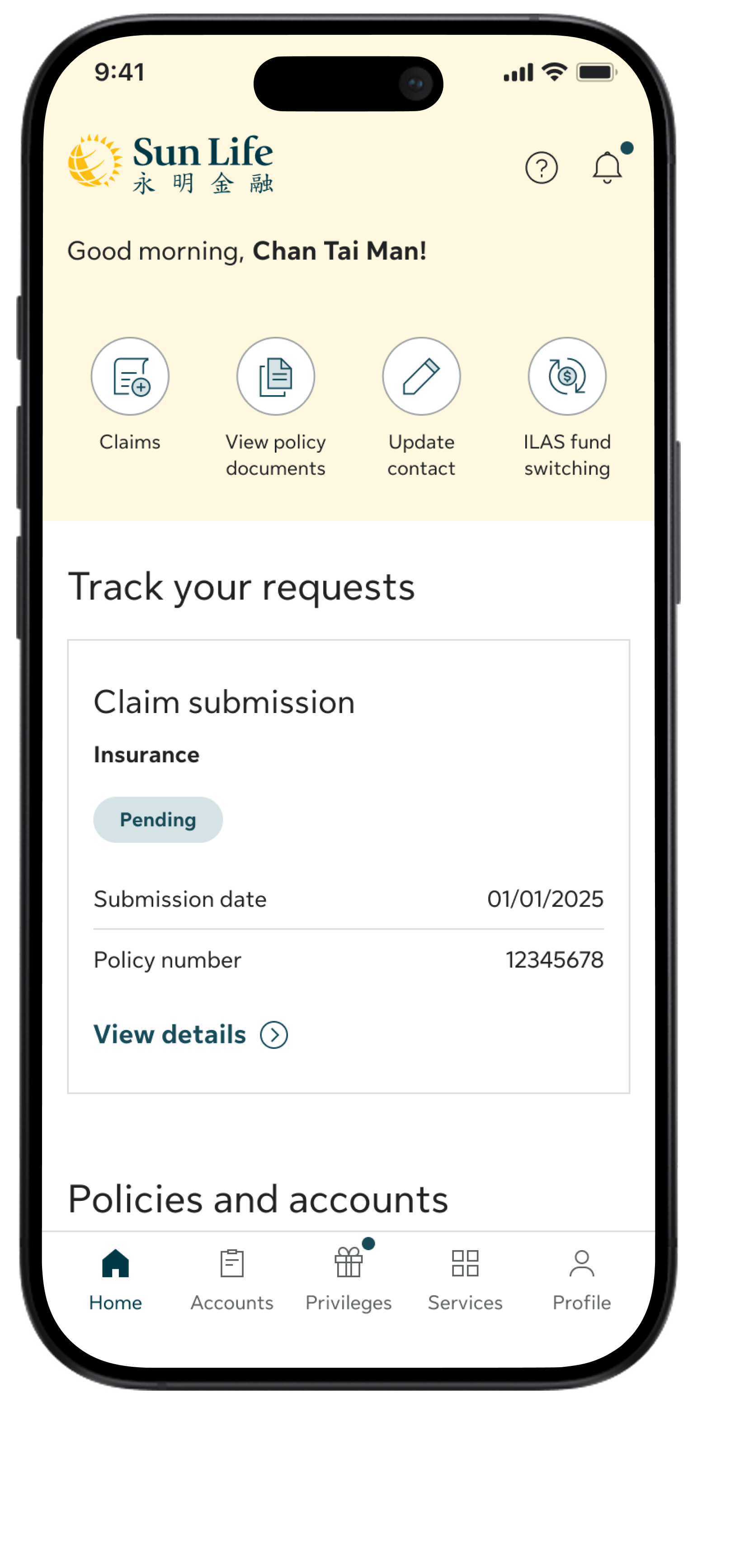
Tap Claims on the Home screen and select Make a claim from the menu

Step 2

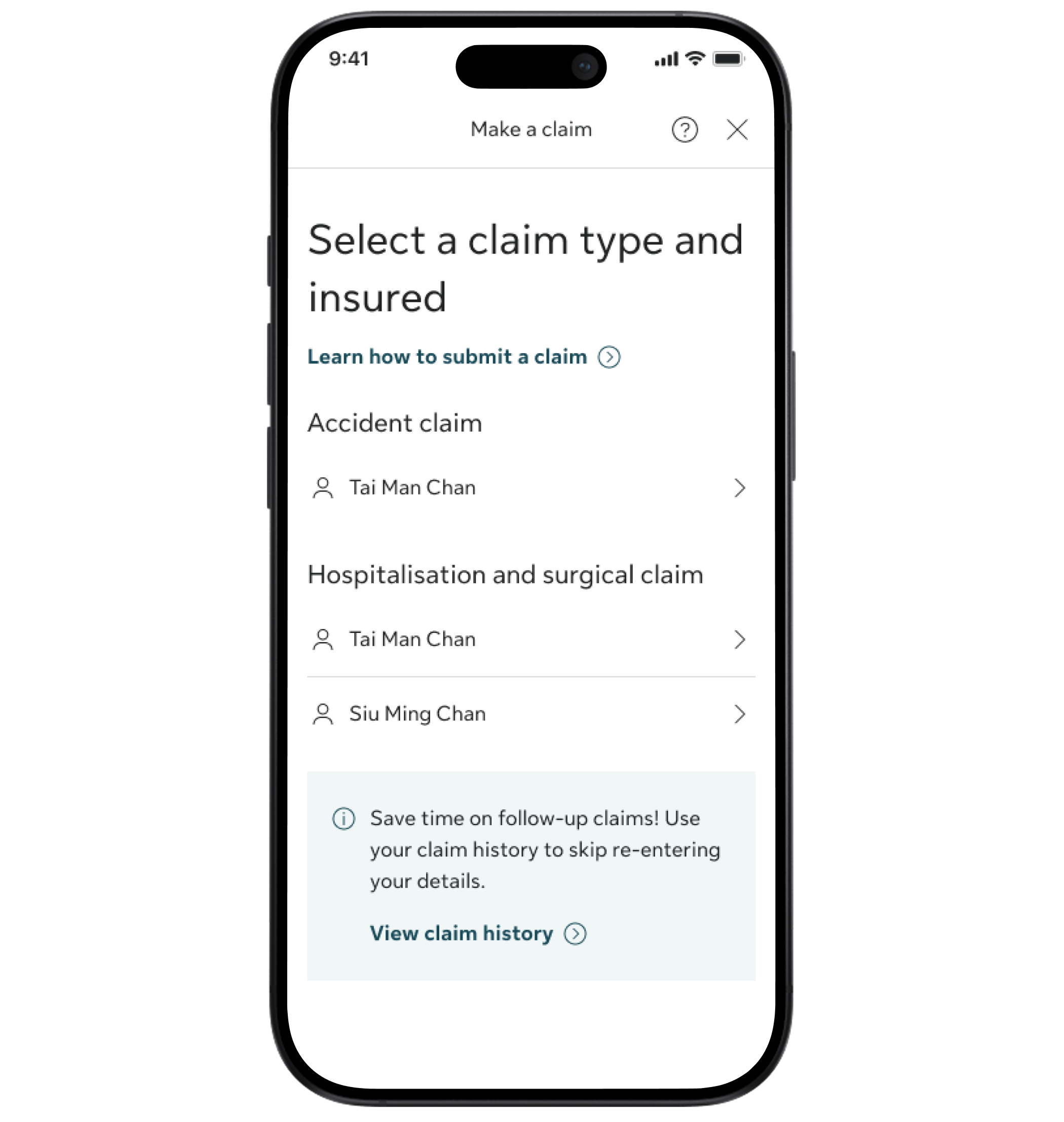
Select Accident claim and choose the insured person

Step 3

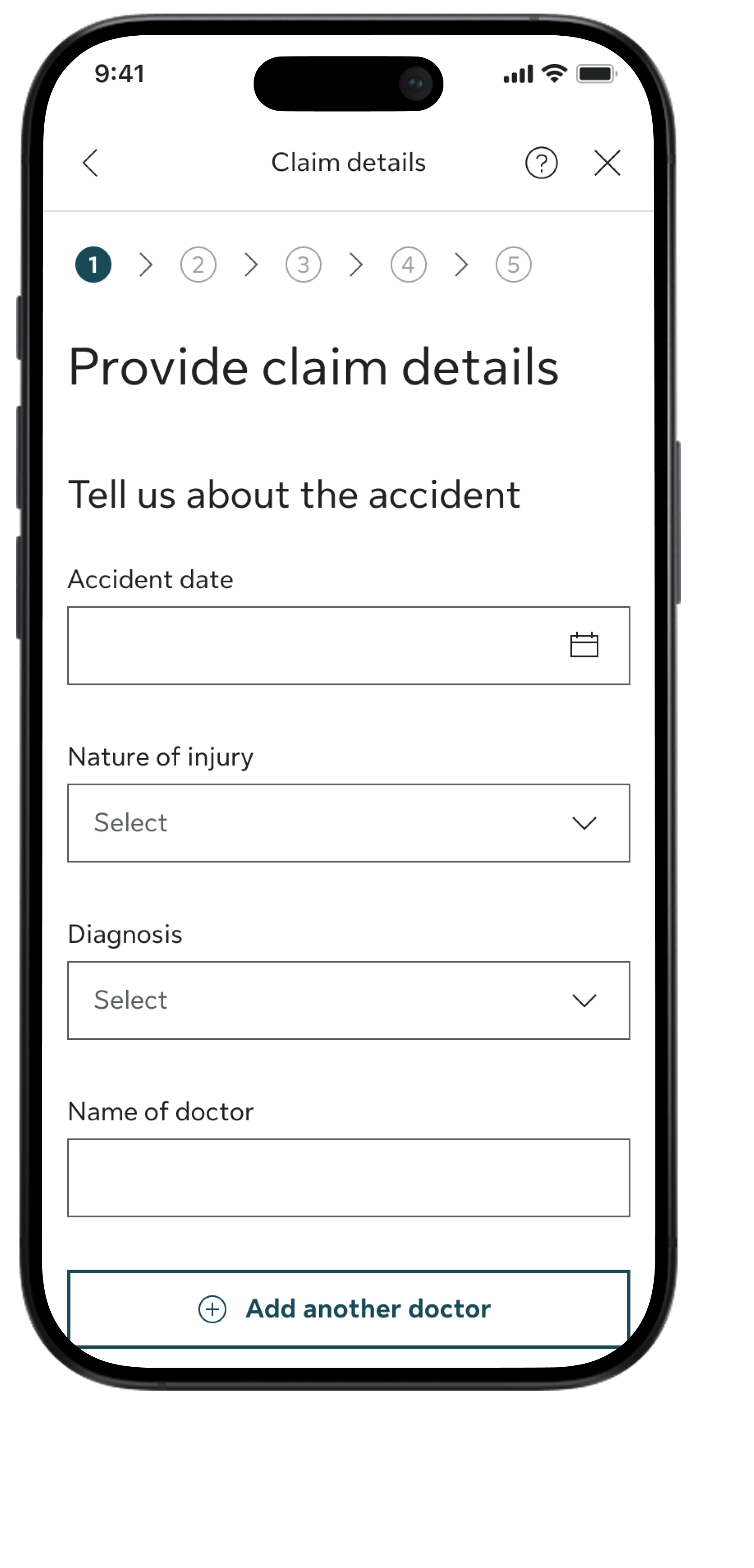
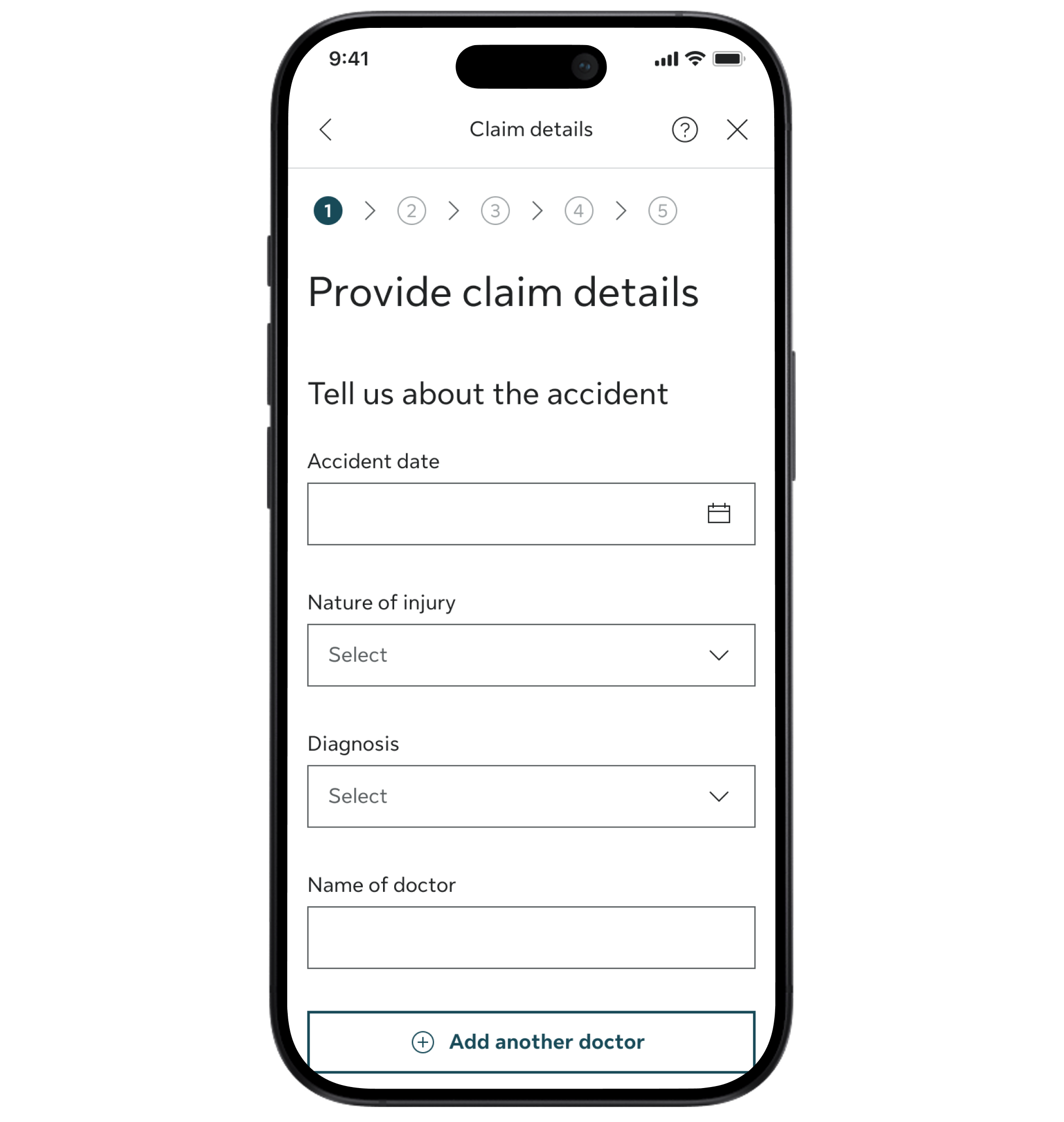
Fill in the claim details and upload the required documents

Step 4

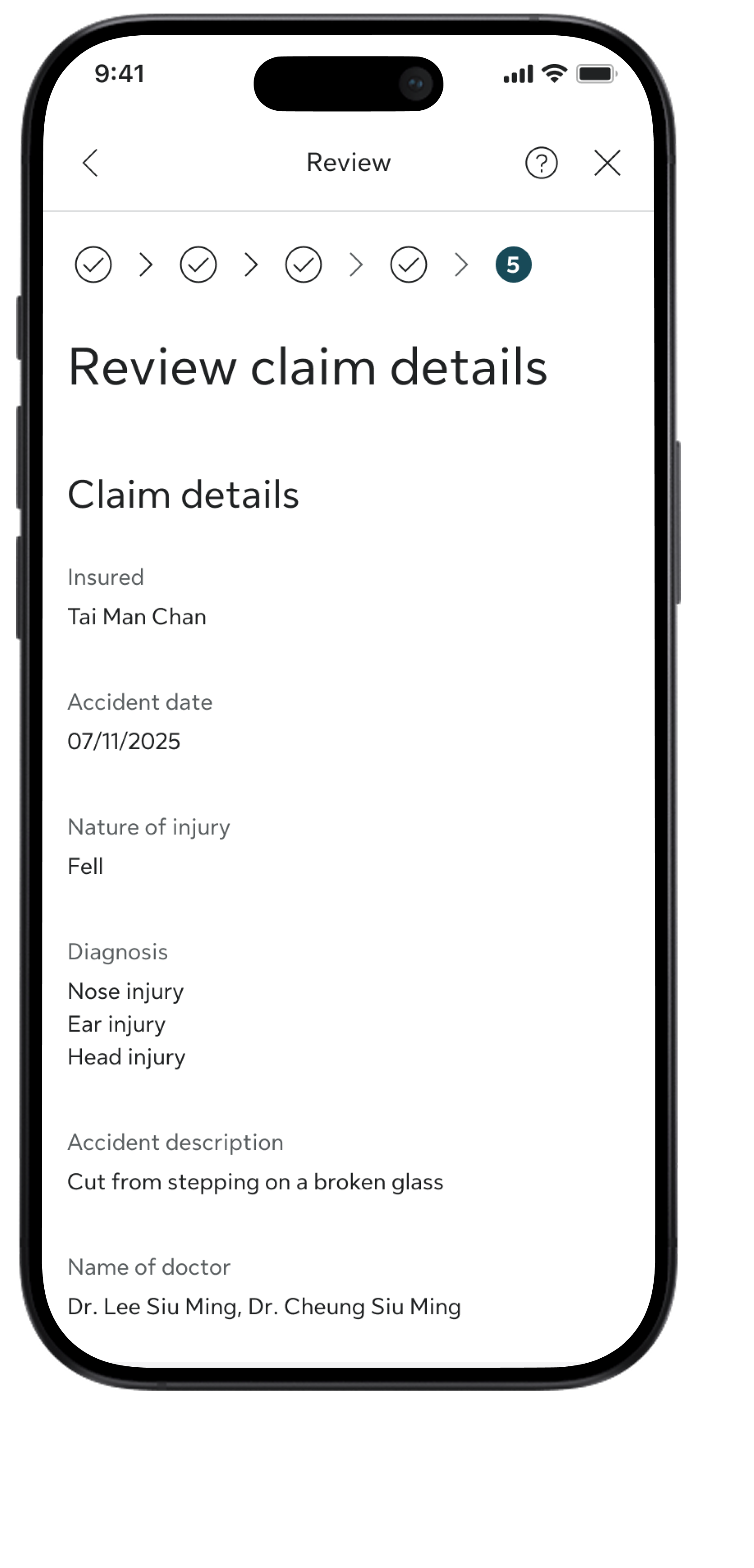
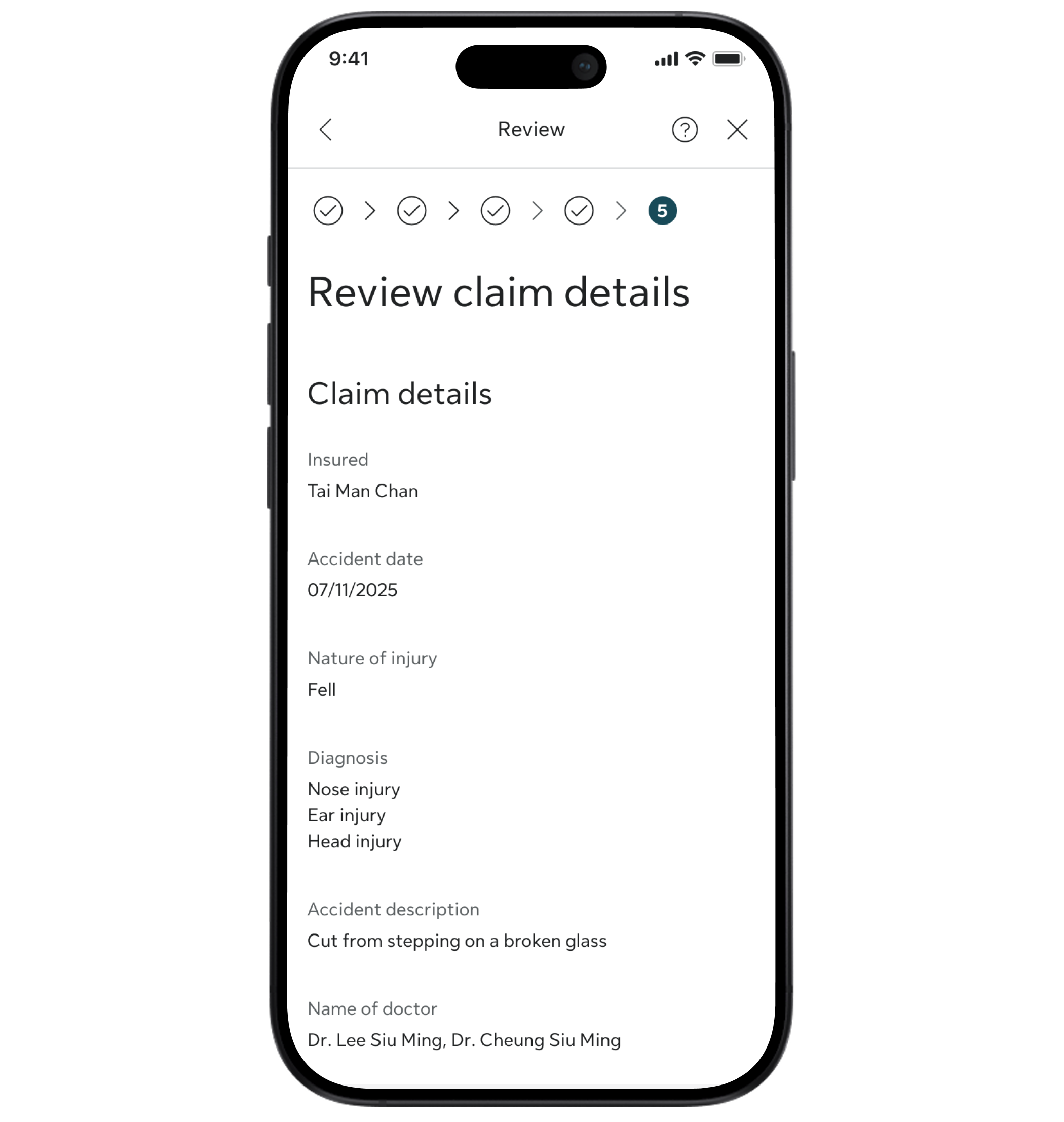
Review and submit your claim

Step 1

Tap Claims on the Home screen and select Make a claim from the menu

Step 2

Select Accident claim and choose the insured person

Step 3

Fill in the claim details and upload the required documents

Step 4

Review and submit your claim

3. Wait for Assessment

After receiving  the claim submission, we will process your claim in as fast as 1 working day.    

If we need additional information from you during the claim process, we will send you a "pending" push notification with instructions.

4. Track Your Claim Status

You will receive a push notification from My Sun Life HK App for any claim status change.

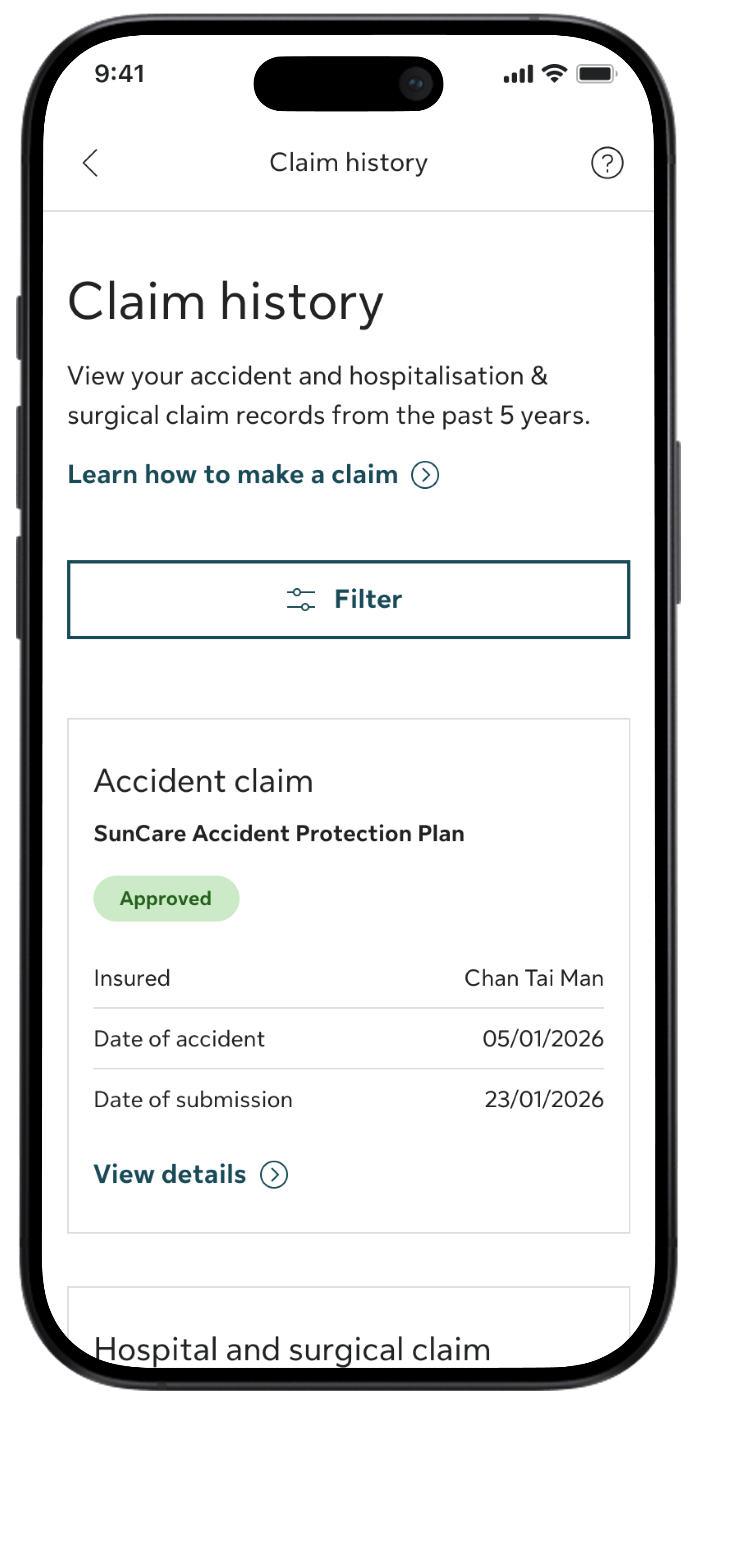
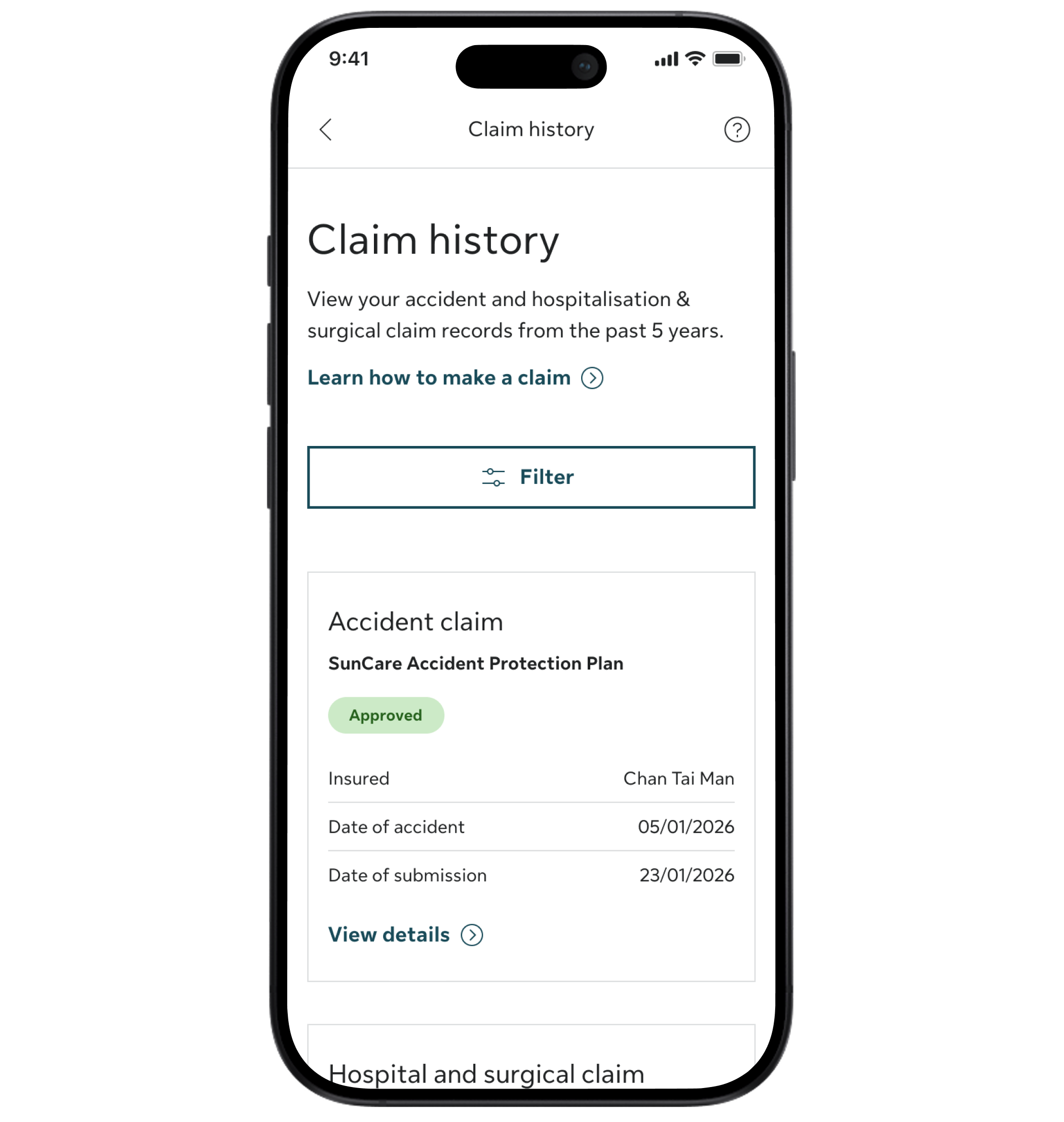
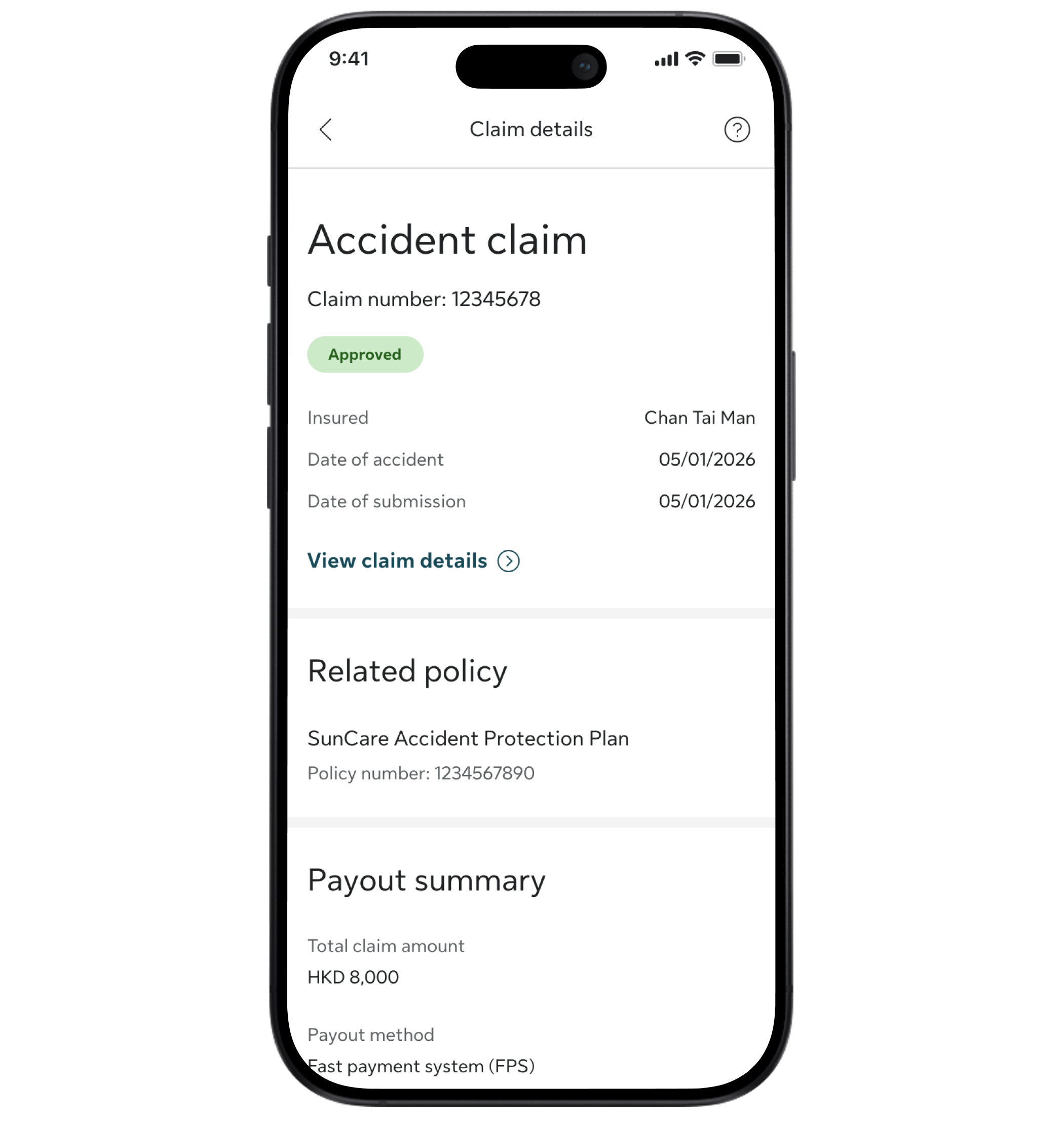
Missed the notifications? You can always go to the App and follow these steps to keep track of the status:

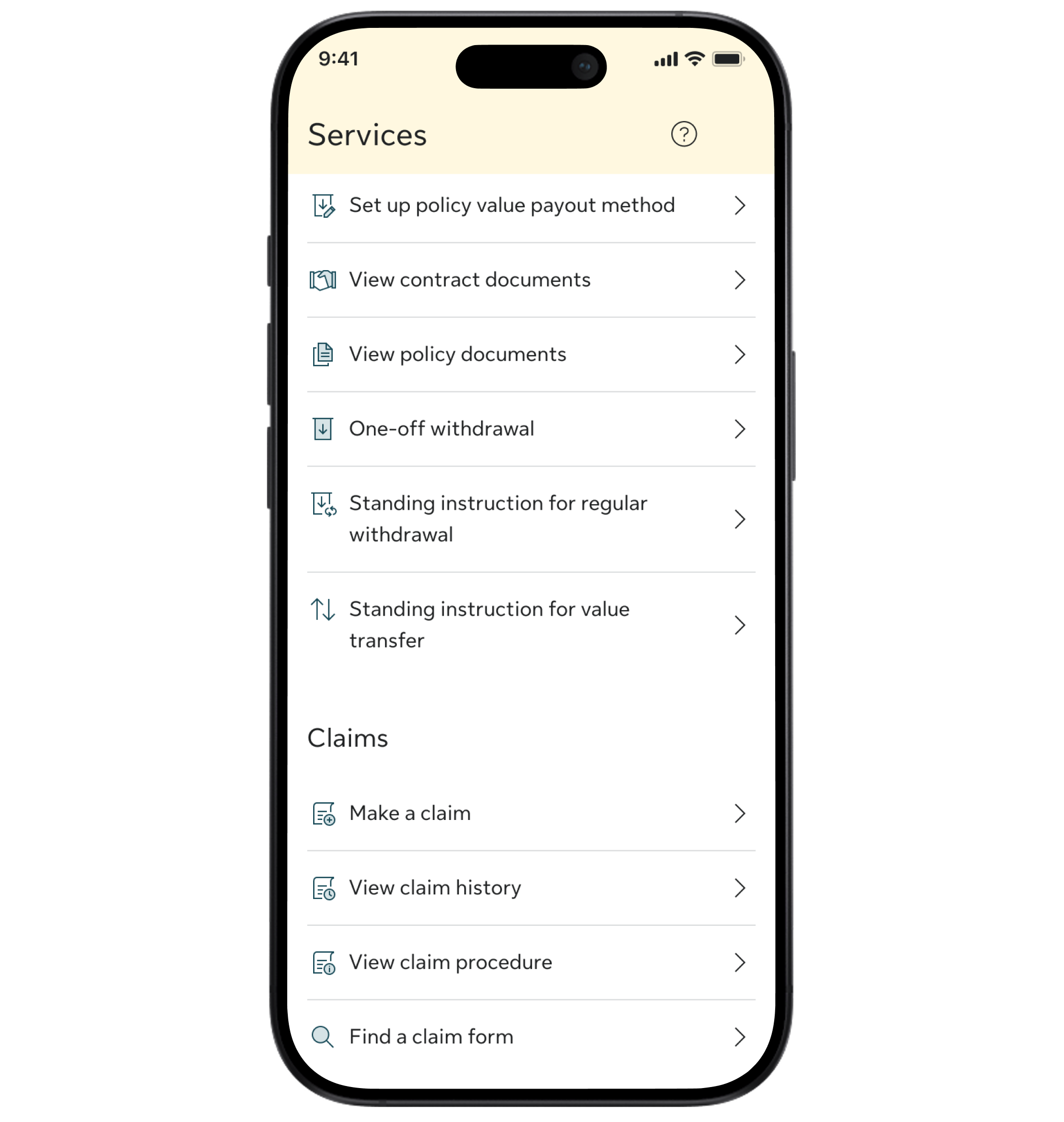
Step 1

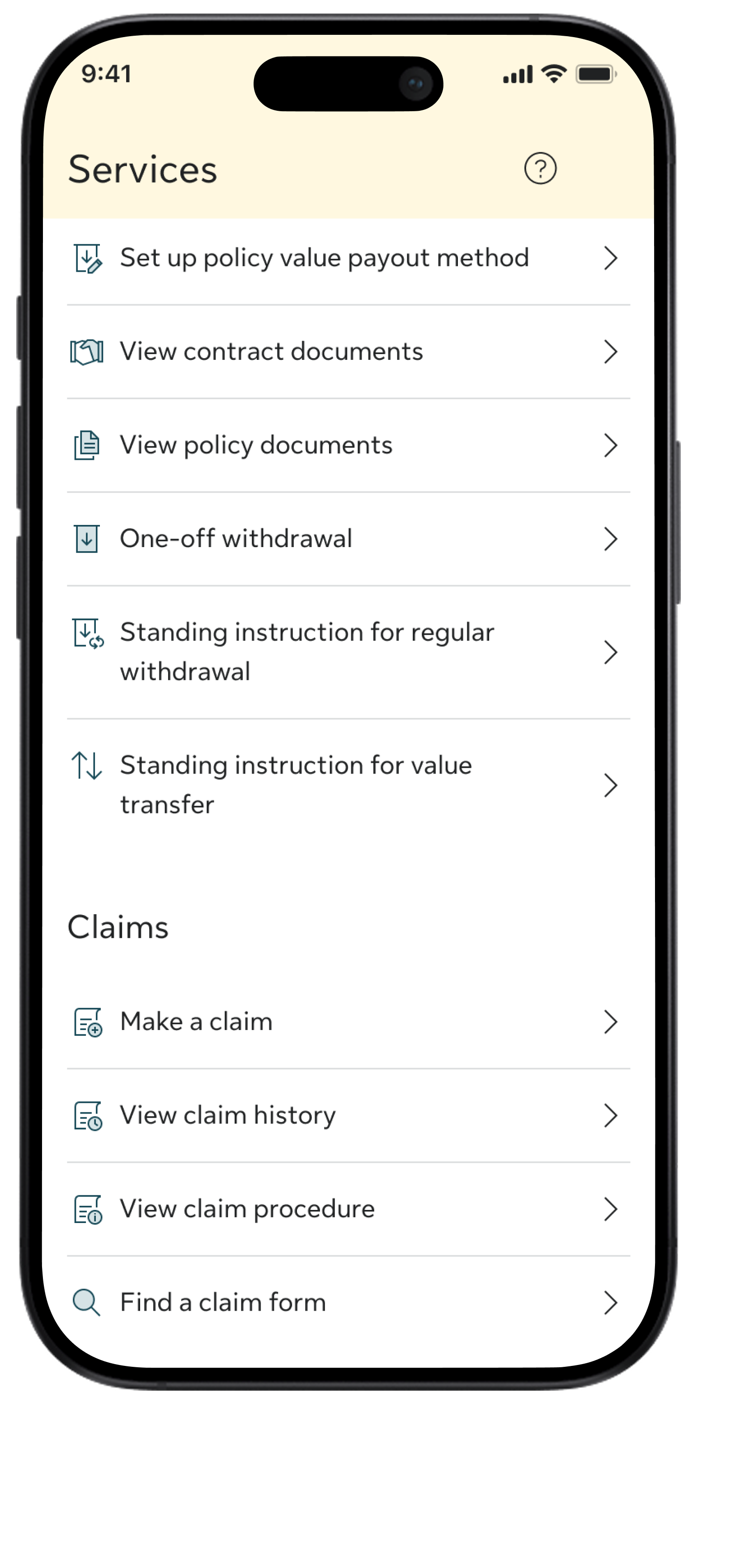
Tap Services on the bottom navigation bar

Step 2

Select View claim history

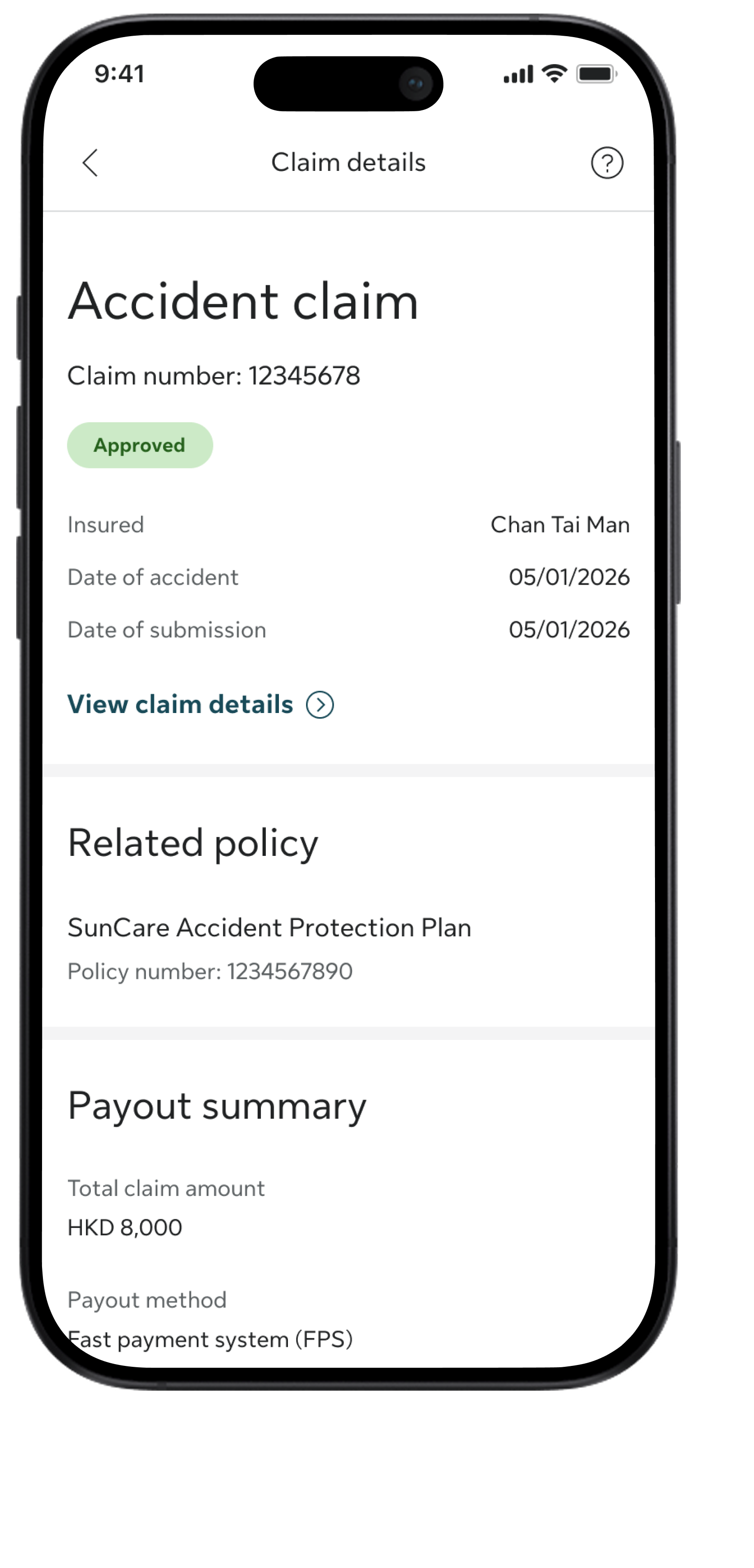
Step 3

Choose the claim you want to check

Step 4

You can find the status under the claim number in the details page

Step 1

Tap Services on the bottom navigation bar

Step 2

Select View claim history

Step 3

Choose the claim you want to check

Step 4

You can find the status under the claim number in the details page

5. Receive Payout

After the claim is processed, you will receive the payment via the method you have selected:

  • Faster Payment System (FPS) (Instant Payment!)
  • UnionPay
  • Pay to premium autopay bank account
  • Cheque via advisor/by mail (requires 3 - 5 working days)

Download My Sun Life HK app now

Sign in to access the details of your coverages and assets, and submit different policy service requests anytime.

If you are situated in Mainland China or overseas and cannot use the app version, you can still access your policy details via the web version of My Sun Life HK.

Learn more

For other submission methods, please contact:

Your advisor

Client Service Centre

(852) 2103 8928

Monday to Friday: 9am to 6pm,
Saturday: 9am to 1pm