- Please enter a search term.
-
Bermuda
Canada
China
Hong Kong, SAR
India
Indonesia
Malaysia
Philippines
Singapore
United Arab Emirates
United States
Vietnam
Corporate (sunlife.com)

- Please enter a search term.
-
Health insurance
Investment-linked fund prices & performance
Wealth management
-
Quick links
-
Who we are
Tools & resources
-
Overview
-
Digital insurance experience
-
WeChat
-
My Sun Life HK Client Digital Platforms
-
Retirement Calculator
-
My Sun Life HK - Group Insurance app
-
Education Budget Calculator
-
Bright Solutions
-
Cost estimator of treating major illnesses
-
First Contribution Calculator
-
Investment Risk Assessment
-
Retirement Savings Calculator
-
Expense Calculator
-
Savings Planning Calculator
-
MPF Navigator - the MPF investment tool
-
Overview
-
Digital insurance experience
-
WeChat
-
My Sun Life HK Client Digital Platforms
-
Retirement Calculator
-
My Sun Life HK - Group Insurance app
-
Education Budget Calculator
-
Bright Solutions
-
Cost estimator of treating major illnesses
-
First Contribution Calculator
-
Investment Risk Assessment
-
Retirement Savings Calculator
-
Expense Calculator
-
Savings Planning Calculator
-
MPF Navigator - the MPF investment tool
-

Individual Insurance Claims
Track your Claim Status
Claim status tracking is currently exclusive for Accident claims or Hospitalization & Surgical claims submitted via My Sun Life HK Client Digital Platforms or paper forms.
For other types of claims, please contact your advisor or our Client Service Centre at (852) 2103 8928 for your claim status.
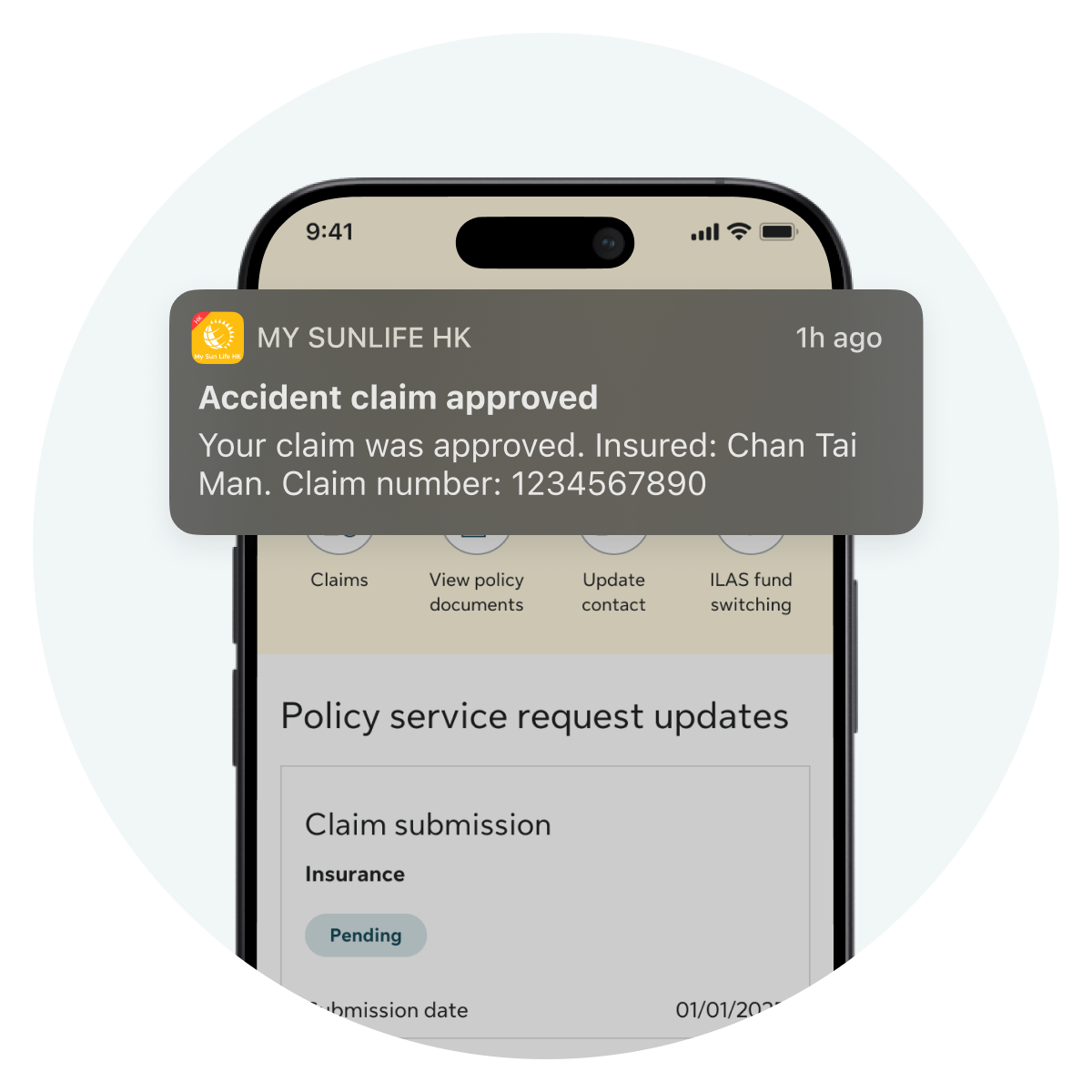
BY DEFAULT
You will receive a push notification whenever your claim status changes. Tap the notification to go directly to your claim details
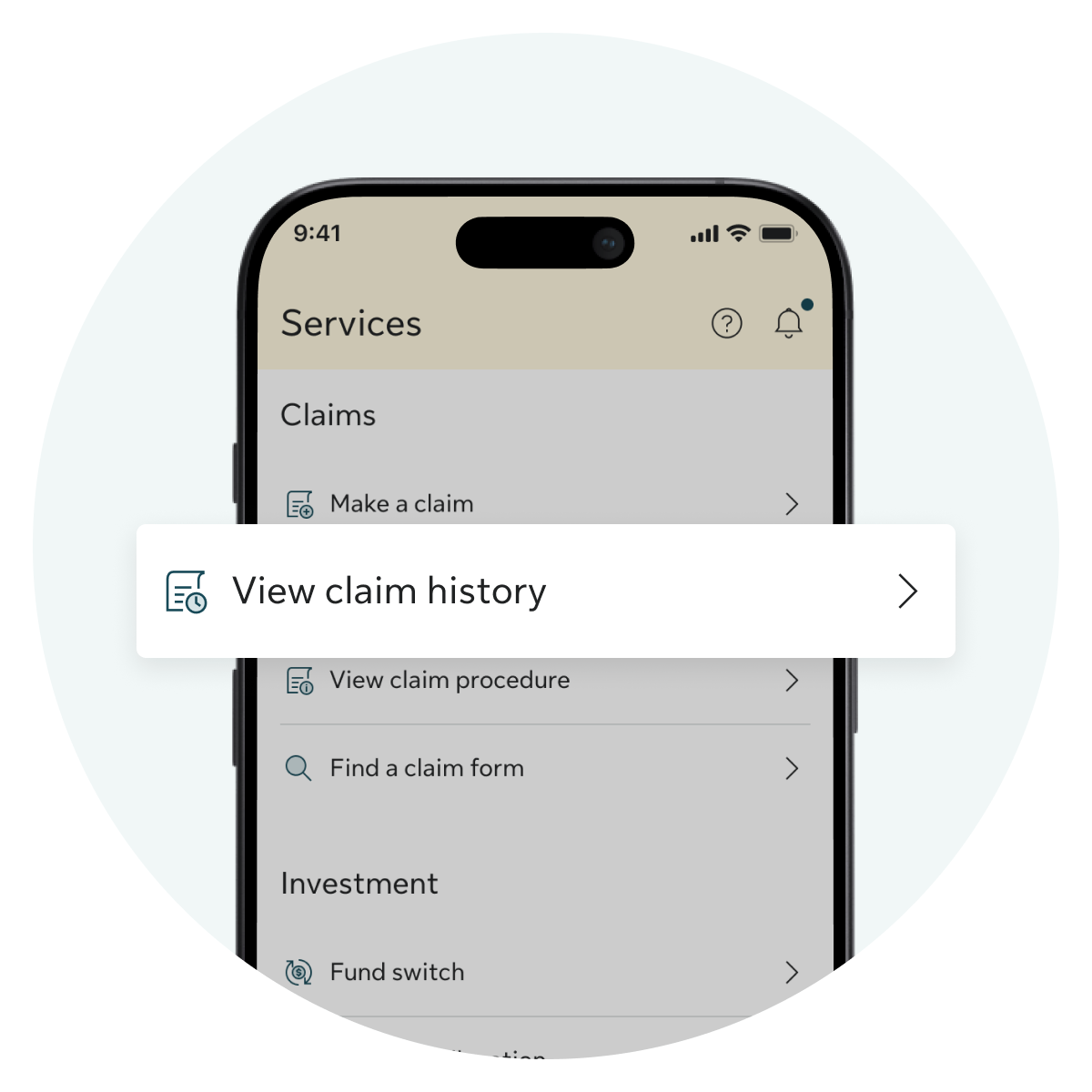
STEP 1
If you did not receive or missed the notification, open the app and go to Claims > View claim history
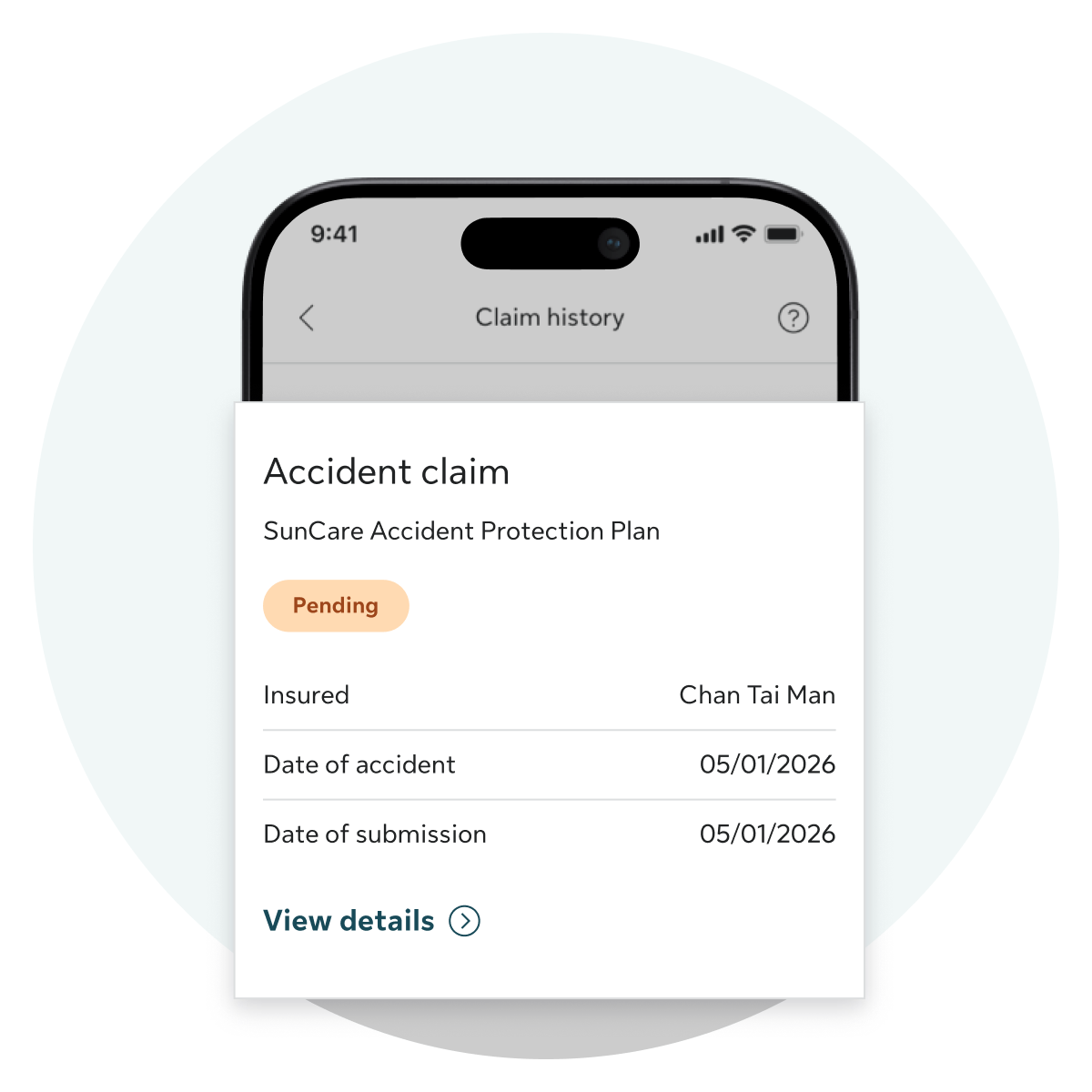
STEP 2
Choose the claim you want to check
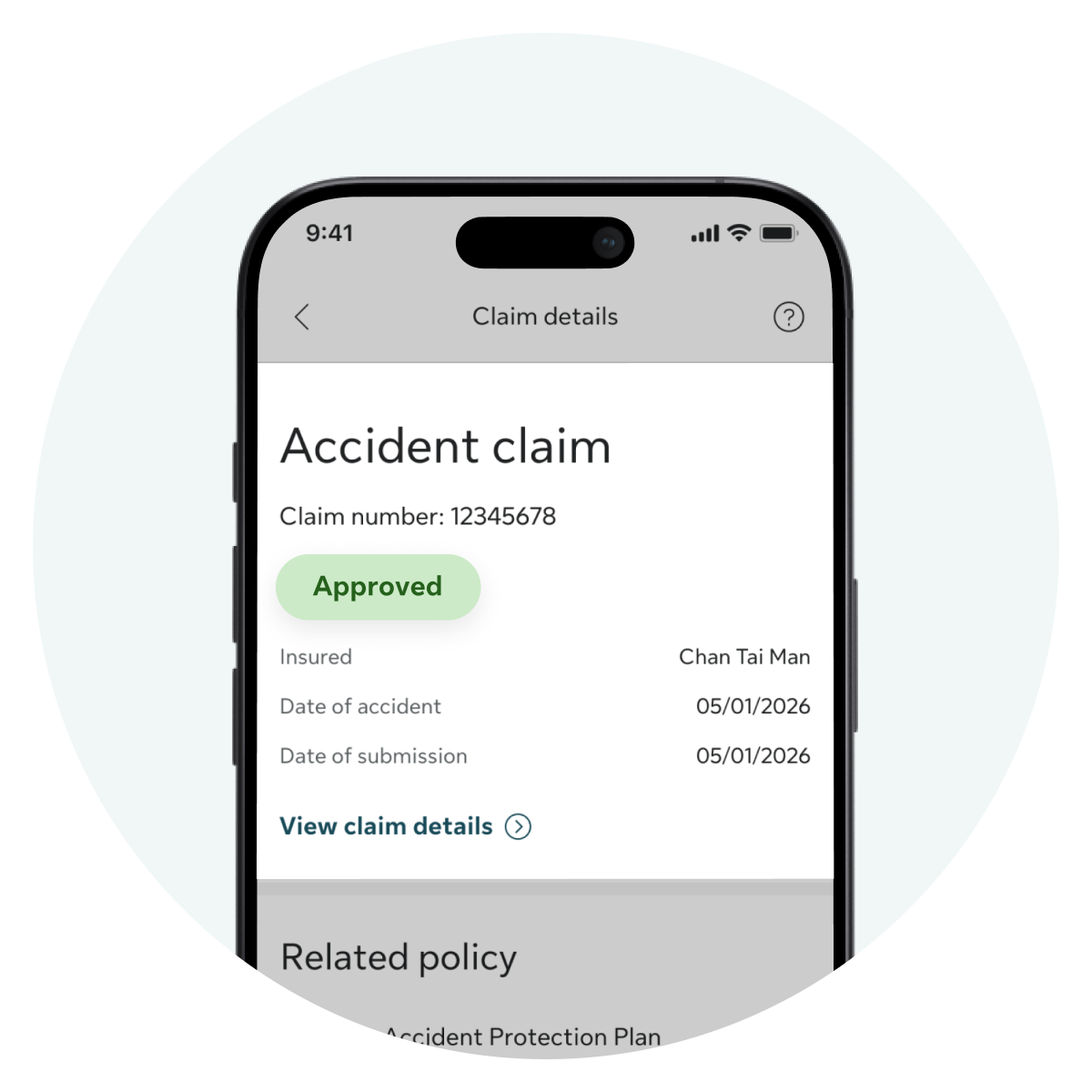
STEP 3
You can find the status under the claim number in the details page
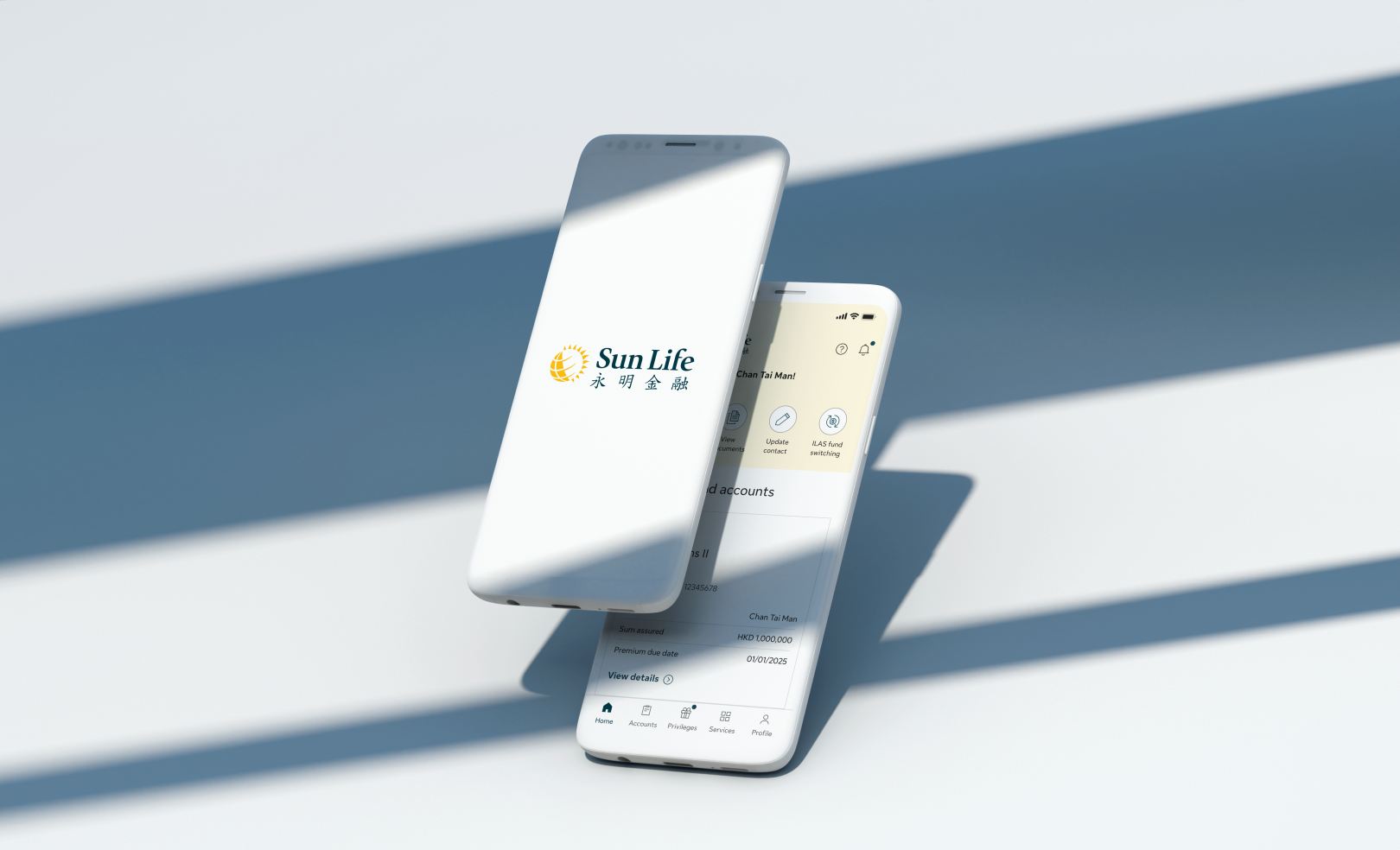
My Sun Life HK Client Digital Platforms
Easily manage policies, submit claims, and get support through our digital platform. Both app and web versions are available.



For Android users in Mainland China, please log in to our web version to download the APK installer.